
Ordalin
Submit a tool

Reviewed tool profile

Microsoft Copilot

Microsoft's AI assistant built into Word, Excel, PowerPoint, Outlook and Teams, with work-grounded chat, research agents and multi-step task automation.

Sources checked

Visit website ↗
Pricing
Freemium. Copilot has a free usage level, and Copilot Chat comes at no additional cost with eligible Microsoft 365 work plans. US individual plans: Microsoft 365 Personal $9.99, Family $12.99, Premium $19.99 and Pro $99.99 a month, with yearly billing saving up to 17% except on Pro. Business: the Copilot Business add-on starts from $18.00 per user a month paid yearly (originally $21.00); the enterprise plan is $30.00 per user a month, paid yearly. Official source 1 ↗ · Official source 2 ↗ · Official source 3 ↗
Available as
Copilot runs on desktop, mobile and the web, with voice, keyboard or pen input. Apps are in the Microsoft Store, Apple App Store and Google Play Store, and the web version works in any modern browser. The macOS and Windows apps need a Microsoft account, Apple ID or Google account. · Copilot is also built into Microsoft 365 apps, including Word, Excel, PowerPoint, Outlook and Teams. Official source 1 ↗ · Official source 2 ↗ Official source 1 ↗
Primary group
Productivity

What it does

Microsoft Copilot is Microsoft's AI assistant for work and everyday productivity. It connects to your work content and the apps you already use, combines several AI models and aims to deliver finished work rather than only answers. It is built into Word, Excel, PowerPoint, Outlook and Teams and also runs on desktop, mobile and the web. Individuals get it through Microsoft 365 consumer plans; businesses get Microsoft 365 Copilot, grounded in company data through Work IQ, with agents such as Researcher and Analyst.

Official source 1 ↗ · Official source 2 ↗

Features

  • Copilot in Microsoft 365 apps. Inside Outlook, Copilot prioritises your inbox, summarises threads and coaches drafts on tone and clarity. In Word it searches and summarises complex documents; in Excel it helps create, analyse and visualise data. Official source 1 ↗
  • Teams meeting recaps. In Teams meetings Copilot gives summaries, key discussion points including who said what, suggested action items and answers to questions. Official source 1 ↗
  • Work-grounded chat and search. Once signed in, Copilot references your chats, files, emails and apps to answer questions. Copilot Search returns results from your work content and apps. Official source 1 ↗
  • Researcher and Analyst agents. Business plans include pre-built agents. Researcher handles multistep research across work data and the web; Analyst uses a reasoning model optimised for data analysis. Official source 1 ↗ · Official source 2 ↗
  • Copilot Cowork for multi-step tasks. Chat handles answers grounded in your work, while Cowork takes on complex, multi-step work across your apps, data and workflows. Business plans list Cowork usage as metered. Official source 1 ↗ · Official source 2 ↗
  • Notebooks and Create. Notebooks gather chats, files and meeting notes and produce podcast-style summaries. Create turns a prompt, template or brand kit into designs, images, posters, videos and more. Official source 1 ↗
  • Build your own agents. Agent Builder creates work-grounded agents from natural-language instructions, and Copilot Studio extends and manages them at scale. Official source 1 ↗
  • Automatic model selection. Copilot combines several AI models; Auto weighs accuracy, speed and cost to choose the model for each request. Business plans list the latest OpenAI GPT-5.X models. Official source 1 ↗ · Official source 2 ↗
  • Personal AI in consumer plans. Consumer plans add visual help from your screen or camera, AI-generated audio (English only) and AI image creation, with usage rising by plan; Premium and Pro add agentic AI for research and analytics. Official source 1 ↗

Pricing & free limits

Free

FreeNo subscription

The plan comparison measures paid usage against a free level, without stating free limits. Work users on eligible Microsoft 365 plans get Copilot Chat at no additional cost. Official source 1 ↗ · Official source 2 ↗

Microsoft 365 Personal

$9.99 (US)per month, or $99.99 per year

1 person, 1 TB storage, desktop Office apps with Copilot, and higher-than-free Copilot usage. One-month free trial. Official source 1 ↗

Microsoft 365 Family

$12.99 (US)per month, or $129.99 per year

Personal for 1 to 6 people with 2 TB of shared storage; Copilot AI is for the subscription owner only. Official source 1 ↗

Microsoft 365 Premium

$19.99 (US)per month, or $199.99 per year

Family plus extensive Copilot usage, Premium-exclusive Copilot features and limited agentic AI for research and analytics. Official source 1 ↗

Microsoft 365 Pro

$99.99 (US)per month, monthly billing only

Premium plus 5 TB of shared storage and the highest usage for Copilot chat and agentic AI. Official source 1 ↗

Microsoft 365 Copilot Business

From $18.00 (US), originally $21.00per user / month, paid yearly; $25.20 on monthly billing

Add-on to a Microsoft 365 business plan: Copilot in Office apps and Teams, Work IQ chat, reasoning AI, Researcher, Analyst and Facilitator agents, and LLM model choice. Official source 1 ↗

Microsoft 365 Business Standard with Copilot

$23.50 (US)per user / month, paid yearly; $28.20 on monthly billing

Office apps with Copilot built in, business email, Teams, 1 TB storage per user, for up to 300 users. Official source 1 ↗

Microsoft 365 Business Premium with Copilot

$32.00 (US)per user / month, paid yearly; $38.40 on monthly billing

Business Standard plus advanced identity management, phishing protection and sensitive-data protection. Official source 1 ↗

Copilot for enterprise

$30.00 (US)per user / month, paid yearly

Copilot, productivity apps and Copilot Studio with enterprise-grade security, per the homepage plan card. Official source 1 ↗

Billing details

Individual subscriptions auto-renew unless cancelled; yearly billing saves up to 17%, but Pro is monthly only. Official source 1 ↗

Business plans are auto-renewing annual subscriptions, priced higher on monthly billing, with free trials. Official source 1 ↗

Copilot Cowork usage is metered on all three business plans rather than included at a fixed amount. Official source 1 ↗

Free access & limits

Copilot has a free usage level; paid plans list higher, extensive or highest usage, but numeric free limits are not published on these pages. Official source 1 ↗

Work users without Copilot licences can sign in with a work account to try Copilot Chat. Official source 1 ↗

Best for & limitations

Working through an inbox in Outlook: prioritising mail, summarising threads and adjusting the tone of drafts. Official source 1 ↗

Catching up on a Teams meeting with a summary and suggested action items. Official source 1 ↗

Researching a complex question across work data and the web with Researcher. Official source 1 ↗

Turning rough OneNote notes into plans, tasks and action lists. Official source 1 ↗

Building a dashboard, tracker or app by describing it, without coding experience (Copilot Code, in Microsoft Frontier). Official source 1 ↗
  • AI for the subscription owner only. On shared consumer plans, Copilot AI features belong to the subscription owner, cannot be shared, and have usage limits. Official source 1 ↗
  • Tiered usage, no published numbers. Usage is tiered by plan rather than unlimited, and Premium gets only limited agentic AI. Official source 1 ↗
  • Preview and Frontier features. Copilot Code and the Home view need the Microsoft Frontier programme; Autopilot is in private preview. AI-generated audio is English only. Official source 1 ↗ · Official source 2 ↗
  • Business plans capped at 300 users. Business Standard and Premium with Copilot cover up to 300 users. Official source 1 ↗
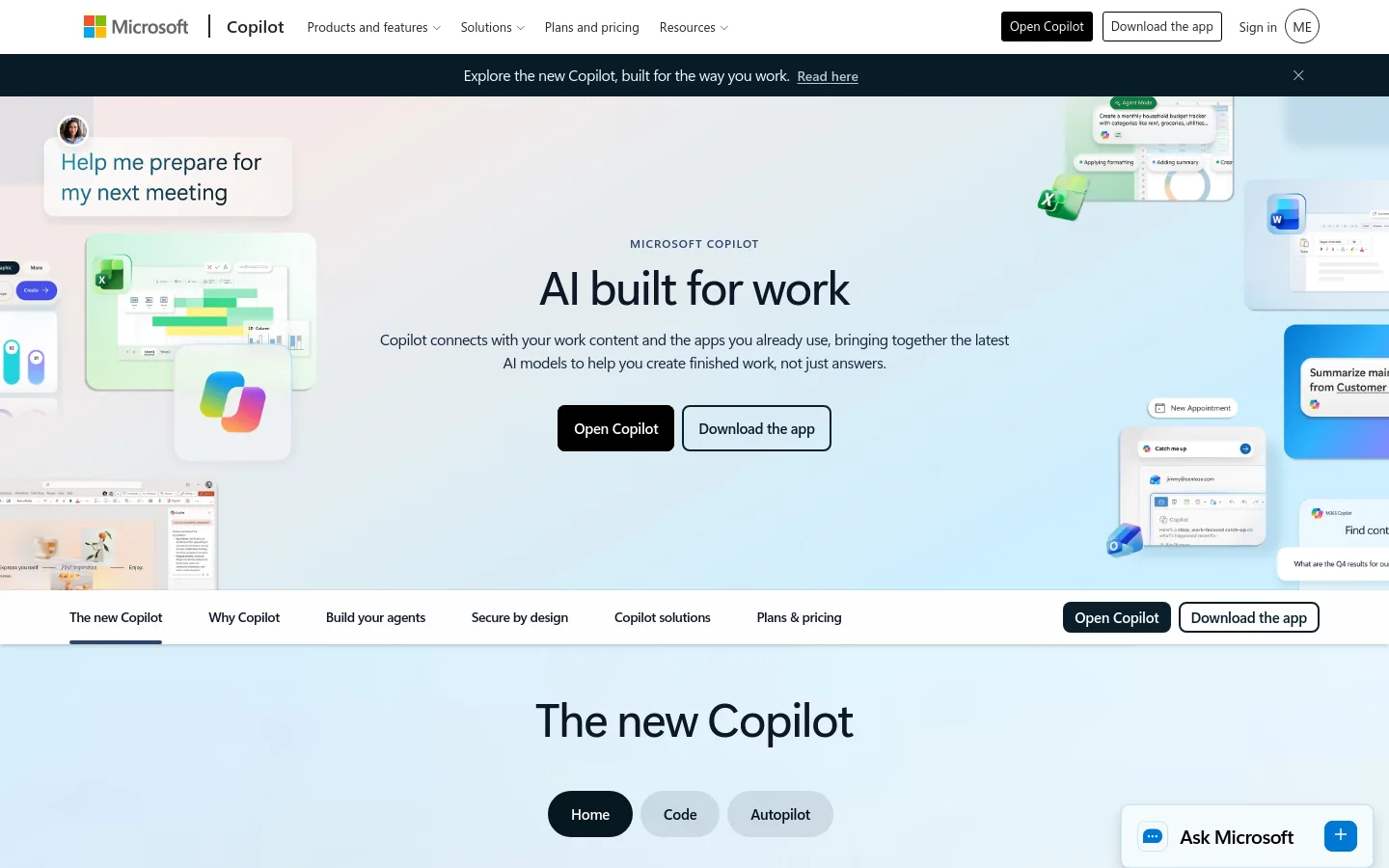
Microsoft Copilot product screenshot
Website previewFixed desktop viewport · 1440 × 900

Similar tools

Published tools that share its categories.

GeminiGoogle's AI assistant for chat, document summaries, Deep Research reports, writing, coding, and image, video and music generation.
Research & DataFree planChecked Oct 10
Visit