What it does
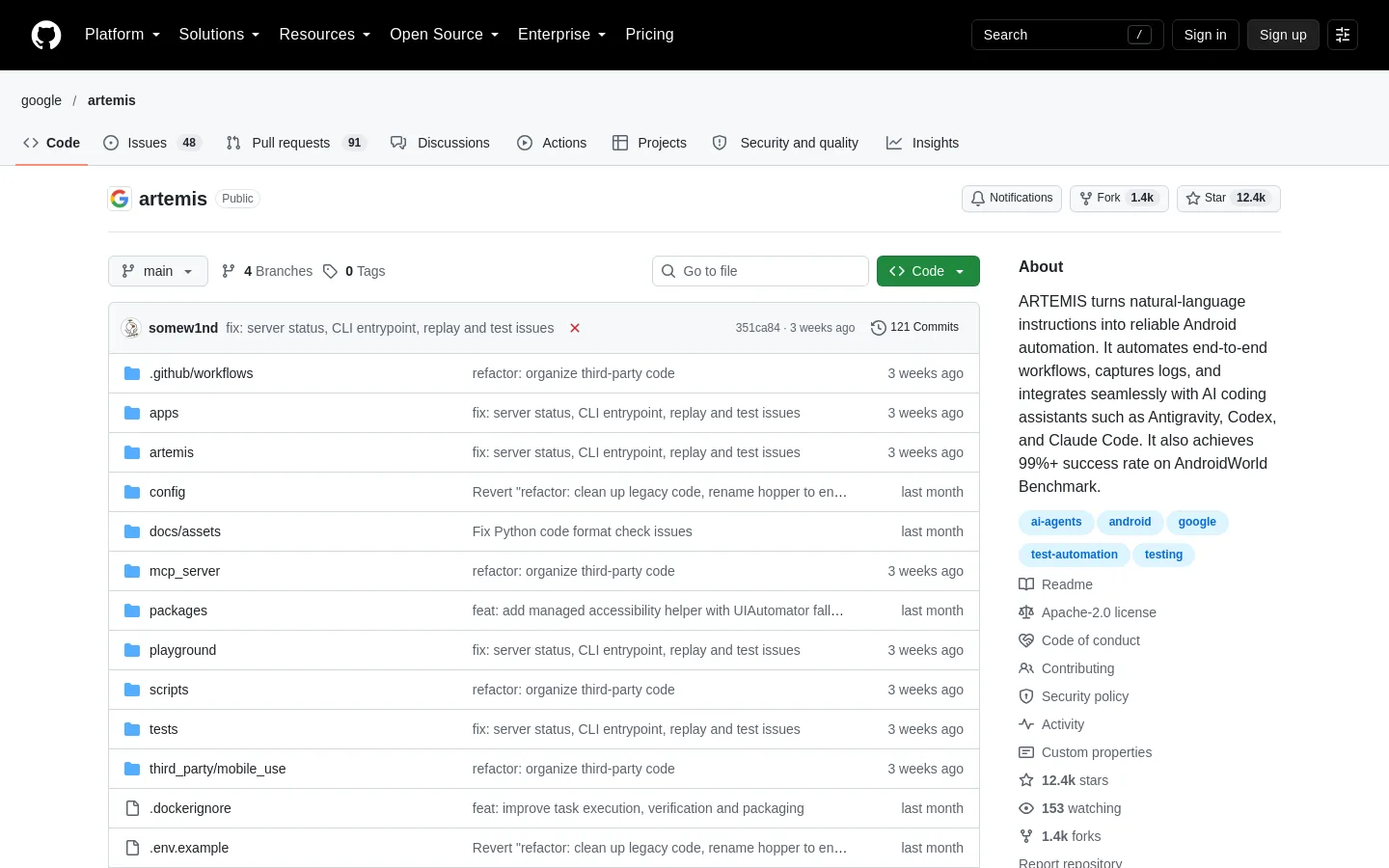
ARTEMIS is an open-source agent in Google's google/artemis GitHub repository that turns plain-language instructions into actions on a real Android phone or emulator. AI coding assistants such as Antigravity, Codex and Claude Code can drive the device through its MCP server, and test suites can call it from Python; it captures logs and screenshots along the way.
Official source 1 ↗Features
- Plain-language Android automation. Describe a task in words and ARTEMIS carries it out on the device, across apps, for test workflows or everyday tasks. Tasks can also be started straight from the command line. Official source 1 ↗
- MCP server for AI coding assistants. A built-in Model Context Protocol server lets coding assistants run tasks on the phone, read the current screen as a screenshot or OCR plus XML hierarchy, inspect traces and collect Logcat output and screenshots. Official source 1 ↗ · Official source 2 ↗
- Testing rules for the assistant. A rules file tells the coding assistant to explore the live app through ARTEMIS before writing test code, how to choose between Flash and Pro, and to prefer dynamic locators with coordinate fallbacks. The installer copies it into each supported IDE's global rules. Official source 1 ↗ · Official source 2 ↗
- Flash profile for quick tasks. Flash is a single-model observe-and-act loop at roughly 3–5 seconds per step, meant for routine, predictable UI tasks. It has no step cap by default because older history is compressed rather than cut off. Official source 1 ↗
- Pro profile with planning and checks. Pro runs a Planner, an Operator and a read-only Checker at roughly 15–40 seconds per step. Each action is checked against the live screen before it runs, checkpoints and the final goal are verified at a chosen level, and it handles workflows of 100+ steps, continuous monitoring and an optional written report. Official source 1 ↗
- Web test console. A local web console at localhost:8000 adds a device connection wizard, live screen mirroring, a prompt box for dispatching tasks, live reasoning telemetry, action trajectories and execution replays. Official source 1 ↗
- Python SDK and CLI. A dependency-free Python client sends tasks to an ARTEMIS host from pytest suites or CI/CD pipelines and returns typed, assertable results; the CLI runs test cases and AndroidWorld benchmarks from the terminal. Official source 1 ↗
- Visual fallbacks for custom UIs. ARTEMIS targets elements by index when the accessibility tree has them, and falls back to coordinates, OCR and vision models for custom Canvas, Compose and Flutter interfaces. Official source 1 ↗
- On-device accessibility helper. A small accessibility service installed on the phone reads the screen layout; it listens only on the phone and sends nothing elsewhere. If it fails mid-task, ARTEMIS switches to UIAutomator2 and reports the switch. Official source 1 ↗
- Background runs and notifications. Tasks started through MCP run as background processes so the assistant is not blocked. When they finish, ARTEMIS can wake the Antigravity agent, show a desktop notification, write an audit log, call a webhook (Slack, Discord, CI) or run a custom script. Official source 1 ↗
- Setup diagnosis and self-repair. A diagnose tool checks Python, config, LLM credentials, ADB, devices and emulators, returns a ready/degraded/blocked verdict with ordered fix steps, and can apply safe repairs such as restarting the ADB server. Official source 1 ↗
Pricing & free limits
All features: CLI, web console, MCP server, Python SDK, Flash and Pro profiles. You run it on your own machine and supply an API key for at least one LLM provider (Gemini, Google, OpenAI, Anthropic, OpenRouter or xAI); model usage is billed by that provider. Official source 1 ↗ · Official source 2 ↗
Billing details
ARTEMIS itself has no paid tier. Model calls go through the API key you put in .env for at least one supported LLM provider, so any model costs come from that provider's account. Official source 1 ↗
Free access & limits
Free access and its limits were not established by the checked official sources.
Best for & limitations
Ask a coding assistant to build the latest APK, install it on a connected phone, sign in with a test account, check for unexpected popups and return screenshots. With Antigravity, ARTEMIS turns such a request into a plan, a device run and a diagnostic report. Official source 1 ↗
Add plain-language device checks, such as opening Battery settings and checking for crash dialogs, to an existing pytest suite or CI/CD pipeline through the Python SDK. Official source 1 ↗
Reproduce a reported bug on a real device from inside the IDE, collecting Logcat output and screenshots. Official source 1 ↗
Run long exploratory or stability tests with the Pro profile, which recovers from blocked actions and can keep monitoring continuously. Official source 1 ↗
Automate everyday multi-app tasks on a phone, such as planning driving routes in Google Maps and then playing a song on YouTube. Official source 1 ↗
- Flash profile skips planning, safety checks and final reports. The faster Flash profile has no task plan or notes, no pre-execution safety net, no checkpoint verification or final report, and no ADB shell; those need the slower Pro profile. Official source 1 ↗
- Android only; iOS is a roadmap item. It automates Android devices and emulators. iOS devices and simulators are listed on the roadmap, not supported yet. Official source 1 ↗ · Official source 2 ↗
- Needs a connected device and your own LLM API key. A phone with USB debugging enabled or an emulator must be connected, and at least one LLM provider key must be configured before tasks run. Official source 1 ↗ · Official source 2 ↗
- Installs a helper app on the phone. The first task installs an accessibility helper that shows a persistent notification and a Settings entry. The project suggests turning off automatic installation on shared or personal phones. Official source 1 ↗ · Official source 2 ↗
- AndroidWorld score is self-reported. The 99%+ AndroidWorld completion rate is Google's own reported benchmark result for the project, published in its README. Official source 1 ↗