

Ordalin
Submit a tool

Reviewed tool profile

Canva Craft

Canva's first in-house image model, built for design layouts and in-image text, at up to 2K.

Sources checked

Visit website ↗
Pricing
Craft has no separate price. It is available to every Canva user, including Canva Free. Image generation draws on the monthly AI allowance of your Canva plan, which is about 20 uses on Canva Free and larger on paid plans. Calls through the REST API spend the same allowance. Official source 1 ↗ · Official source 2 ↗ · Official source 3 ↗
Available as
Inside Canva: open Dream Lab from the bottom-left panel of the editor. · Canva REST API (preview): POST /v1/image-generations with the model craft_v1_2k, using a user access token with the asset:write scope. Official source 1 ↗ Official source 1 ↗
Primary group
Image & Design

Also consider

See all 6 similar tools ↓

What it does

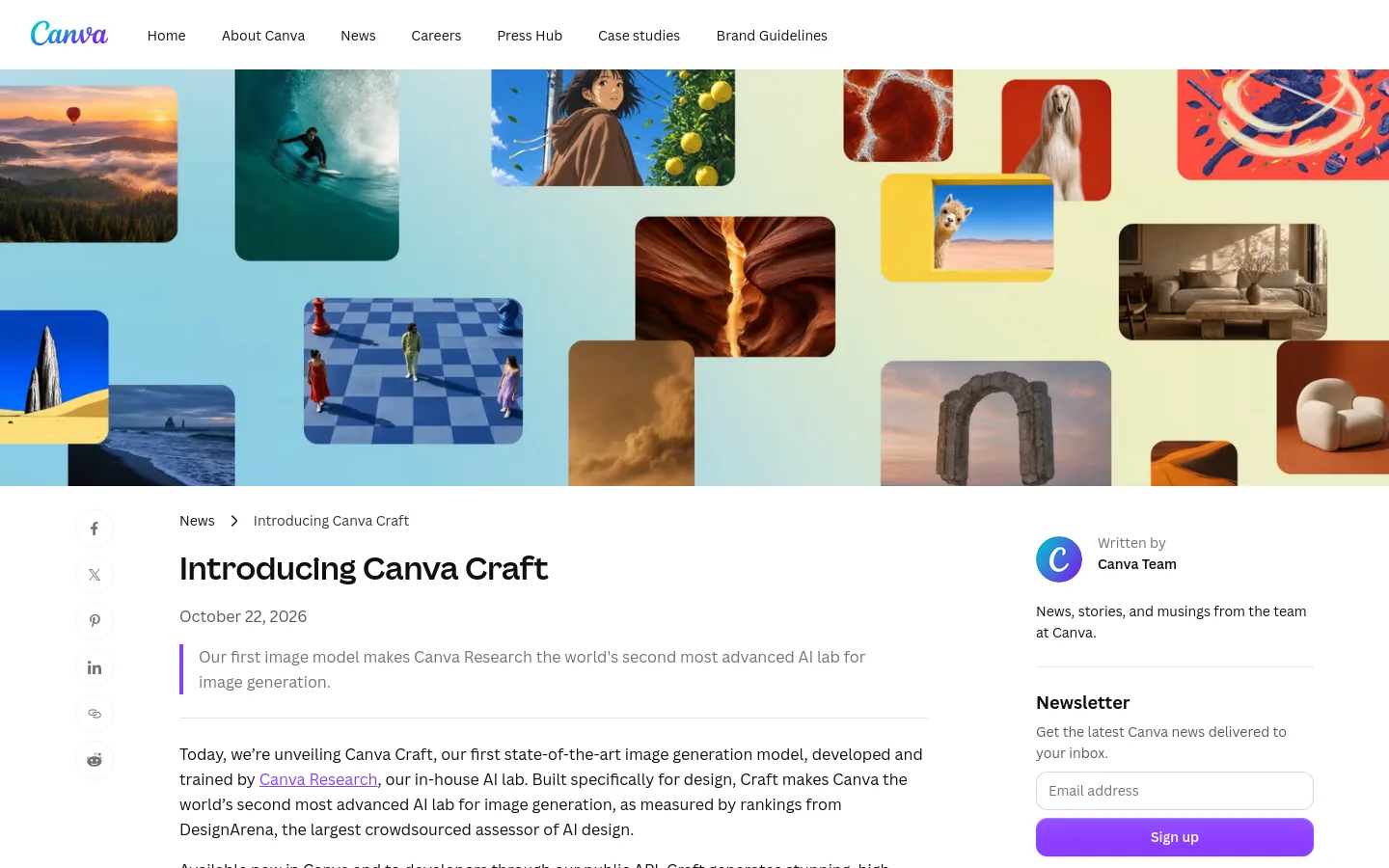
Canva Craft is Canva's first in-house image generation model, built and trained by Canva Research and released on 23 October 2026. It is designed for design work rather than photographs alone: a planning stage writes out the composition, including any text, and a rendering stage produces the image at up to 2K resolution. You can use it inside Canva through Dream Lab or call it from Canva's REST API.

Official source 1 ↗

Features

  • Plans the layout before rendering. A planning model first writes out which elements appear, where they sit, their relative scale and any text, and a rendering model then draws the image from that plan. Canva says this gives more accurate layouts and legible text. Official source 1 ↗
  • 2K output in more than 30 aspect ratios. Images render at up to 2K resolution. In Canva you can pick one of more than 30 aspect ratios or enter your own size. Official source 1 ↗
  • Text in 55 languages. You can prompt in any language, and Craft can render text inside the image in 55 languages. Official source 1 ↗
  • Editable layers with Magic Layers. Craft outputs are structured so that Canva's Magic Layers can turn a generated image into separate, editable design elements. Official source 1 ↗
  • Trained on design templates. Its training data includes millions of Canva templates, such as posters, social posts, presentations, infographics and menus, so it learns layout, hierarchy and typography, not just photographs. Official source 1 ↗
  • Developer API with model choice. The REST API generates an image from a text prompt as an asynchronous job. You can pin Craft or let Canva choose between Craft, Lucid Origin and Z Image Turbo, and optionally save the result to the user's Canva uploads. Official source 1 ↗

Pricing & free limits

Canva Free

A$0Free

Includes Craft. The shared monthly AI allowance covers up to about 20 uses of Standard or Premium AI tools and resets on the first of each month (UTC). Official source 1 ↗ · Official source 2 ↗

Canva Pro

A$165per year, one person (Australian pricing shown)

Monthly AI allowance of up to 200 uses of Premium AI tools, or up to 20 uses of Ultra AI tools. AI Pass can be added for more. Official source 1 ↗ · Official source 2 ↗

Canva Business

A$280per person per year (Australian pricing shown)

Each member gets up to 400 uses of Premium AI tools, or up to 40 uses of Ultra AI tools, a month. AI Pass or an AI top-up can be added. Official source 1 ↗ · Official source 2 ↗

Billing details

Prices on this page come from Canva's Australian pricing page, billed yearly. Canva shows local currency, and paying monthly costs more. Official source 1 ↗

The allowance figures are estimates for simple tasks. More complex prompts use more of the allowance. Each team member has their own allowance, which isn't pooled. Official source 1 ↗

Free access & limits

Canva Free includes Craft, with a shared allowance of up to about 20 uses of Standard or Premium AI tools a month. Once you reach it, generations continue with short pauses between them. Official source 1 ↗ · Official source 2 ↗

Best for & limitations

Marketing and social assets such as posters, social posts, flyers, ads and presentation visuals, with text placed in the layout. Official source 1 ↗

Lifestyle, editorial and people imagery, including portraits and group scenes. Official source 1 ↗

Building image generation into other products, such as marketing platforms, e-commerce sites, ad builders and print services, through the API. Official source 1 ↗
  • API is a preview. The image generation API is a preview. It can change without a new API version, and public Canva apps that use it will not pass Canva's app review. Official source 1 ↗
  • API rate limit and 24-hour download links. Each user of your app can make 20 generation requests a minute, and the download URL for a generated image expires after 24 hours. Official source 1 ↗
  • Fewer aspect ratios in the API. The API offers six preset aspect ratios: square, 16:9, 9:16, 3:2, 2:3 and 4:5. The editor offers more than 30. Official source 1 ↗
  • MCP, faster variants and reference images are not out yet. Canva MCP access, the cheaper Craft-fast and Craft-ultrafast variants, and reference-image editing are announced as coming later. Official source 1 ↗
  • Fine print and technical drawings. Canva names fine print and technical drawings as areas it is still improving in this first version. Official source 1 ↗
Canva Craft product screenshot
Website previewFixed desktop viewport · 1440 × 900

Similar tools

Published tools that share its categories.
Skeleton AIGenerate skeleton-narrator short videos for TikTok and Shorts from text, images or clips, with a script-to-scenes workflow and character sheets.
Video & AnimationFree trialChecked Oct 16
Visit
StylMorphRedraw a photo as comic, cartoon, game-poster or coloring-page art from fixed presets, with one free image and one-time credit packs.
Image & DesignFree trialChecked Oct 16
Visit
ReelBoopTurn product photos and portraits into short preset AI videos, such as product films and two-photo duets, paid with credits.
Video & AnimationPaidChecked Oct 16
Visit
ReelsyAI product video and image studio for small ecommerce teams, with multi-model video generation, a chat-based Video Agent and a Codex/ChatGPT plugin.
Video & AnimationFree planChecked Oct 13
Visit
ArtCraftOpen-source AI image and video studio where you stage shots on a 2D canvas or in 3D, then let models like Nano Banana and Seedance render them.
Image & DesignFree planChecked Oct 12
Visit