What it does
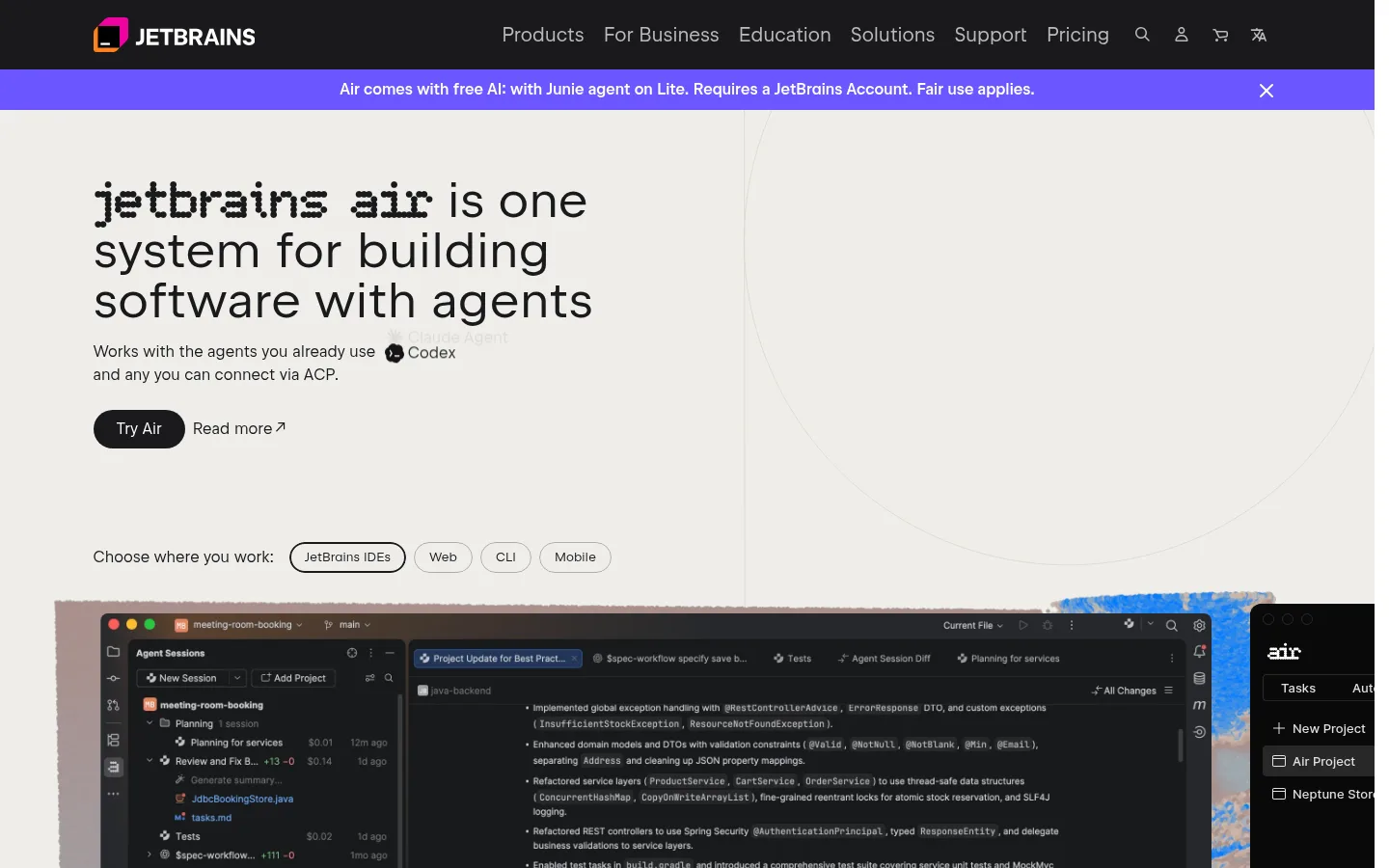
JetBrains Air is JetBrains' system for building software with AI coding agents. Rather than being a model of its own, it gives you one place to run agents such as Claude Agent, Codex, Gemini CLI, GitHub Copilot and JetBrains' own Junie, plus any ACP-compatible agent. Developers use it inside JetBrains IDEs (Air in IDEs) or from the terminal (Air Gateway); teams run agents in shared cloud environments (Air Teams); organizations set rules, budgets and access (Air Governance); and Air Context gives agents a semantic index of the codebase. The IDE plugin is in Early Access.
Official source 1 ↗ · Official source 2 ↗ · Official source 3 ↗Features
- Run any agent in your IDE. Air in IDEs detects the coding agents already installed on your machine and lets you add more from an ACP agent registry. Codex, Gemini, GitHub Copilot, Claude Agent and Junie work out of the box, and sessions run either in a structured agent panel or in the agent's own terminal view. Official source 1 ↗
- Parallel sessions across projects. Keep several projects open, each with its own agent sessions, and track unread updates, changed files and outgoing commits in all of them. Saved presets store an agent, model and access level for reuse. Official source 1 ↗ · Official source 2 ↗
- Review agent changes with IDE tools. Open diffs straight from a session, check them with the IDE's code insight, refactorings, debugger and version control, leave line comments for the agent, and keep, edit or revert every change. Official source 1 ↗ · Official source 2 ↗
- Bring your own subscription or keys. Use existing provider subscriptions, API keys or a custom base URL, or pay with JetBrains AI credits, and switch between them even mid-session. A Claude subscription works by running Claude Code in Air's terminal tab. Official source 1 ↗
- Air Teams: cloud tasks and automations. Teams describe a task and an agent works on it in a cloud Docker environment, committing to its own task branch that a person merges through a pull request. Shared environments, secrets and connectors are set up once per project, and automations run recurring work such as code review, issue fixes and dependency updates on an event or schedule. Official source 1 ↗
- Air Gateway for terminal agents. One CLI that runs Claude Code, Codex, Junie CLI and other terminal agents through a single JetBrains account and JetBrains AI credits, with access governed centrally. It is in early access. Official source 1 ↗
- Air Context codebase index. A cloud semantic index of your repositories that agents query instead of grepping through the code, including search across an organization's repos. JetBrains reports up to 68% fewer agent turns and up to 48% lower cost on its validation tasks. It works with Claude Agent, Codex and Junie and is free during early access with any JetBrains AI plan. Official source 1 ↗
- Air Governance for organizations. Administrators choose which models, agents and MCP servers developers can use, set budgets for teams and individuals, bring their own provider keys and see AI adoption analytics. JetBrains states SOC 2 Type II and GDPR compliance. Official source 1 ↗ · Official source 2 ↗ · Official source 3 ↗
Pricing & free limits
The plugin needs no separate license or JetBrains AI subscription. You pay your own agent or model provider directly; this usage does not consume JetBrains AI credits. Official source 1 ↗ · Official source 2 ↗ · Official source 3 ↗
Unlimited AI code completion in JetBrains IDEs and 3 AI credits every 30 days. Not available in IntelliJ IDEA without an Ultimate subscription, PyCharm without Pro, or Android Studio. Official source 1 ↗
10 AI credits a month for Junie, Claude Agent, Codex and Gemini, unlimited AI completion, top-ups available, free 30-day trial. Official source 1 ↗
35 AI credits a month (including 5 bonus credits) for frequent coding agent use, unlimited AI completion, top-ups available. Official source 1 ↗
Shared credit pool, centralized billing, AI spending limits, SSO and access control, and AI analytics. AI usage is paid separately in credits or with your own keys. Official source 1 ↗
Adds model and agent controls, group-level AI policies, centralized MCP management, an analytics API, managed BYOK and 24/7 priority support. Every user with AI access needs a paid seat. Official source 1 ↗ · Official source 2 ↗
Adds hybrid deployments, AI audit logs, workspaces and IdP/SCIM configuration, several of which are listed as coming soon. Official source 1 ↗ · Official source 2 ↗
Billing details
Monthly AI credits renew every 30 days and unused credits do not roll over; top-up credits stay valid for 12 months. Official source 1 ↗
One AI credit equals US$1 of model usage at public API rates with no surcharge. Requests through your own provider keys do not use credits. Official source 1 ↗ · Official source 2 ↗
Yearly billing is advertised as saving two months versus monthly billing. Displayed prices are approximate and tax depends on your country. Official source 1 ↗
The All Products Pack and dotUltimate subscriptions include 10 AI credits every 30 days for individuals and 20 per seat for organizations. Official source 1 ↗
Free access & limits
AI Free gives 3 AI credits every 30 days plus unlimited code completion, and first activation includes a free 30-day AI Pro trial. Junie with its Lite configuration is free to try for a limited time with a JetBrains account. Official source 1 ↗ · Official source 2 ↗
Best for & limitations
Running Claude Code, Codex and Junie side by side on different tasks in an IntelliJ IDEA or PyCharm project, then reviewing each agent's diff with IDE inspections before committing. Official source 1 ↗ · Official source 2 ↗
Handing a longer task to a cloud agent that keeps working after you close your laptop, and following it from the web or a phone. Official source 1 ↗
Setting up a team automation that reviews every new pull request or triages new issues in a shared cloud environment. Official source 1 ↗
Giving an engineering organization approved access to several agents and models with per-team budgets and usage analytics. Official source 1 ↗
- Early access, rough edges. Air in IDEs is an Early Access Program release under active development, with UI changes and frequent updates expected. Air Gateway and Air Context are also in early access, and EAP features may become paid. Official source 1 ↗ · Official source 2 ↗
- Cloud runs need JetBrains AI. Cloud runs currently require a JetBrains AI subscription, and Air Teams is available to organizations. Official source 1 ↗ · Official source 2 ↗ · Official source 3 ↗
- Claude subscription only via terminal. A Claude subscription cannot authorize Claude Agent in the chat surface; use JetBrains AI or an Anthropic API key, or run Claude Code in the terminal tab. Official source 1 ↗
- No Android Studio; JetBrains AI unavailable in China. The plugin works in JetBrains IDEs except Android Studio. It is distributed in China, but JetBrains AI cannot be used as an authorization source there. Official source 1 ↗
- Data goes to the chosen provider. Which company processes your code depends on the agent or provider you pick; with a third-party subscription your code goes directly to that provider, not through JetBrains. Official source 1 ↗