What it does
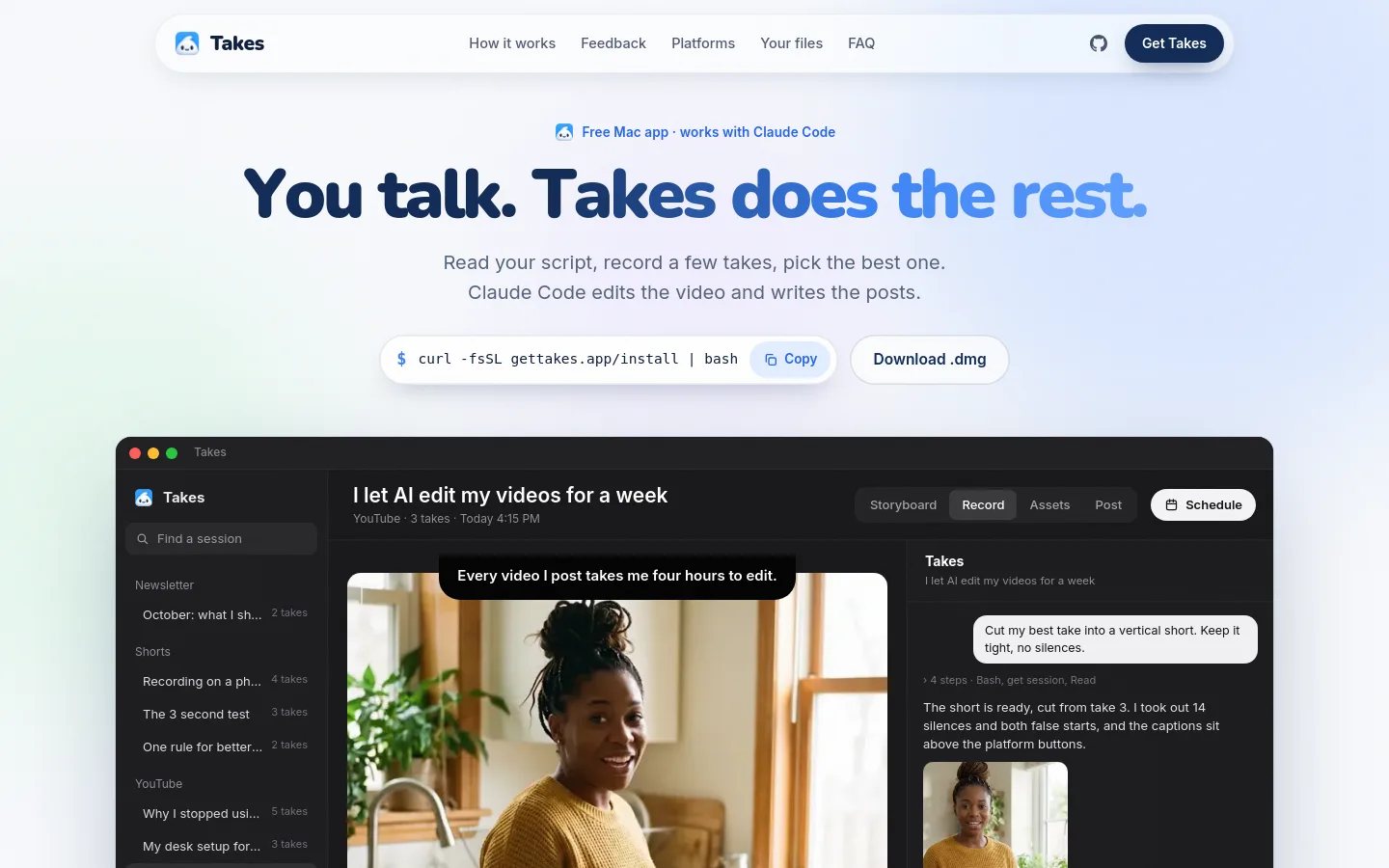
Takes is a free, MIT-licensed Mac app for recording talking-head videos. You read a script from a teleprompter beside the camera, record a few takes and mark the best one; Claude Code, running on your own paid Claude plan, storyboards the video, cuts the edit and drafts posts for LinkedIn, X, YouTube and short-video platforms. Videos and scripts stay in plain folders on your Mac.
Official source 1 ↗Features
- Voice-following teleprompter. A teleprompter sits beside the camera and scrolls as you speak; you can pick from several opening lines, record as often as needed and mark the best take. Official source 1 ↗
- Camera and screen recording. Takes records the camera and the screen at the same time, as two files kept in sync. Official source 1 ↗
- AI storyboards. Claude writes the script, splits it into shots and sketches each one; every shot shows its line, how to film it and a Record button. Official source 1 ↗
- Built-in Claude Code chat for edits. A Claude Code chat next to your takes reads the same folders the app writes, so you can ask in plain words for edits such as cutting your best take into a vertical short without silences. Official source 1 ↗
- Frame comments that become style rules. Point at a moment and area of the frame and type a note; Takes makes a new version, explains what changed and saves the fix as a rule so later videos start from your style. Official source 1 ↗
- Per-platform post previews. Drafts a post for each platform and previews it as it will appear there, including line breaks, the "more" cut-off, thumbnail and caption, then lets you schedule it. Official source 1 ↗
- Works with other coding agents via MCP. On first launch Takes adds its MCP server to agents it finds on the Mac, including Claude Code, Codex, Cursor, Gemini CLI and opencode. Official source 1 ↗
Pricing & free limits
The full app is free and MIT licensed. Storyboards, edits and posts need Claude Code with a paid Claude Pro or Max plan, billed by Anthropic; Takes adds no cost and needs no API key. Official source 1 ↗
Billing details
There is no Takes account or bill; a paid Claude plan (Pro or Max) is required for the AI features, and the installer signs you in to Claude Code. Official source 1 ↗
Free access & limits
Free access and its limits were not established by the checked official sources.
Best for & limitations
A creator turns one recorded talking-head take into a tight vertical short and gets matching captions for TikTok, Reels and Shorts plus a LinkedIn post and an X thread. Official source 1 ↗
Planning a video from idea to posting in one app: storyboard, record against a teleprompter, then review and schedule the posts. Official source 1 ↗
- Requires a paid Claude plan. The AI storyboards, edits and posts only work with Claude Code on a paid Claude Pro or Max plan. Official source 1 ↗
- Mac only, not yet notarized. Takes runs only on Apple silicon Macs with macOS 15 or later, and Apple has not notarized it, so the .dmg needs a one-time Open Anyway approval in Privacy & Security. Official source 1 ↗
- No ready-made iPhone app. The iPhone app must be built from source with your own Apple developer team. Official source 1 ↗