
Ordalin
Submit a tool

Reviewed tool profile

Scribix

AI video clipper that finds self-contained moments in podcasts and interviews and turns them into vertical shorts.

Sources checked

Visit website ↗
Pricing
Priced by minutes of source video. Free includes a one-time 60 minutes. Starter is $29 a month for 600 minutes and Pro is $69 a month for 1,800 minutes, billed monthly; yearly billing is offered at a discount. Creating, editing and exporting clips does not use more minutes on paid plans. Official source 1 ↗
Available as
Runs in the browser and takes local video uploads in common formats such as MP4, MOV, WebM, AVI and MKV. It does not import the original video from a YouTube link. Official source 1 ↗ · Official source 2 ↗
Primary group
Video & Animation

What it does

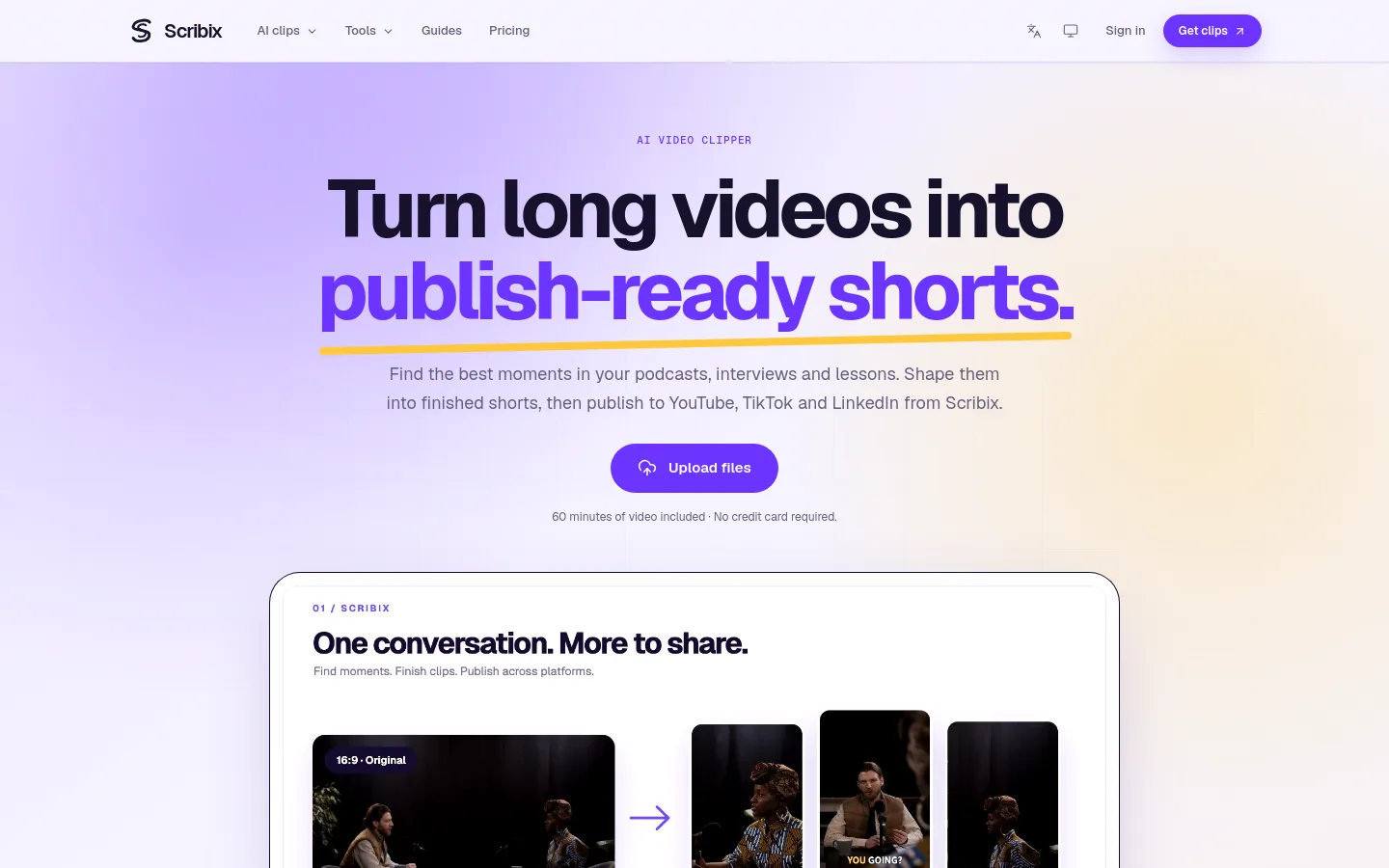
Scribix is a web app that finds the strongest moments in podcasts, interviews and lessons, turns them into finished shorts and publishes them to YouTube, TikTok and LinkedIn.

Official source 1 ↗

Features

  • Self-contained moment suggestions. Suggests moments with a clear theme and enough context to stand on their own, based on what is said and when; you review and pick which to keep. Official source 1 ↗
  • Custom clips from transcript or time range. Paid plans can make further clips by selecting transcript text or entering exact start and end times, without spending more minutes. Official source 1 ↗
  • Vertical framing controls. The editor offers automatic follow, a full-frame fit and manual crop and zoom, adjustable in sections across the clip. Official source 1 ↗
  • Editable captions. Correct caption text and style its position, colour and emphasis. Official source 1 ↗
  • Multi-platform publishing. Paid plans connect YouTube, TikTok and LinkedIn accounts, tailor post copy per platform and track each post's status; files can also be downloaded. Official source 1 ↗
  • Transcripts and AI notes. Every plan includes speaker-labelled, timestamped transcripts and transcript exports; paid plans add AI notes, translation and Ask AI questions. Official source 1 ↗

Pricing & free limits

Free

$0one-time allowance

60 minutes of source video for the lifetime of the account; export the original AI-selected cuts as-is; 7-day source storage. Official source 1 ↗

Starter

$29per month, billed monthly

600 source minutes a month, up to 6 social accounts, custom clips, caption, framing and branding edits, direct publishing, AI notes, translation, 100 Ask AI questions and 25 GiB storage. Official source 1 ↗

Pro

$69per month, billed monthly

1,800 source minutes a month, up to 18 social accounts, 300 Ask AI questions, 1,000 YouTube caption imports and 100 GiB storage. Official source 1 ↗

Billing details

Each source video uses its length in minutes once, including one AI clipping pass. Yearly plans are paid once; minutes and Ask AI allowances refresh monthly and do not roll over. Official source 1 ↗

Free access & limits

Free gives a one-time 60 minutes of source video and 3 Ask AI questions. Free accounts export the AI-selected cuts as they are, with no editing, custom clips or social publishing, and sources are kept for 7 days. Official source 1 ↗ · Official source 2 ↗

Best for & limitations

Podcasters turning a filmed episode into a few self-contained vertical clips for TikTok and other platforms. Official source 1 ↗ · Official source 2 ↗

Creators turning talking-head videos and tutorials into shorts with styled captions. Official source 1 ↗
  • Editing needs a paid plan. Adjusting clip boundaries, captions, framing and branding requires a paid plan; free accounts can only export the AI cuts as-is. Official source 1 ↗
  • Local uploads only. Source videos are uploaded from your device; a YouTube link imports captions, not the video for clipping. Official source 1 ↗
  • No split-screen layouts. There is no two-person split-screen or presenter-plus-screen layout, and output is portrait clips only. Official source 1 ↗
  • One AI pass per video. Each video gets a single AI clipping pass; the suggestions cannot be regenerated, though paid plans can cut more clips manually. Official source 1 ↗
Scribix product screenshot
Website previewFixed desktop viewport · 1440 × 900

Editorial

Shortlists, alternatives and comparisons that include Scribix.

Similar tools

Published tools that share its categories.