

Ordalin
Submit a tool

Reviewed tool profile

Capptivo

Open-source screen recording and editing for polished product demos.

Sources checked

Visit website ↗
Pricing
Capptivo is free and open source; its structured listing gives a price of $0. No paid plans are shown on the site. Official source 1 ↗
Available as
Native desktop apps for macOS, Windows and Linux. Official source 1 ↗
Primary group
Video & Animation

Also consider

See all 6 similar tools ↓

What it does

Capptivo is a free, open-source desktop screen recorder and editor for product demos, positioned as an alternative to Screen Studio and Cursorful. It adds cursor-following zoom, automatic zoom segments, backgrounds, on-screen drawing and on-device captions, and exports widescreen, square or vertical versions from one edit.

Official source 1 ↗

Features

  • Cursor-following and automatic zoom. Pans and zooms follow the cursor so the active part of the screen stays in view, with automatic zoom segments generated for the recording. Official source 1 ↗
  • Timeline zoom editing. Zooms can be dragged on a timeline, and the motion between them is filled in automatically. Official source 1 ↗
  • Custom cursor. macOS Tahoe-style cursors with smoothed movement; idle cursors hide automatically, and the cursor path can loop so short videos restart cleanly. Official source 1 ↗
  • Drawing and highlights. A pen, highlighter and simple shapes mark up the screen; the marks are saved in the recording on top of the screen. Official source 1 ↗
  • Backgrounds. Choose a preset background or upload an image, and change it later. Official source 1 ↗
  • Multi-format export. Export one edit as widescreen, square or vertical video. Official source 1 ↗

Pricing & free limits

Free (open source)

$0Free

The full desktop recorder and editor, released as open source. Official source 1 ↗

Billing details

Billing details were not established by the checked official sources.

Free access & limits

Free access and its limits were not established by the checked official sources.

Best for & limitations

Record a product walkthrough and annotate each step with a pen or highlighter to show viewers where to look. Official source 1 ↗

Turn one demo edit into widescreen, square and vertical cuts for different social platforms. Official source 1 ↗

Product limitations were not established by the checked official sources.
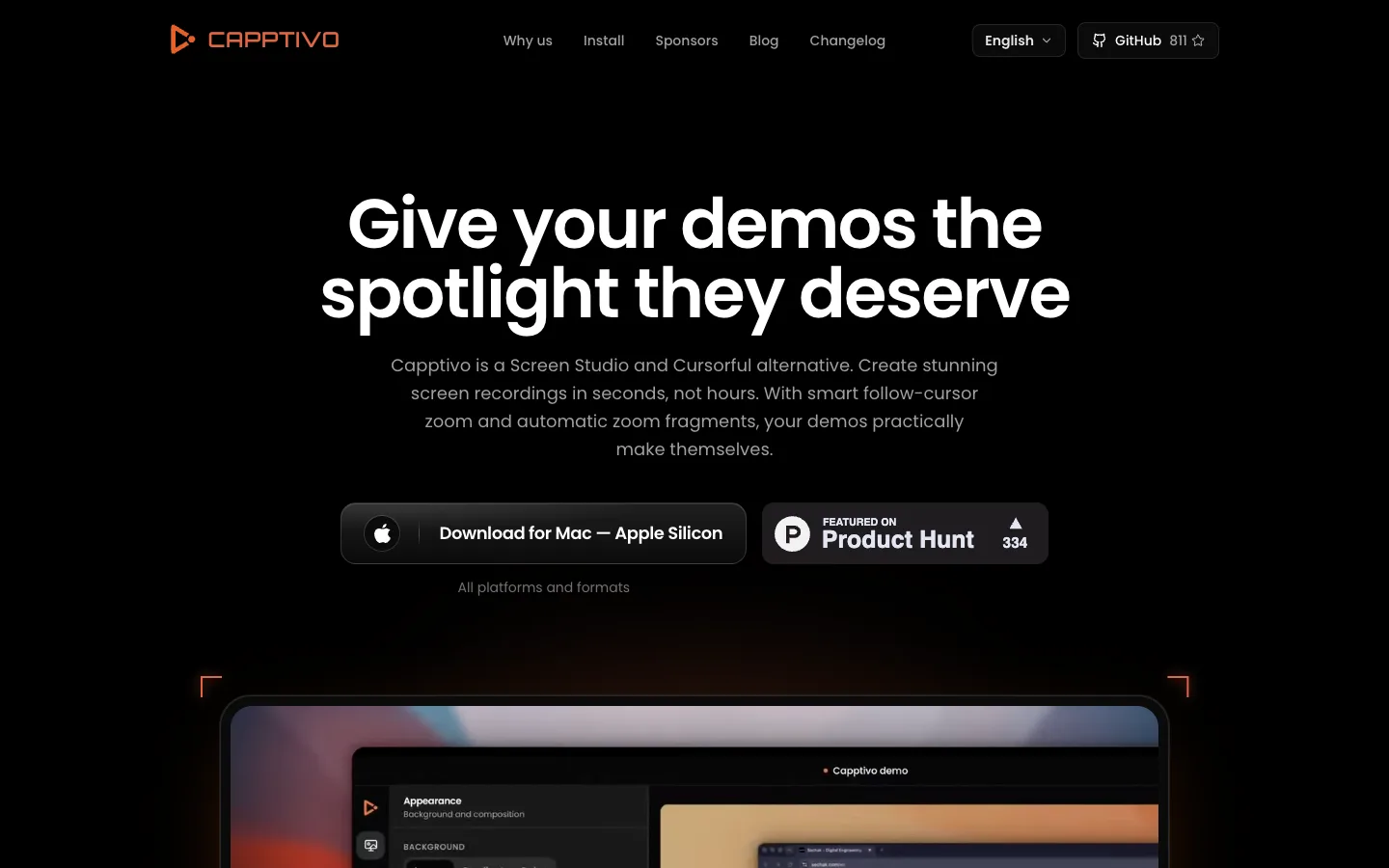
Capptivo product screenshot
Website previewFixed desktop viewport · 1440 × 900

Decision notes

Context-specific guidance, not a universal ranking.

Good fit if
you need to record the real software interface and turn it into a polished demo
Why this one
Records genuine screen flows, then adds cursor zoom, captions, annotations, backgrounds, and multiple export formats.
Consider alternatives if
It records and polishes an existing product experience rather than generating actors, scenes, or product footage.

Similar tools

Published tools that share its categories.

TakesFree, open-source Mac app for talking-head videos: teleprompter recording, then Claude Code storyboards, edits and drafts social posts.
Video & AnimationFreeChecked Oct 13
Visit
OpenScreenFree, MIT-licensed screen recorder and editor for Windows, macOS and Linux with on-device Whisper captions, text-based cuts and an optional bring-your-own-key AI editing agent.
Video & AnimationFreeChecked Oct 12
Visit
CluesoAgentic video platform that turns prompts, screen recordings, slides and documents into product videos and step-by-step guides.
Video & AnimationFree planChecked Oct 30
Visit