


Ordalin
Submit a tool

Website-checked tool profile

Screenify Studio

Record polished Mac product demos with AI auto-zoom, background removal, captions, and device mockups.

Sources checked

Visit website ↗
Pricing
Free plan available. Pro costs $19 a month or $119 a year; a $149 one-time Pro licence includes one year of updates, and Pro+ is $249 one-time with lifetime updates. Pro adds AI captions, subtitle translation, 4K export and removes the watermark. Official source 1 ↗ · Official source 2 ↗
Available as
Requires macOS 13 Ventura or later on Apple Silicon (M1 or newer). Intel Macs, Windows and Linux are not supported. Official source 1 ↗
Primary group
Video & Animation

Also consider

See all 6 similar tools ↓

What it does

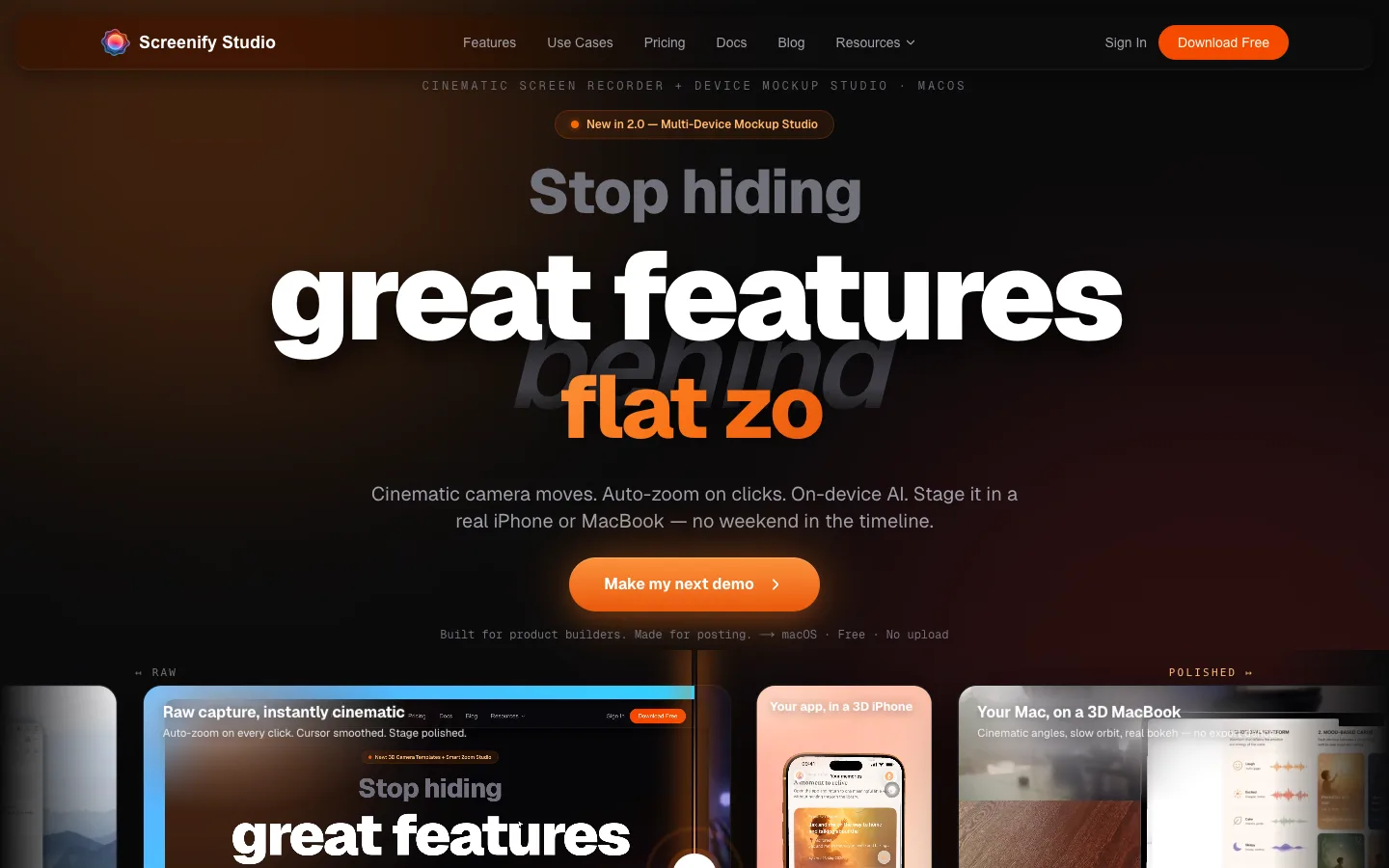
Screenify Studio is a macOS screen recorder and device-mockup studio for product demos. It auto-zooms on clicks and typing, removes webcam backgrounds, generates Whisper captions and AI voiceover, and stages recordings inside 3D iPhone and MacBook models with cinematic camera moves. Recording, editing, transcription and AI voices run on the Mac, and a CLI can have an AI agent record a web app from a prompt.

Official source 1 ↗ · Official source 2 ↗

Features

  • Smart auto-zoom. Detects clicks, typing and mouse dwell to add zooms automatically, with 24 callout bubble styles. Official source 1 ↗
  • On-device background removal. Removes the webcam background with the Neural Engine and replaces it with blur, a solid colour or a custom image. Official source 1 ↗
  • Captions and translation. Whisper-generated subtitles with word-level highlighting, and one-click translation to 50+ languages with SRT/VTT export. Official source 1 ↗
  • AI voiceover and voice cloning. Type a script and choose one of 54 AI voices, clone your own voice from a short reading, or record yourself; narration lands on the timeline with synced subtitles. Official source 1 ↗
  • Device mockups and 3D camera. Place a screenshot or recording in a photoreal or 3D iPhone, iPad or MacBook, with up to three devices per scene and camera orbits, push-ins and sweeps; export PNG, MP4, GIF, WebP or an App Store Preview. Official source 1 ↗
  • Hidden teleprompter. A speaker-notes script floats over the app being recorded, scrolls by keystroke and is excluded from the capture. Official source 1 ↗
  • CLI and AI web demos. Point the screenify CLI at a URL with a plain-English instruction and an AI clicks through the app, including behind a login, and exports GIF, MOV or MP4; it works with any AI using your own key. Official source 1 ↗
  • Flexible capture sources. Record full screen, one window, a dragged area, or a connected iPhone, iPad or the iOS Simulator. Official source 1 ↗

Pricing & free limits

Billing details

The developer offers free Pro accounts on request to builders and founders who are not yet earning, and to students and teachers. Official source 1 ↗

Free access & limits

The free plan exports at up to 1080p with a watermark; AI captions, translation, 4K and AI voices in exports require Pro. Official source 1 ↗ · Official source 2 ↗

Best for & limitations

Record a feature demo for X or Product Hunt with a 3D camera and auto-zoom. Official source 1 ↗

Put an iOS app recording into an iPhone frame for an App Store Preview video. Official source 1 ↗

Narrate a tutorial in several languages from one recording, each with its own subtitles. Official source 1 ↗
Screenify Studio product screenshot
Website previewFixed desktop viewport · 1440 × 900

Similar tools

Published tools that share its categories.

TakesFree, open-source Mac app for talking-head videos: teleprompter recording, then Claude Code storyboards, edits and drafts social posts.
Video & AnimationFreeChecked Oct 13
Visit
OpenScreenFree, MIT-licensed screen recorder and editor for Windows, macOS and Linux with on-device Whisper captions, text-based cuts and an optional bring-your-own-key AI editing agent.
Video & AnimationFreeChecked Oct 12
Visit
CluesoAgentic video platform that turns prompts, screen recordings, slides and documents into product videos and step-by-step guides.
Video & AnimationFree planChecked Oct 30
Visit