



Ordalin
Submit a tool

Website-checked tool profile

Clueso

Agentic video platform that turns prompts, screen recordings, slides and documents into product videos and step-by-step guides.

Sources checked

Visit website ↗
Pricing
A free plan includes one user and 10 minutes of video exports a month. Solo costs $40 a month and Business $120 a month, both billed yearly (yearly billing saves 20%). Enterprise pricing is custom. At the time of the check a launch promotion offered 50% off Solo and Business for one week. Official source 1 ↗
Available as
Clueso is a web app; screen recordings are captured with the Clueso Chrome extension, and mobile recordings can be uploaded. It can also be driven from AI clients such as Claude, ChatGPT and Cursor through the Clueso MCP server. Official source 1 ↗ · Official source 2 ↗ · Official source 3 ↗
Primary group
Video & Animation

Also consider

See all 6 similar tools ↓

What it does

Clueso is a video creation platform for product demos, training, marketing launches and internal communications. You can start from a prompt, a screen recording made with its Chrome extension, an uploaded video or a slide deck, and an agent plans, scripts, voices and edits the draft. The same content can be turned into a step-by-step guide with screenshots.

Official source 1 ↗ · Official source 2 ↗

Features

  • Several ways to start a video. Upload a rough recording, slide deck, document or screenshots; record your screen with the browser extension and narrate naturally; let a browser agent navigate your product and record the walkthrough; or describe the video in a prompt. Official source 1 ↗
  • AI voiceovers, avatars and captions. Generate voiceovers synced to the video, add AI presenters and generate timed captions styled to your brand. The free plan offers 500+ voices and paid plans 10k+ voices. Official source 1 ↗ · Official source 2 ↗
  • Agent or manual editing. Ask the agent to make changes or edit yourself with a timeline, keyframe animations, spotlights and zooms, AI motion graphics and AI image generation. Official source 1 ↗
  • Step-by-step guides from recordings. A screen recording is also turned into a how-to article with automatically captured, zoomed screenshots and AI-written steps, which can be published to a Clueso help center or exported. Official source 1 ↗
  • Translation into 150+ languages. Translate voiceovers, on-screen text, captions and docs into 150+ languages, with translation rules for tone and style and a glossary for brand terms (glossary and rules are Enterprise features). Official source 1 ↗ · Official source 2 ↗ · Official source 3 ↗
  • Clueprints for repeatable videos. Clueprints save a video's story structure, visual style, motion and sound as a reusable standard you can apply to other videos. Official source 1 ↗
  • Clueso MCP. Create and edit videos from Claude, ChatGPT, Cursor or other AI clients; MCP access is included on all plans. Official source 1 ↗ · Official source 2 ↗

Pricing & free limits

Free

$0per month

1 user, 10 minutes of video exports and 10 article exports a month, exports up to 1080p, limited AI credits; videos up to 10 minutes of input; exports are watermarked. Official source 1 ↗

Solo

$40per month, billed yearly

1 user, 3 hours of video exports and 180 articles a year, exports up to 2K, watermark-free, in-app chat support, 2,500 AI credits a month, input videos up to 20 minutes. Official source 1 ↗

Business

$120per month, billed yearly

2 users, 6 hours of video exports and 360 articles a year, exports up to 4K, 3,500 AI credits a month, unlimited input length, plus team features such as live collaboration, roles, clip templates and viewership analytics. Official source 1 ↗

Enterprise

CustomContact sales

Custom users, export limits and AI credits; voice cloning, PII auto-redaction, translation glossary, multiple workspaces, SAML SSO, dedicated customer success manager and SLAs. Official source 1 ↗

Billing details

Monthly and yearly billing are offered, with yearly saving 20%. On annual plans the full export quota is given upfront; on monthly plans unused minutes do not roll over. Re-exports of the same video do not count against the limit, and views do not affect pricing. Official source 1 ↗

Free access & limits

The free plan needs no credit card and allows 10 minutes of video export a month. When a plan's export limit is reached, exports pause until renewal unless you upgrade or buy an add-on. Official source 1 ↗

Best for & limitations

Record a rough walkthrough of a product flow and turn it into both a polished tutorial video and a documentation article to share with customers or teammates. Official source 1 ↗

Produce localized training and product education videos without external agencies by translating existing videos into other languages. Official source 1 ↗ · Official source 2 ↗

Create release and demo videos for new product features as they ship. Official source 1 ↗
  • AI credits are metered. AI credits are consumed by chat-based video creation and editing, AI avatars, motion graphics and image generation; the free plan has limited credits. Editing videos with AI chat is listed as Enterprise-only in the plan comparison. Official source 1 ↗
  • Export caps pause work. Exports stop once the plan's export limit is reached until the next renewal. Official source 1 ↗
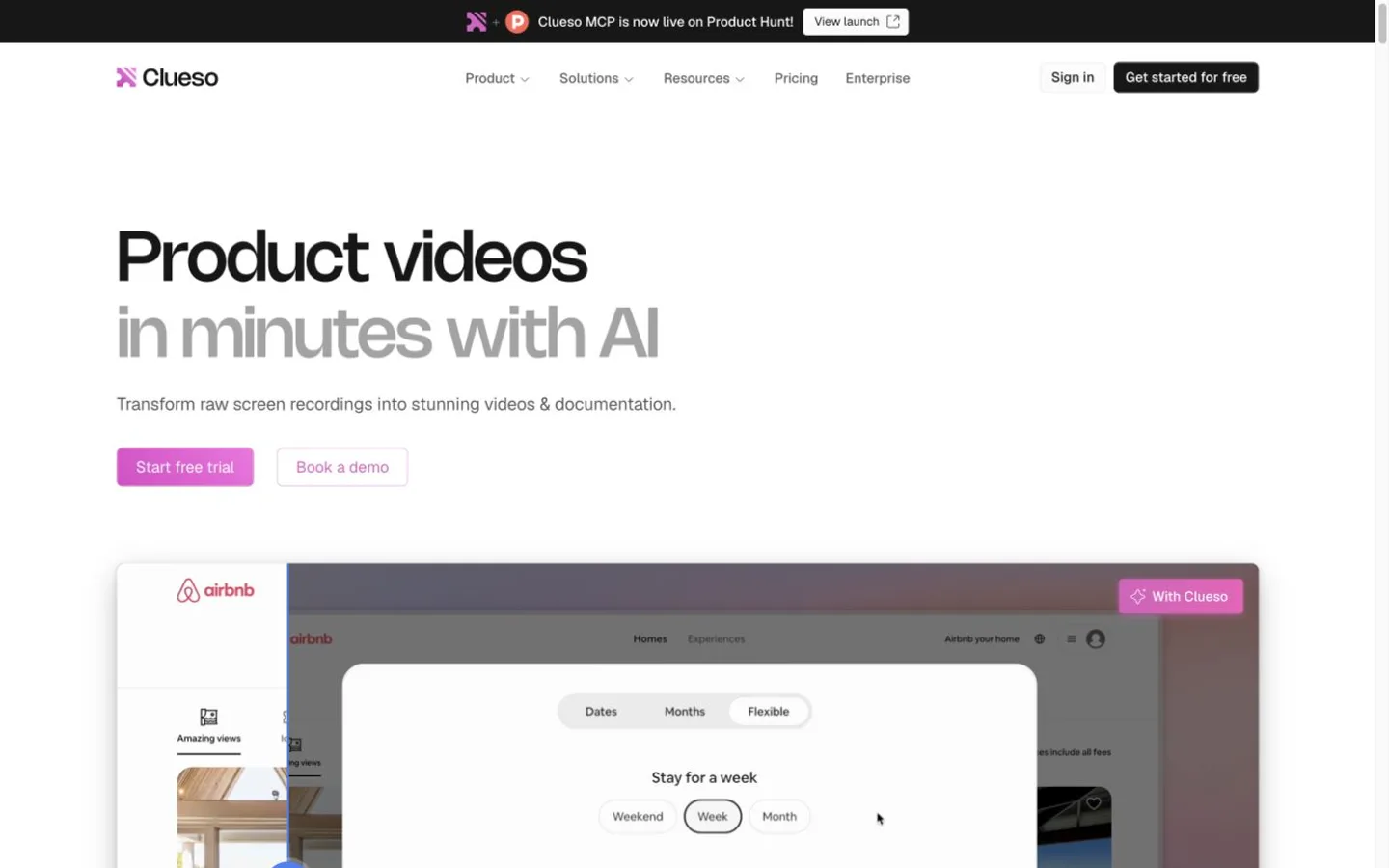
Clueso product screenshot
Website previewFixed desktop viewport · 1440 × 900

Similar tools

Published tools that share its categories.

TakesFree, open-source Mac app for talking-head videos: teleprompter recording, then Claude Code storyboards, edits and drafts social posts.
Video & AnimationFreeChecked Oct 13
Visit
OpenScreenFree, MIT-licensed screen recorder and editor for Windows, macOS and Linux with on-device Whisper captions, text-based cuts and an optional bring-your-own-key AI editing agent.
Video & AnimationFreeChecked Oct 12
Visit
Lucy 2.6Decart's realtime and batch video editing model that swaps characters, clothing, products and backgrounds from a prompt or reference image.
Video & AnimationFree trialChecked Nov 6
Visit