



Ordalin
Submit a tool

Reviewed tool profile

BabyVideo.ai

Turn a baby photo into a short AI video that moves, talks, sings or dances, plus a fun future-baby generator.

Sources checked

Visit website ↗
Pricing
Credit-based. Signing in and claiming the Daily Check-in gives 10 free credits a day (up to 30 check-ins, expiring after 3 days), and free videos carry a watermark. Paid credits never expire: one-time packs run from $5.99 for 300 credits to $99.99 for 6,000, and monthly creator plans start at $19.99. A 5-second 540p video costs about 25 credits and a future-baby image 2 credits. Official source 1 ↗ · Official source 2 ↗
Available as
Web app in the browser at babyvideo.ai; downloads are saved from your creations for editing elsewhere. Official source 1 ↗ · Official source 2 ↗
Primary group
Video & Animation

Also consider

See all 6 similar tools ↓

What it does

BabyVideo.ai is a web app of baby-themed AI generators. Its main tools turn one baby photo into a short moving clip, make a baby photo talk, sing or host a podcast from recorded audio, copy a dance or meme from a reference video, and create a fun 'future baby' portrait from one or two parent photos. It runs on third-party models such as Vidu Q3 Turbo for video and GPT Image for images, and charges in credits.

Official source 1 ↗ · Official source 2 ↗ · Official source 3 ↗

Features

  • Baby photo to video. Animate a baby photo or create a baby scene from a text prompt. The default Vidu Q3 Turbo model makes 5-second 540p clips; other models offer different lengths, ratios and resolutions. Official source 1 ↗
  • Talking, singing and podcast babies. Upload a baby photo plus a voice recording or song and the face is animated to that audio, in separate Talking Baby, Baby Podcast and Baby Singing tools. Official source 1 ↗ · Official source 2 ↗
  • Dance and meme motion transfer. A short reference clip supplies the movement, so a baby photo can follow a dance or recreate a meme reaction. Official source 1 ↗
  • Future baby generator. Upload one or two parent photos, pick boy, girl or surprise, and get an imagined baby portrait for 2 credits. Official source 1 ↗
  • Age progression, cartoon and fruit styles. Other generators age a child photo, turn a baby into a cartoon portrait or a fruit character, and a general image studio makes or edits images from text. Official source 1 ↗

Pricing & free limits

Free (Daily Check-in)

$0Free

10 credits per daily check-in, up to 30 check-ins, plus 20 extra every 7-day streak; free credits expire after 3 days and free videos are watermarked. Official source 1 ↗

Mini

$5.99One-time

300 credits: about 12 five-second 540p videos or up to 150 images. Official source 1 ↗

Billing details

Paid credits never expire; monthly and annual plans add credits at a better rate, starting at $19.99 a month. Official source 1 ↗ · Official source 2 ↗

Credit costs depend on the model and settings, and the estimate is shown before you generate. Official source 1 ↗ · Official source 2 ↗

Free access & limits

No credits on sign-up; claim 10 credits per Daily Check-in, up to 30 check-ins per account, plus 20 for each 7-day streak. Official source 1 ↗

Free credits expire 3 days after they are awarded. Official source 1 ↗

Videos made with free credits include a watermark. Official source 1 ↗

Best for & limitations

Parents turning a favourite baby photo into a short clip to share with family. Official source 1 ↗ · Official source 2 ↗

Making a talking, singing or dancing baby video for TikTok or Shorts. Official source 1 ↗ · Official source 2 ↗

Couples or baby-shower hosts making playful future-baby predictions. Official source 1 ↗
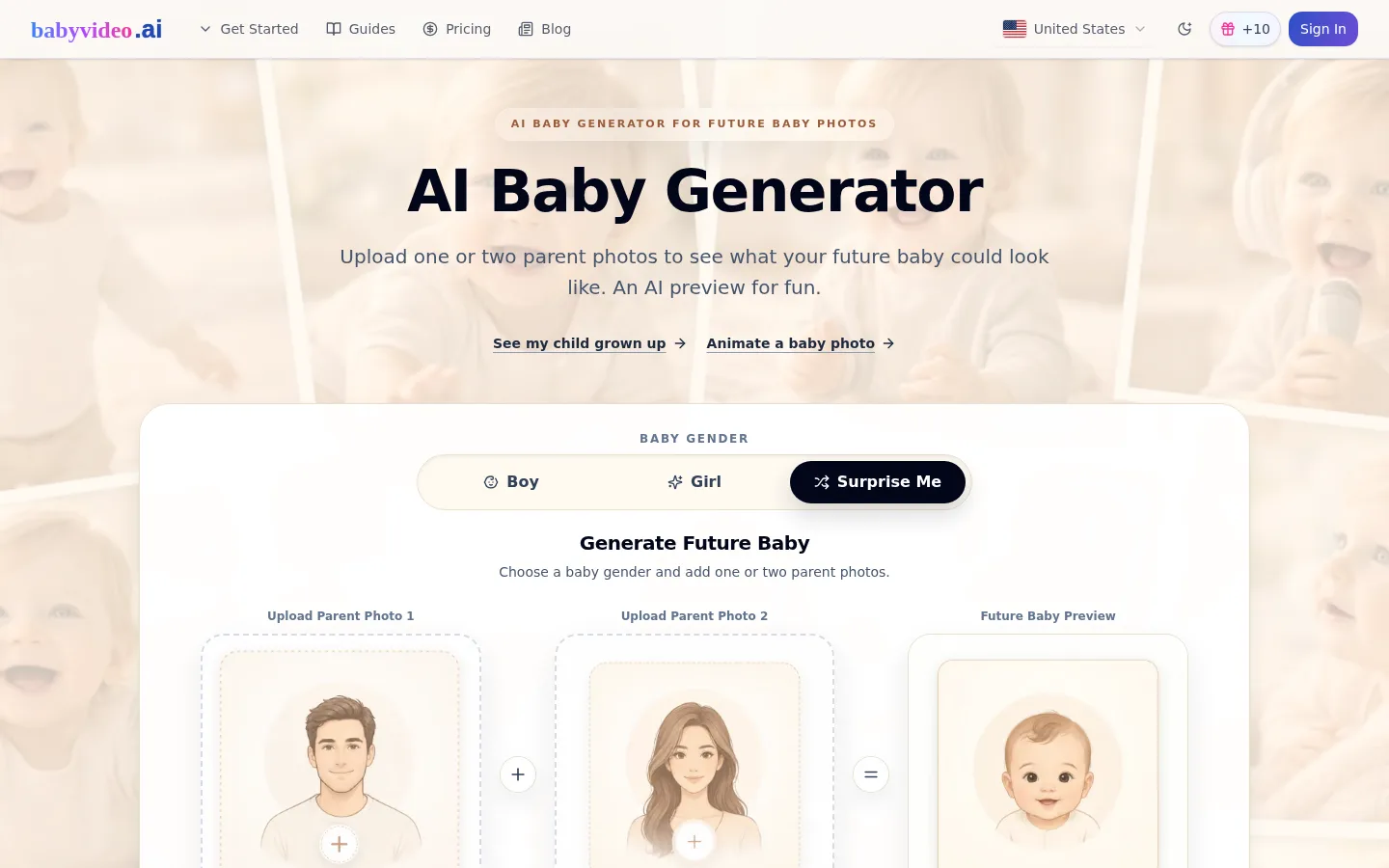
  • Future baby results are entertainment only. The site says the parent-photo preview cannot predict genetics or how a child will really look. Official source 1 ↗
  • Lip-sync needs recorded audio. A general motion prompt won't make a baby say specific words; you need the audio-driven talking or podcast tools. Official source 1 ↗
  • Short free credits and watermark. Free credits last only 3 days, need a daily check-in, and free videos are watermarked. Official source 1 ↗
  • Check every clip for artifacts. The guide warns that faces, hands and limbs can distort and advises reviewing the whole clip before downloading. Official source 1 ↗
BabyVideo.ai product screenshot
Website previewFixed desktop viewport · 1440 × 900

Similar tools

Published tools that share its categories.

ComfyUIA free, open-source node-based app for building AI image, video, audio and 3D workflows, with an optional hosted cloud.
Image & DesignFree planChecked Oct 31
Visit
Skeleton AIGenerate skeleton-narrator short videos for TikTok and Shorts from text, images or clips, with a script-to-scenes workflow and character sheets.
Video & AnimationFree trialChecked Oct 16
Visit
ReelBoopTurn product photos and portraits into short preset AI videos, such as product films and two-photo duets, paid with credits.
Video & AnimationPaidChecked Oct 16
Visit
ReelsyAI product video and image studio for small ecommerce teams, with multi-model video generation, a chat-based Video Agent and a Codex/ChatGPT plugin.
Video & AnimationFree planChecked Oct 13
Visit