



Ordalin
Submit a tool

Website-checked tool profile

Hintly

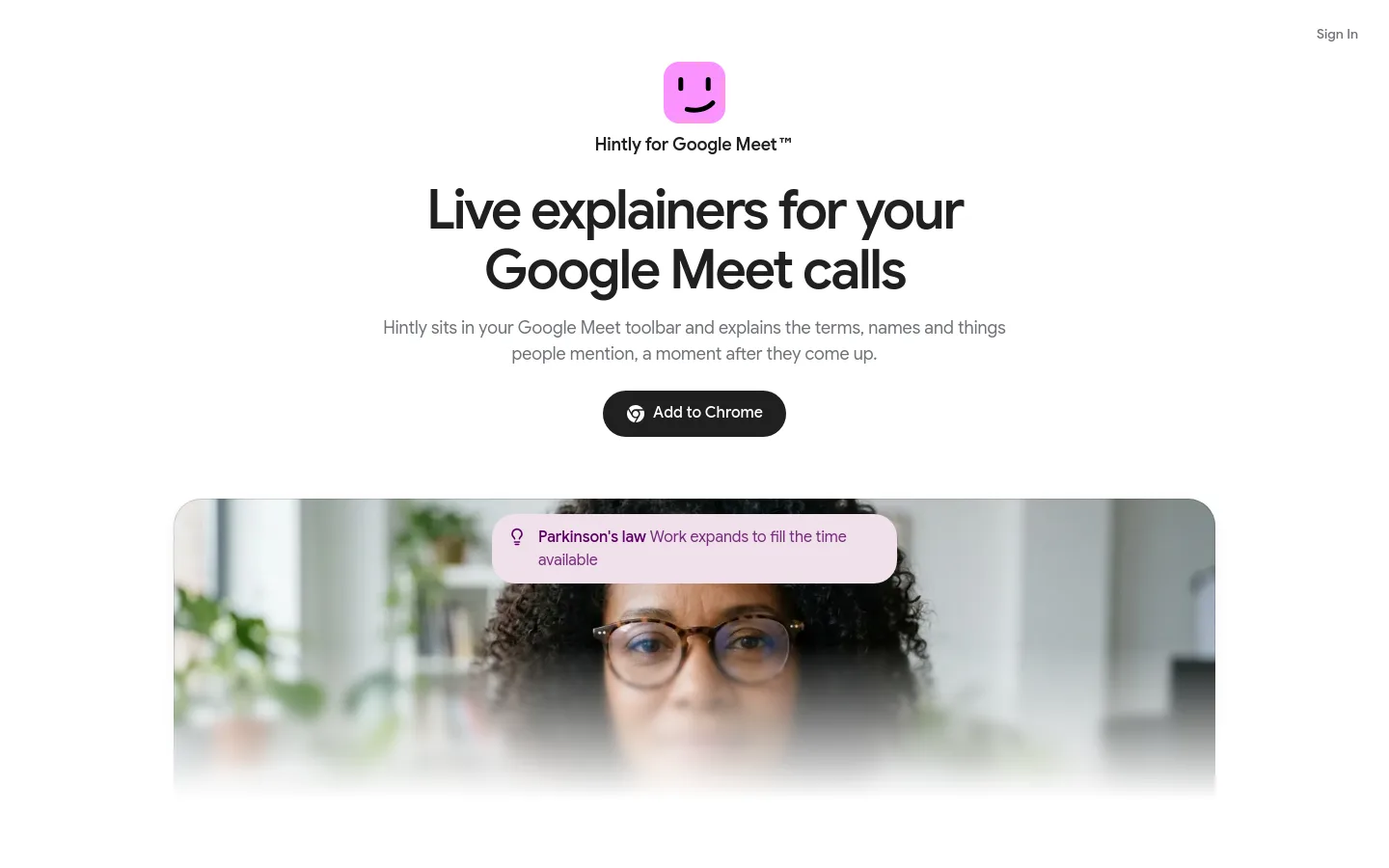
A Chrome extension that explains terms, names and acronyms in your Google Meet calls a moment after they come up, and flags wrong facts.

Sources checked

Visit website ↗
Pricing
Every account gets a one-time 60-minute trial with no card. Pro costs $12 a month plus applicable taxes and includes 50 hours of calls with Hintly on each billing period; it renews monthly until cancelled. Official source 1 ↗ · Official source 2 ↗

Available as
A Chrome extension that works inside Google Meet calls, with sign-in through a Google account and an account page at hintly.tips. Official source 1 ↗ · Official source 2 ↗
Primary group
Productivity

Also consider

See all 6 similar tools ↓

What it does

Hintly is a Chrome extension for Google Meet that reads the call's live captions and shows short hints when someone mentions a term, acronym, name or thing you may not know. It also flags facts that are clearly wrong, names what a speaker is trying to describe, and reminds you of people, projects and clients mentioned earlier in the call. You switch it on from Meet's toolbar; caption text is not stored by Hintly's server, and in-call notes are cleared when the call ends.

Official source 1 ↗ · Official source 2 ↗

Features

  • Live explanations of terms and names. When someone uses a term, acronym or name you don't know, a short explanation appears on screen a moment later. Official source 1 ↗
  • Names what a speaker can't recall. If someone can't remember what something is called, Hintly works out what they mean and names it. Official source 1 ↗
  • Live fact checking. When a speaker gets a fact clearly wrong, such as a year or an inventor, Hintly shows the correct answer. Official source 1 ↗
  • In-call reminders of who's who. People, projects and clients mentioned earlier in the call come back as reminders when they are mentioned again; these notes live in the browser for the length of the call. Official source 1 ↗ · Official source 2 ↗
  • Hints follow you between tabs. If you switch to your notes or inbox, hints keep appearing in Meet's floating window. Official source 1 ↗
  • Works with captions hidden. Hintly asks Meet for live captions even when they are hidden on your screen, so you don't need captions showing. Official source 1 ↗

Pricing & free limits

Pro

$12per month

50 hours of calls with Hintly on each billing period, plus applicable taxes; renews monthly until cancelled. Official source 1 ↗

Billing details

Polar sells the subscription as merchant of record, so Polar's terms and refund policy also apply. Outside legal rights, payments are non-refundable and partial months are not credited. Official source 1 ↗

Cancelling stops the next renewal and Pro stays active until the end of the paid period. Deleting your account cancels Pro immediately without a refund for the rest of the period. Official source 1 ↗

Call time counts while Hintly is processing a call's captions, and per-minute limits apply. Official source 1 ↗

Free access & limits

The free trial is 60 minutes of call time, once per account; a hash of your email is kept so a new account with the same email does not get another trial. Official source 1 ↗ · Official source 2 ↗

Best for & limitations

Keeping up with jargon and acronyms in meetings outside your field, such as a QBR or OKR mentioned in passing. Official source 1 ↗

Remembering who a colleague or client is when they come up again later in a long call. Official source 1 ↗

Catching misquotes and wrong facts during a discussion without searching mid-call. Official source 1 ↗
  • Google Meet in Chrome only. Hintly works only as a Chrome extension inside Google Meet, and it can stop working when Google Meet changes. Official source 1 ↗
  • Call speech goes to third-party AI models. Caption text, including what other participants say, is routed through OpenRouter to models from Typesafe and Google, which may keep it for a limited period under their own policies. Official source 1 ↗
  • You are responsible for consent on the call. Other participants are not Hintly users; you must use it in line with your organization's policies and local laws. Official source 1 ↗
  • Hints can be wrong. Hints are written automatically by AI and can be incomplete or wrong; they should not be relied on for important decisions. Official source 1 ↗
Hintly product screenshot
Website previewFixed desktop viewport · 1440 × 900

Similar tools

Published tools that share its categories.

AirJellyA desktop AI that captures your screen work, remembers it and turns it into tasks, briefs and context for Codex and Claude Code.
ProductivityFree planChecked Oct 15
Visit
KaiAI executive assistant from Morgen that sorts Gmail and Outlook, takes bot-free meeting notes, turns commitments into tasks and plans your day.
ProductivityFree trialChecked Oct 13
Visit
LightfieldAI CRM that updates itself from email, meetings and Slack, records calls, drafts follow-ups and runs outbound sequences.
Marketing & SalesFree trialChecked Oct 13
Visit
Microsoft CopilotMicrosoft's AI assistant built into Word, Excel, PowerPoint, Outlook and Teams, with work-grounded chat, research agents and multi-step task automation.
ProductivityFree planChecked Oct 11
Visit
LUCILocal screen and meeting memory for AI agents, with desktop capture and searchable context.
ProductivityFreeChecked Sep 30
Visit