

Ordalin
Submit a tool

Website-checked tool profile

Willow

AI voice dictation for Mac, Windows and iPhone that types cleaned-up, formatted text at the cursor in any app.

Sources checked

Visit website ↗
Pricing
Freemium. The Basic plan is free with no credit card and unlimited dictation on Willow's weaker Frontier Mini model. Pro costs $15 per user a month, or $12 a month billed annually, and adds the Frontier Pro model, unlimited Scribe and longer dictations. Business is $35 a month ($28 billed annually) with enforced privacy mode, SOC 2 Type II and HIPAA, and Enterprise is custom-priced through sales. Official source 1 ↗
Available as
Desktop apps for macOS and Windows are downloaded from the Willow website. On a Mac, setup asks for Microphone and Accessibility access; on Windows, microphone and input/typing permissions. These let Willow insert text at the cursor and use hotkeys. · iPhone: the Willow Dictation & AI Keyboard app is on the App Store. Android is listed as coming soon. · One account and one subscription work across Mac, Windows and iOS, provided you sign in with the same email and the same sign-in method (Google, Apple or email) on each device. Official source 1 ↗ · Official source 2 ↗ Official source 1 ↗ · Official source 2 ↗ Official source 1 ↗ · Official source 2 ↗
Primary group
Voice & Speech

Also consider

See all 6 similar tools ↓

What it does

Willow is an AI voice dictation app for Mac, Windows and iPhone. Place the cursor in any text field, hold a hotkey and speak, and Willow inserts formatted text where you were typing, removing filler words and adding punctuation. A second mode, Willow Scribe, drafts a full email, message or reply from a spoken description of what you want to say. Dictation is processed by cloud AI models, with Private Mode on by default. The terms of service name Willow, Inc. as the provider; the site footer reads Willow Care, Inc.

Official source 1 ↗ · Official source 2 ↗ · Official source 3 ↗ · Official source 4 ↗

Features

  • Hold-to-talk dictation in any text field. Press and hold the Willow hotkey, speak, then release; the text is inserted directly into the app you are using, with no copying, pasting or tab switching. Official source 1 ↗
  • Automatic cleanup and formatting. Willow removes filler words, fixes punctuation and grammar, and formats spoken input into finished text. Official source 1 ↗ · Official source 2 ↗
  • Willow Scribe AI drafting. Activate the Scribe hotkey and describe what you want in plain language, such as a short brief, rough notes or what you are replying to; Scribe drafts the message in a matching format and tone, using the app and surrounding context. Official source 1 ↗
  • Voice edits on selected text. Select any text and say what to change, such as shortening it, changing the tone or adding details, and Scribe rewrites it in place. Official source 1 ↗
  • Personal dictionary, shortcuts and style matching. An auto-learning dictionary remembers names, product terms and abbreviations; shortcuts insert saved phrases by command; and Willow adapts to your tone across email, Slack, documents and technical tools over time. Official source 1 ↗ · Official source 2 ↗
  • 100+ languages with auto-detection. Dictation works in more than 100 languages. You can set a preferred language in settings, or rely on automatic detection when you switch languages while dictating. Official source 1 ↗ · Official source 2 ↗
  • Optional context awareness, including code. When Context Awareness is on, Willow reads small bits of text around the cursor to improve spelling and formatting; this text is not stored or linked to your account, and the feature can be turned off. A developer integration reads code context so file names, variables and functions come through correctly. Official source 1 ↗ · Official source 2 ↗
  • Private Mode by default. In the default Private Mode, Willow processes audio transiently to return a transcription and does not retain the audio, dictated text or screen content, or use them for model training. An optional Help Improve Willow setting lets Willow keep anonymized recognized text, but not audio. Official source 1 ↗
  • Offline dictation on Pro. Offline mode dictates without an internet connection, running on your device; the help centre lists offline dictation as an Individual Pro feature. Official source 1 ↗ · Official source 2 ↗
  • Team and enterprise administration. Team plans add centralized billing, a shared team dictionary and a team management dashboard; Enterprise adds SSO/SAML, invoice or PO billing, MSA and DPA, and admin-enforced Private Mode that individual users cannot turn off. Official source 1 ↗ · Official source 2 ↗

Pricing & free limits

Basic

Freeno credit card

Unlimited dictation on the weaker Frontier Mini speech-to-text model, limited personalization, 20 Scribe uses per week, and up to 5 minutes per dictation. Works in any text field. Official source 1 ↗ · Official source 2 ↗

Pro

$15 USD ($12 billed annually)per user / month

Everything in Basic plus unlimited use of the Frontier Pro model, priority transcription, smart memory of your writing style, unlimited Scribe, up to 8 minutes per dictation and offline dictation. Official source 1 ↗ · Official source 2 ↗

Business

$35 USD ($28 billed annually)per month (the pricing page shows /mo and does not say per seat)

Everything in Pro plus enforced Private Mode with zero data retention, SOC 2 Type II compliance, enforced HIPAA compliance, and advanced admin and team controls. Official source 1 ↗

Enterprise

Customcontact sales; based on seat count

Everything in Business plus invoice or PO billing, SSO/SAML, MSA and DPA, advanced usage dashboards and API, and dedicated support. Organizations with 1–50 seats can upgrade to Enterprise inside the app; larger deployments may get volume discounts. Official source 1 ↗ · Official source 2 ↗

Billing details

Annual billing is 20% cheaper than monthly. Subscriptions renew automatically and can be changed or cancelled at any time in the app's Plan & Billing section; the plan stays active until the end of the current billing period. Official source 1 ↗ · Official source 2 ↗ · Official source 3 ↗

Where you subscribe decides who bills you: Mac purchases go through Stripe and are managed in the Stripe customer portal, while iPhone subscriptions are billed and cancelled through Apple. Either way, one subscription covers all devices. Official source 1 ↗ · Official source 2 ↗

Individual Pro is discounted for students, educators, nonprofits and veterans after verification, and promo codes can be entered at checkout. Official source 1 ↗ · Official source 2 ↗

Team pricing is inconsistent across official pages: the help-centre plan overview (dated July 9, 2026) lists Team Pro at $12 per user a month with a 3-seat minimum, while the pricing page shows Business at $35 a month. Confirm the team price in the app or with sales before buying. Official source 1 ↗ · Official source 2 ↗

Free access & limits

Free (Basic) dictation is unlimited but uses the weaker Frontier Mini model, with limited personalization and 20 Scribe uses per week. Official source 1 ↗

Each dictation is limited to 5 minutes on the free plan, compared with 8 minutes on paid plans; longer text must be dictated in segments. Official source 1 ↗

Offline dictation, smart writing-style memory and priority support are listed under Individual Pro rather than the Free plan. Official source 1 ↗

Best for & limitations

Writing messages, emails and replies by voice in apps such as Slack, Gmail, Notion and iMessage without leaving the app. Official source 1 ↗

Speaking prompts to AI tools and browser apps instead of typing them. Official source 1 ↗ · Official source 2 ↗

Developers dictating in editors such as Cursor, with code context used to get file names, variables and functions right. Official source 1 ↗ · Official source 2 ↗

Replying to an on-screen conversation by saying how you want to respond and letting Scribe write the reply in your style. Official source 1 ↗

Teams in regulated settings such as healthcare using enforced privacy controls and Business Associate Agreements. Official source 1 ↗
  • Dictation is processed in the cloud. Willow uses cloud AI models for dictation, so audio and content are sent to Willow and its service providers for transient processing. Willow says on-device models cannot currently match that performance; offline mode is a Pro feature. Official source 1 ↗ · Official source 2 ↗
  • No Android app yet. Mobile support is the iPhone App Store app; Android is listed as coming soon on every plan. Official source 1 ↗ · Official source 2 ↗
  • Transcript history stays on one device. Transcript history is stored only on the device, so switching devices loses previous transcripts. Official source 1 ↗
  • Each dictation is capped at 8 minutes even on paid plans. Paid plans allow up to 8 minutes per dictation (5 on Free); Willow says the fixed session length is needed by its real-time architecture. Official source 1 ↗
  • No accuracy guarantee; arbitration and class-action waiver. The terms say AI output may contain errors and must be verified by the user, and disputes go to binding arbitration on an individual basis, where local law allows. Official source 1 ↗
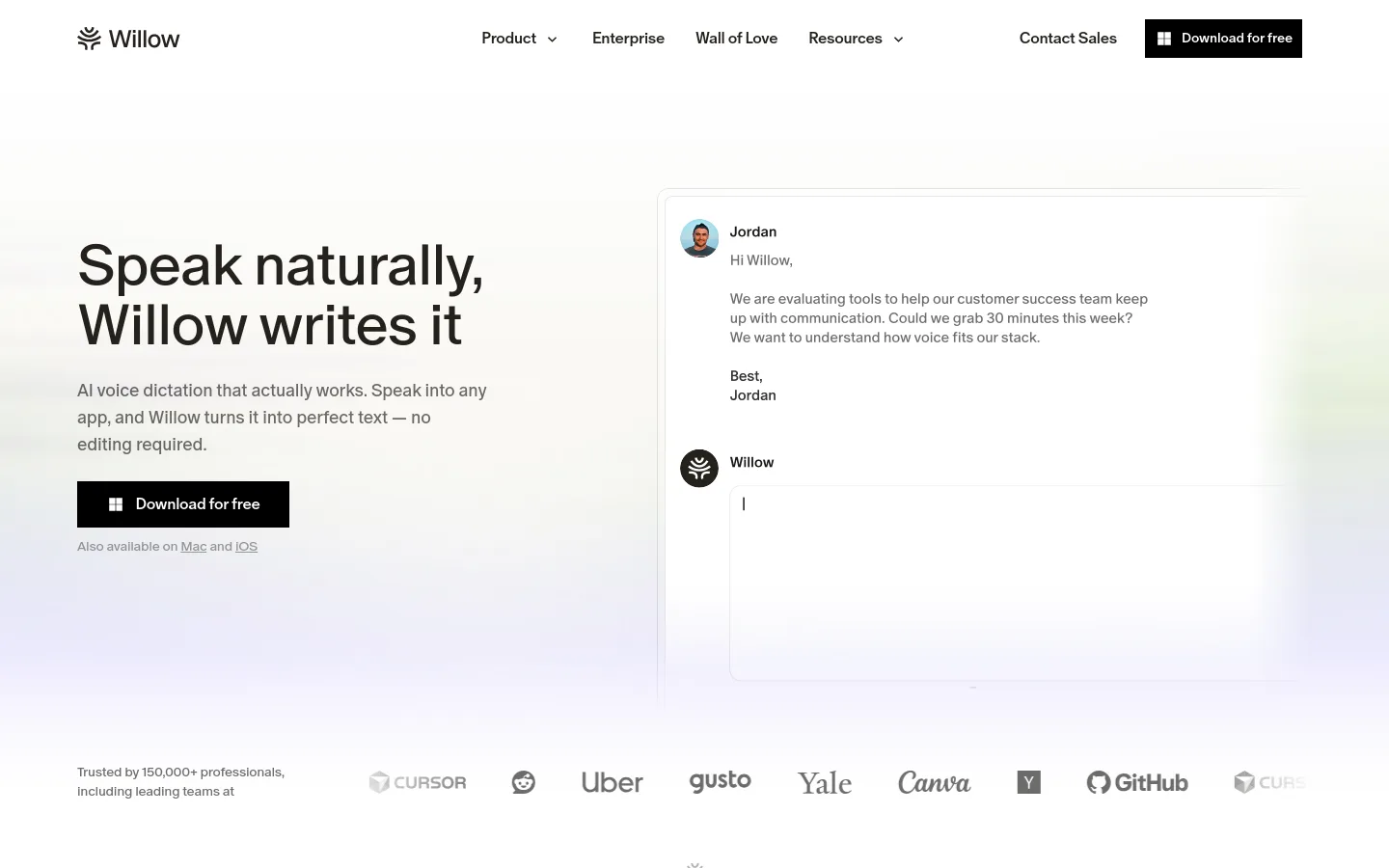
Willow product screenshot
Website previewFixed desktop viewport · 1440 × 900

Similar tools

Published tools that share its categories.

YapHold-to-talk dictation for Mac and Windows that recognizes speech on your device and types it at the cursor in any app.
Voice & SpeechFree trialChecked Oct 19
Visit
SpeakONAI dictation for iPhone with a MagSafe button: press, speak, and polished text lands in any app.
Voice & SpeechFree planChecked Oct 10
Visit
YubiPush-to-talk dictation app for macOS that transcribes on the Mac and adds Claude-powered screen help.
Voice & SpeechFree planChecked Oct 3
Visit
SzeptMac voice dictation, optional AI cleanup and screen capture for handing context to coding agents.
Voice & SpeechPaidChecked Sep 30
Visit