



Ordalin
Submit a tool

Reviewed tool profile

Faylee

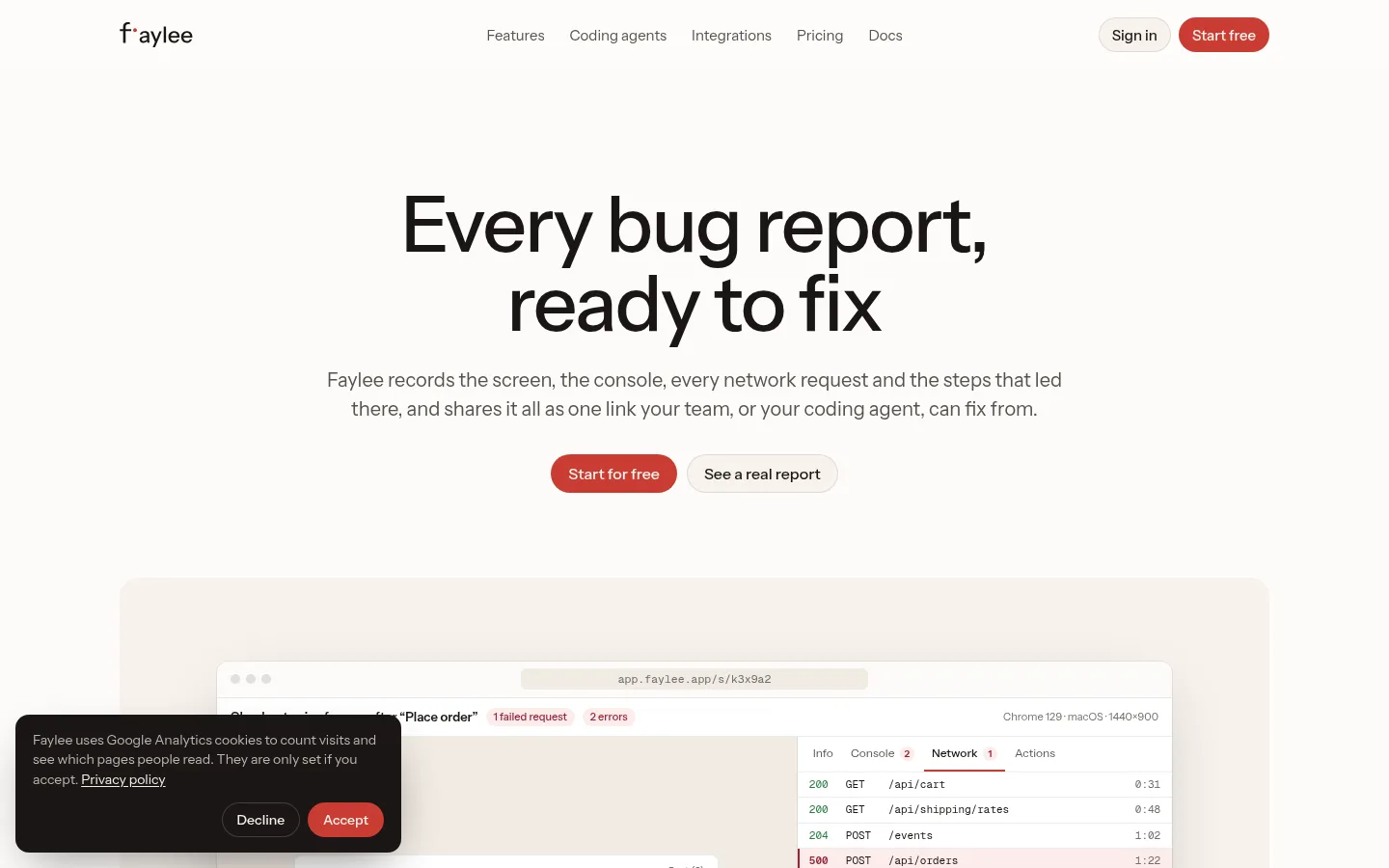
A bug reporter that records the screen, console and network as one link that your team or a coding agent can fix from.

Sources checked

Visit website ↗
Pricing
Freemium. Free covers up to 3 members and 30 recordings a month, each up to 5 minutes and kept for 14 days. Team costs $12 per recording member a month billed yearly ($144 a year), or $15 billed monthly, with a 14-day trial and no card needed. Viewers are free. Enterprise is a custom annual contract. Official source 1 ↗ · Official source 2 ↗
Available as
Chrome extension (Chrome 116 or newer), which also installs in Edge, Brave and Arc. · Web app at app.faylee.app; recording links and the site widget work in any modern desktop browser. · MCP server for Claude Code, Codex, Cursor and OpenCode, plus a REST API, webhooks and a CLI. Official source 1 ↗ · Official source 2 ↗ Official source 1 ↗ · Official source 2 ↗ Official source 1 ↗
Primary group
Coding & Development

Also consider

See all 6 similar tools ↓

What it does

Faylee is a bug reporting tool for web apps from Firefight Labs, a brand of UpTech doo Beograd-Čukarica in Serbia. A browser extension records the screen, your narration, clicks, console output and network requests on one timeline, and you share the report as a single link. An AI assistant drafts the title and likely cause. An MCP server lets coding agents such as Claude Code read the report and fix the bug. Customers can send recordings through a link or a site widget without an account.

Official source 1 ↗ · Official source 2 ↗ · Official source 3 ↗

Features

  • One-link bug reports. A recording keeps the video, narration, clicks and typing, console output and every network request on one clock. Scrub to any moment and the logs line up with it. You can copy a request as cURL or download the session as a HAR file. Official source 1 ↗ · Official source 2 ↗
  • Instant replay and page replay. Instant replay keeps the last few minutes of each tab on your machine, so you can save a bug after it happened. Faylee also writes reproduction steps as you go and rebuilds the page so you can inspect any element. Official source 1 ↗
  • Recordings, screenshots and AI notes. Record a tab or the whole screen while you talk, or mark up a screenshot. Narration becomes captions and a transcript, and on Team the assistant drafts the title and likely cause. Official source 1 ↗ · Official source 2 ↗
  • Fixes from coding agents. Connect Faylee's MCP server with one command, then paste a report link into Claude Code, Codex, Cursor or OpenCode. The agent reads the video, console and requests, changes your code and comments back on the recording. Official source 1 ↗
  • Reports from customers. Customers can record from a link or a "Report a bug" widget on your site, with no account or extension. Support teams can create a recording link from a Zendesk or Intercom ticket. Official source 1 ↗
  • Issue trackers, Slack and Sentry. Reports can be filed in tools such as Linear, Jira and GitHub with comments synced both ways. New reports also post to Slack. Server errors from Sentry appear next to the failed request. Official source 1 ↗
  • Redaction before upload. Tokens, cookies, passwords and card numbers are redacted in the browser before anything is uploaded. You can blur parts of a page and list sites Faylee never captures. New recordings are visible only to your workspace until you share them. Official source 1 ↗ · Official source 2 ↗
  • Source maps and your own storage. When your source maps are public, stack traces resolve to the original file and line. Team workspaces can keep recordings in their own S3-compatible bucket with automatic deletion. Official source 1 ↗

Pricing & free limits

Free

$0Forever

Up to 3 members, 30 recordings a month of up to 5 minutes, kept for 14 days. Includes instant replay, console, network and page replay, the MCP server, Slack and one issue tracker. Official source 1 ↗

Team

$12Per recording member per month billed yearly ($144/year), or $15 monthly

Unlimited members and recordings, 15-minute videos and unlimited history. Adds 100 AI analyses per member a month, every integration, source-mapped stack traces, recording links and a site widget, SAML SSO, SCIM, an audit log and your own storage bucket. Official source 1 ↗

Enterprise

CustomAnnual contract

Everything in Team, plus retention policies, custom AI limits, invoicing, a DPA and security review, and priority support with an SLA. Official source 1 ↗

Billing details

Only members who record, send recordings to other tools or use the AI count as seats. Viewers and people who send recordings through a link or widget are free. Seat changes are prorated. Official source 1 ↗

Each assistant analysis, question or drafted title counts as one AI use. Official source 1 ↗

Subscriptions renew automatically. You can cancel anytime and keep the plan until the period ends, but payments are not refunded except where the law requires. Official source 1 ↗ · Official source 2 ↗

Payments go through Polar, which adds VAT or sales tax at checkout. Startups, open-source maintainers and non-profits can ask for a discount. Official source 1 ↗

Free access & limits

Up to 3 members and 30 recordings a month of up to 5 minutes. Recordings are hidden after 14 days and deleted 7 days later. When the monthly limit is reached you can still view and share recordings. Official source 1 ↗

Best for & limitations

Send developers a bug report with the console and network already attached, instead of a back-and-forth thread. Official source 1 ↗

Hand a bug link to Claude Code or Cursor and let it find and fix the cause. Official source 1 ↗

Collect bug recordings from customers or support tickets without asking them to install anything. Official source 1 ↗
  • Extension needs a Chromium browser. The recording extension runs in Chrome and other Chromium browsers and asks for permission to read and change data on all websites. Recording links and the widget work in other desktop browsers. Official source 1 ↗ · Official source 2 ↗
  • AI notes can be wrong. The assistant's summaries and suggested causes are generated by AI and can be wrong. The assistant is part of Team, and an admin has to turn it on. Official source 1 ↗ · Official source 2 ↗ · Official source 3 ↗
  • Redaction is not complete. Faylee hides common secrets automatically but cannot catch everything. You are responsible for having consent to record the people and pages you capture. Official source 1 ↗
  • Free recordings expire. On Free, recordings are hidden after 14 days and deleted 7 days later unless you upgrade. Official source 1 ↗
  • Data location and terms. Faylee's servers are in the United States. It does not use your content to train AI models. You must be 16 or older, and the terms are governed by Serbian law. Official source 1 ↗ · Official source 2 ↗
Faylee product screenshot
Website previewFixed desktop viewport · 1440 × 900

Similar tools

Published tools that share its categories.

ColdteaControl layer for AI-written software: map every pull request, test the flows it touches with agents and watch it in production.
Coding & DevelopmentFree planChecked Aug 23
Visit
ARTEMISOpen-source Android automation agent from Google that runs app tests and phone tasks from plain-language instructions, with an MCP server for AI coding assistants.
Coding & DevelopmentFreeChecked Oct 18
Visit
PolylaneAI SRE that watches your cloud and telemetry, finds root causes with cited evidence, reviews PRs against production and opens fix pull requests.
Coding & DevelopmentFree planChecked Oct 15
Visit
TidenVerify that code from your AI coding agents does what you asked, with versioned specs, linked tests and a quality gate on every merge.
Coding & DevelopmentFree trialChecked Oct 15
Visit