



Ordalin
Submit a tool

Reviewed tool profile

ForgeSprite

AI sprite generator for static 2D game art, with sample-first sets, selected-area edits and free sprite sheet tools.

Sources checked

Visit website ↗
Pricing
Free to try: new visitors get 10 welcome credits without signing in and 20 more after Google registration, using Seedream 5.0 Lite. Monthly plans are Starter at $19 for 800 credits, Pro at $39 for 2,000 credits and Max at $129 for 8,000 credits; higher plans unlock more image models, more images at once and queue priority. A 400-credit pack costs $12 once and never expires. Each agent request costs 1 credit, and an image costs 5 credits (Seedream) up to 16 credits (Nano Banana Pro). Prices are in USD before tax. Official source 1 ↗
Available as
A web app: Studio runs at forgesprite.com with a guest session or Google sign-in, and some public tools such as the pixel art resizer work in the browser without an account or upload. Official source 1 ↗ · Official source 2 ↗
Primary group
Image & Design

Also consider

See all 6 similar tools ↓

What it does

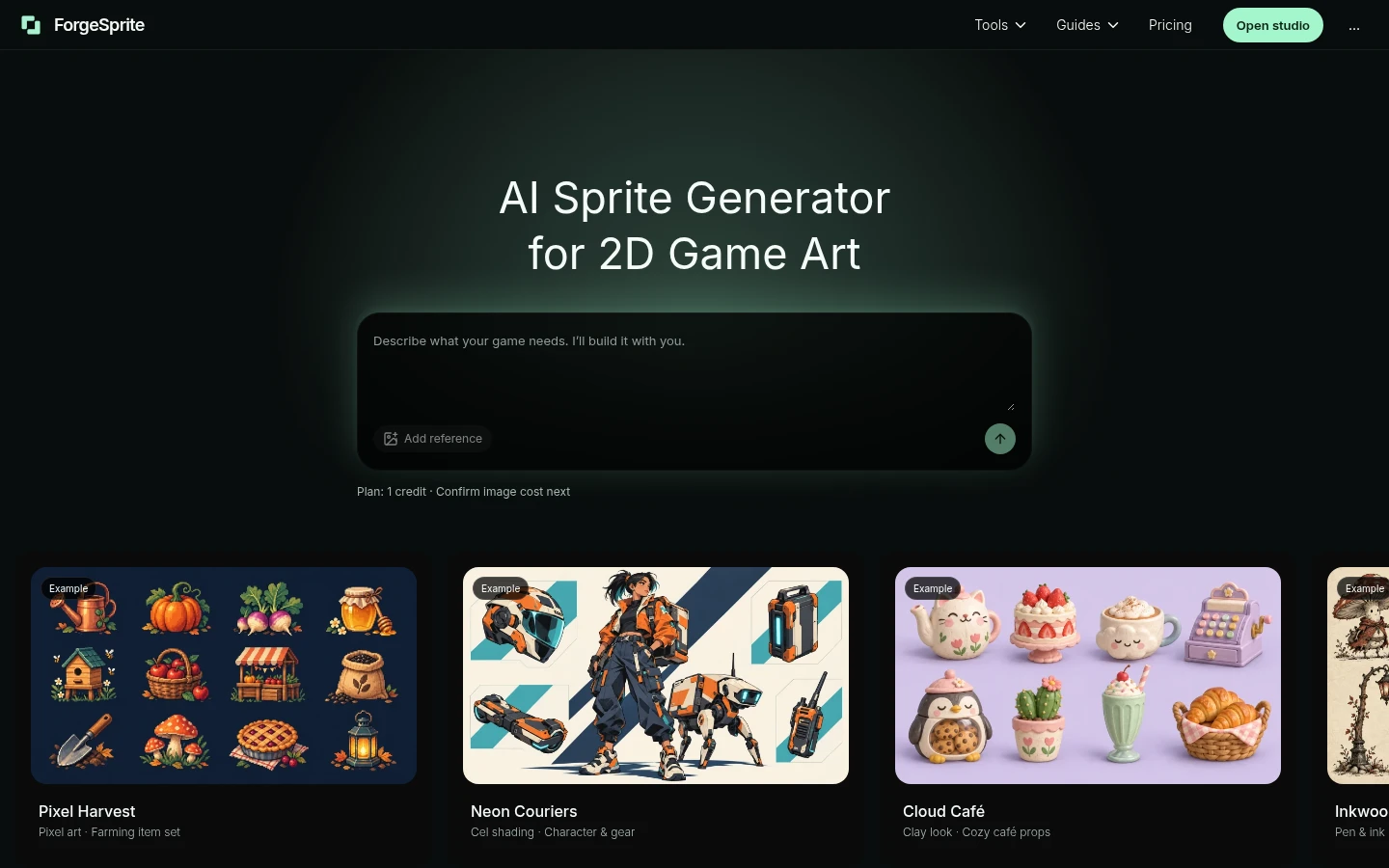
ForgeSprite is a web studio that makes static 2D game art with AI: inventory items, props, skill icons, character concepts, scenes and textures. You write a brief with the subjects, viewpoint, palette and display size, optionally add a reference image, and the agent proposes a plan with a credit quote; for a set it makes one sample for review before the rest. You can repaint a selected area of any version, swap exact colors, and export PNGs, ZIPs or texture atlases. Free browser tools pack and split sprite sheets, convert between GIFs and sheets, and enlarge pixel art by whole-number factors. It does not make animation: walk cycles, new view directions and seamless tilesets are outside what it promises. The company behind it is not named.

Official source 1 ↗ · Official source 2 ↗

Features

  • Game-art briefs with a plan and quote. Describe one subject or a small set with viewpoint, palette, outline and display size. The agent proposes the work and its credit cost before anything is generated, and an example prompt only fills the draft without starting generation. Official source 1 ↗ · Official source 2 ↗
  • Sample first for consistent sets. For a collection, review one sample's silhouette, outline, palette and lighting, give a concrete correction, then approve the remaining items so the set shares one style. Official source 1 ↗ · Official source 2 ↗
  • Reference images. Attach a PNG, JPEG or WebP and say which features to keep, for example a potion's bottle shape and outline with a new liquid color. Official source 1 ↗
  • Selected-area edits with versions. Open any version, paint the area to change and describe the edit; the cost is shown before it runs and the original version stays available for comparison. Official source 1 ↗ · Official source 2 ↗
  • Exact color replacement in batches. Batch pixel tools in Studio map known colors to new ones across selected assets and save new versions, without sending the operation to an AI model. Official source 1 ↗ · Official source 2 ↗
  • Sprite sheet and GIF tools. Free tools pack existing PNG frames into a grid or tight atlas with frame JSON, split existing sheets, and convert between GIFs and sprite sheets. They reuse frames you supply and do not invent motion. Official source 1 ↗
  • Pixel art resizer. Enlarge a static PNG up to 5 MiB by 2×, 3×, 4× or 8× without smoothing, in the browser and without uploading it. Official source 1 ↗ · Official source 2 ↗
  • Six image models. Studio offers Seedream, Nano Banana 2, FLUX.2 Pro, Nano Banana Pro and two GPT Image 2.5 options; which ones you can use depends on the plan. Official source 1 ↗

Pricing & free limits

Free

$0no subscription

10 welcome credits without signing in and 20 more after Google registration, once per person; Seedream 5.0 Lite, one image at a time, standard queue. Official source 1 ↗

Starter

$19.00monthly

800 credits a month, one image at a time with priority over the free queue, three models (Seedream, Nano Banana 2, FLUX.2 Pro), exact-pixel tools and PNG and atlas exports. Official source 1 ↗

Pro

$39.00monthly

2,000 credits a month, two images at once with higher priority, all six models. Official source 1 ↗

Max

$129.00monthly

8,000 credits a month, four images at once with the highest queue priority, all six models. Official source 1 ↗

Credit pack

$12.00one-time

400 credits that never expire; a pack adds credits only and does not change queue priority, concurrency or model access. Official source 1 ↗

Billing details

Plans renew monthly until you cancel in Billing; unused monthly credits expire at the end of the period and do not roll over. Prices are in USD and taxes are added at checkout through Waffo Pancake. Official source 1 ↗ · Official source 2 ↗

A first subscription can be refunded within 7 days if no more than 40 of its credits were used; a credit pack within 7 days if entirely unused. Renewals, used packs and partial periods are not refunded, apart from billing errors and legal rights. Official source 1 ↗ · Official source 2 ↗

Every new agent request, including a reply to a question, costs 1 credit; failed plans are refunded, and opening a plan, saving a draft and the direct pixel tools are free. Official source 1 ↗

Free access & limits

30 credits in total (10 as a guest, 20 after Google registration, once per person), the Seedream 5.0 Lite model only, one image at a time in the standard queue. Free credits have no cash value. The local PNG tools are free without credits. Official source 1 ↗ · Official source 2 ↗

Best for & limitations

Indie developers making a matching set of inventory items, such as potions, weapons and treasures for a top-down RPG. Official source 1 ↗

Drafting a static character concept or a set of ability icons that stay readable at small sizes. Official source 1 ↗

Recoloring existing sprites into a new palette variant, or packing finished frames into a sprite sheet for an engine. Official source 1 ↗ · Official source 2 ↗
  • Still images only, no animation. There is no verified workflow for walk cycles, new viewing directions or in-between poses; rigging and engine integration are out of scope too. Official source 1 ↗
  • Pixel sizes are targets, not guarantees. A requested 32 × 32 or 64 × 64 size is a design target; the output may not have native pixel dimensions or a strict grid and can need cleanup. Official source 1 ↗
  • Copyright of outputs is uncertain. Commercial use of outputs is allowed, but AI outputs may not qualify for copyright protection and other users may get similar results. Official source 1 ↗
  • Google sign-in required to buy; adults only. Purchases and account management need a Google account, and the service is for people aged 18 or older. Official source 1 ↗
  • Data may be processed in the US and China. There is no choice of data region, and third-party AI services may keep request logs; zero retention is not promised. Official source 1 ↗
  • Company behind it is not named. The legal pages give only a support email address; no company name or address is listed. Official source 1 ↗
ForgeSprite product screenshot
Submitted screenshotFixed desktop viewport · 1440 × 900

Similar tools

Published tools that share its categories.

AlphaizeAI image agent that quotes the credit cost before it generates or edits, with versions, free color tools and a PSD batch editor.
Image & DesignFree planChecked Oct 24
Visit
StylMorphRedraw a photo as comic, cartoon, game-poster or coloring-page art from fixed presets, with one free image and one-time credit packs.
Image & DesignFree trialChecked Oct 16
Visit
ArtCraftOpen-source AI image and video studio where you stage shots on a 2D canvas or in 3D, then let models like Nano Banana and Seedance render them.
Image & DesignFree planChecked Oct 12
Visit
Spacely AIAI interior and exterior rendering that turns sketches, 3D models or room photos into photorealistic, editable designs.
Image & DesignFree planChecked Oct 9
Visit