



Ordalin
Submit a tool

Reviewed tool profile

Saybrush

Browser AI photo editor: describe one change in a sentence to remove objects, swap backgrounds, relight, recolor or upscale a photo.

Sources checked

Visit website ↗
Pricing
Freemium, credit-based. Guests get 2 free edits and 3 more on sign-up, once, with 768 px downloads. Basic gives 150 credits a month for $14.99 monthly or $7.49 a month billed $89.88 yearly; Pro gives 400 credits a month for $29.99 monthly or $14.99 a month billed $179.88 yearly. One-time credit packs cost $19.99 (100), $49.99 (300) and $99.99 (700). Most edits use 1 credit; Nano Banana Pro uses 3. Prices are in US dollars, before sales tax or VAT. Official source 1 ↗
Available as
Web app that runs in desktop and mobile browsers, including iPhone and Android, with nothing to install. Official source 1 ↗ · Official source 2 ↗
Primary group
Image & Design

Also consider

See all 6 similar tools ↓

What it does

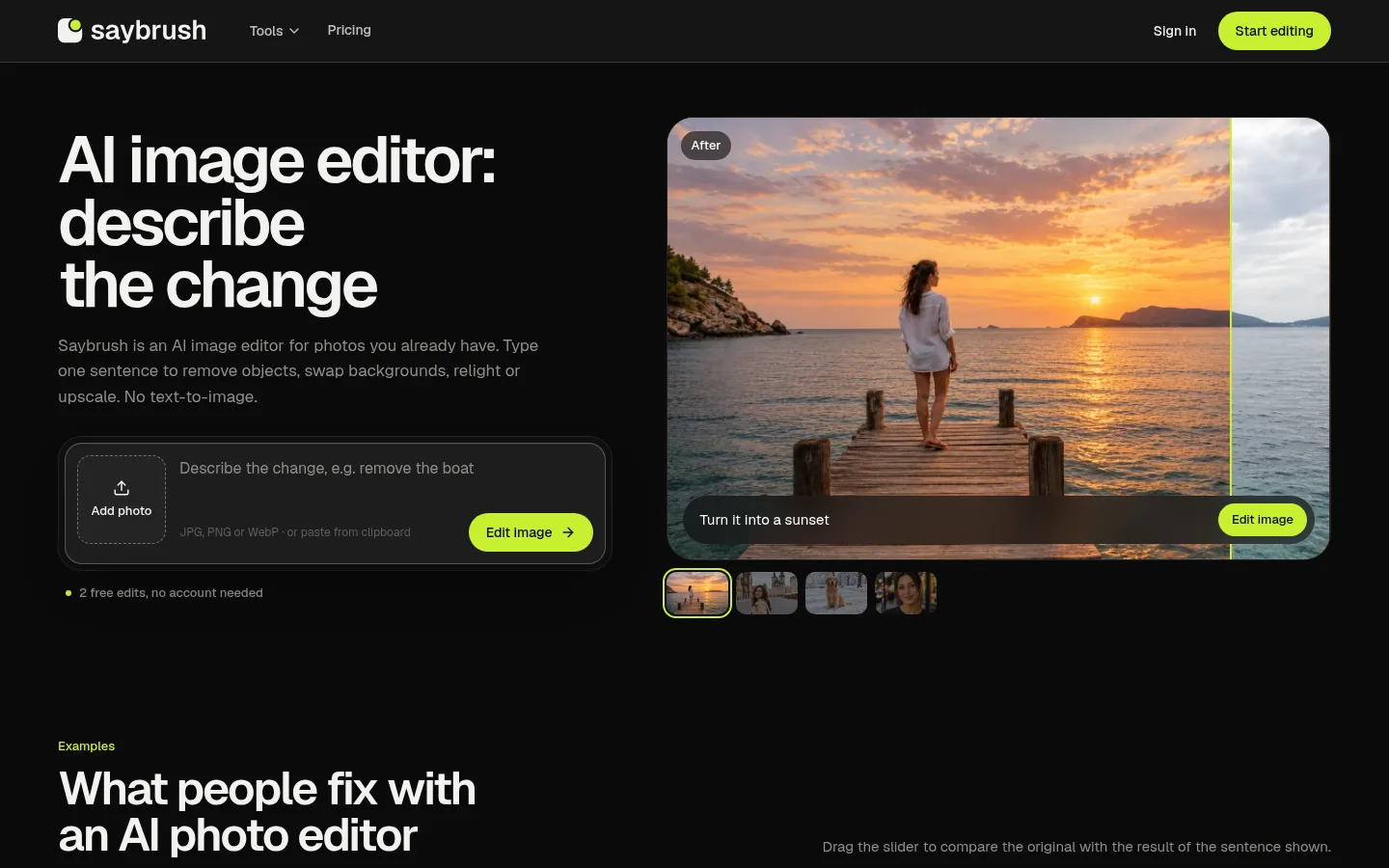
Saybrush is a browser-based AI image editor for existing photos. You upload a JPG, PNG or WebP image and type one plain-language sentence per change; it removes objects, replaces or removes backgrounds, relights, recolors, adds objects and upscales, and keeps the rest of the photo. It does not generate images from text. Dedicated pages cover a one-click background remover and a watermark remover for photos you own.

Official source 1 ↗ · Official source 2 ↗ · Official source 3 ↗

Features

  • One-sentence photo edits. Describe one change, such as removing a boat, and the editor rewrites that area and keeps the rest of the image. Each change is saved as a new version you can compare side by side and refine. Official source 1 ↗
  • Object removal. Removes people, wires, text or clutter and fills the gap from the surrounding scene; objects covering most of the frame may leave a visible fill. Official source 1 ↗
  • Background replacement. Places the subject in a new scene with matching light, described in one sentence. Official source 1 ↗
  • Relight, recolor and upscale. Changes the time of day or light color, fixes exposure, recolors items and upscales a small image to about 1.5 megapixels. Official source 1 ↗
  • One-click background remover. Click Remove background with no prompt or brush to get a transparent PNG at the photo's own pixel size, up to 4096 pixels a side, usually in 10 to 20 seconds. Removed backgrounds never carry a watermark. Official source 1 ↗
  • Watermark and text remover. Name a tiled watermark, corner logo, signature, date stamp, banner or caption and the AI redraws the photo without it, in about a minute. It is intended only for photos you own or are licensed to edit. Official source 1 ↗
  • Choice of four image models. Paid plans and credit packs unlock four models: GPT Image, Nano Banana Pro, Seedream 5.0 Pro and FLUX.1 Kontext Pro. The free tier edits with GPT Image. Official source 1 ↗

Pricing & free limits

Free

$0one-time allowance

2 edits as a guest plus 3 more on sign-up, once; GPT Image only; no watermark; downloads up to 768 px on the long side (removed backgrounds at full size); files kept 14 days. Official source 1 ↗

Basic (monthly)

$14.99per month, billed monthly

150 credits every month, reset monthly; all four models, full-resolution downloads, files kept until deleted, commercial use. Official source 1 ↗

Basic (yearly)

$7.49per month, billed $89.88 yearly

Same 150 monthly credits as Basic monthly at about $0.05 per credit. Official source 1 ↗

Pro (monthly)

$29.99per month, billed monthly

400 credits every month, reset monthly; all four models, full-resolution downloads, files kept until deleted, commercial use. Official source 1 ↗

Pro (yearly)

$14.99per month, billed $179.88 yearly

Same 400 monthly credits as Pro monthly at about $0.04 per credit. Official source 1 ↗

100-credit pack

$19.99one-time

100 credits that never expire (about $0.20 per credit); every model, full-resolution downloads, files kept, commercial use. Official source 1 ↗

300-credit pack

$49.99one-time

300 credits that never expire (about $0.17 per credit). Official source 1 ↗

700-credit pack

$99.99one-time

700 credits that never expire (about $0.14 per credit). Official source 1 ↗

Billing details

Prices are in US dollars and exclude sales tax or VAT, which is added at checkout; payments are processed by Waffo Pancake, the reseller and Merchant of Record. Official source 1 ↗ · Official source 2 ↗

Unused subscription credits do not roll over; they reset each billing month. If you also hold pack credits, plan credits are used first. Official source 1 ↗

Plans can be cancelled anytime and stay active until the end of the paid period. Refunds are available within 14 days of a purchase only if none of its credits were used. Official source 1 ↗

Credits are returned automatically when an edit fails on Saybrush's side, times out, is declined by the model or is stopped by a content check. Official source 1 ↗

Free access & limits

The free tier is a one-time allowance of 2 edits without an account and 3 more after sign-up, shared between photo edits and background removals. Free edits download at up to 768 px on the long side (removed backgrounds at full size) and files are deleted after 14 days. Official source 1 ↗ · Official source 2 ↗

Best for & limitations

Cleaning up a product or listing photo by swapping a cluttered background or removing a tag or reflection before it goes into a listing or ad. Official source 1 ↗

Previewing a wall color, furniture or decor in a photo of a real room before painting or buying. Official source 1 ↗

Clearing tourists, signs or cars from a travel photo, or changing its weather or time of day. Official source 1 ↗

Cutting out a product or person as a transparent PNG for a listing, ad, profile picture or design layout. Official source 1 ↗

Removing a camera date stamp, an old logo or your own watermark from photos you own. Official source 1 ↗
  • No text-to-image, video or face swaps. Saybrush only edits uploaded still photos; it does not generate images from text, edit video or offer face swaps. Official source 1 ↗
  • No bulk processing or API. Background and watermark removal work one photo at a time, with no batch processing or API. Official source 1 ↗
  • Output resolution around 1–1.6 MP. Edited results are about 1 to 1.6 megapixels in the photo's shape, so larger photos come back smaller. Official source 1 ↗ · Official source 2 ↗
  • Results vary and details can shift. The same sentence can give different results on each run, and small details such as text, hands and fine patterns can change. Official source 1 ↗
  • Moderation can block harmless edits. Every upload, prompt and result passes automated moderation, which can block a harmless edit; the credit is returned when that happens. Official source 1 ↗
  • Third-party processing and retention. Photos and prompts are sent to kie.ai, which keeps files and results for 14 days and task logs for 2 months; Saybrush cannot delete them sooner. Official source 1 ↗
Saybrush product screenshot
Website previewFixed desktop viewport · 1440 × 900

Similar tools

Published tools that share its categories.

ForgeSpriteAI sprite generator for static 2D game art, with sample-first sets, selected-area edits and free sprite sheet tools.
Image & DesignFree planChecked Oct 24
Visit
AlphaizeAI image agent that quotes the credit cost before it generates or edits, with versions, free color tools and a PSD batch editor.
Image & DesignFree planChecked Oct 24
Visit
ColorWillowAI photo-to-coloring-page maker with four drawing styles, plus a free on-device outline converter and a free printable coloring page library.
Image & DesignFree planChecked Oct 19
Visit