


Ordalin
Submit a tool

Reviewed tool profile

RevampKey

Desktop AI code editor that works like a product team: research, plan, design, build and test, with your approval first.

Sources checked

Visit website ↗
Pricing
Free to start with limited usage and no card. Individual plans are Go $5, Pro $20 and Max $99 a month, each including the same dollar amount of usage. Team plans cost $15, $30 or $80 per seat a month with pooled usage for 2–100 seats. Prices exclude tax. Official source 1 ↗
Available as
Desktop app for macOS, with Windows and Linux builds; it works on projects and repositories on your own machine. Official source 1 ↗ · Official source 2 ↗
Primary group
Coding & Development

Also consider

See all 6 similar tools ↓

What it does

RevampKey is a desktop AI code editor from India's REV AI Private Limited that runs a team of specialist agents: a researcher, a product manager, a designer, an engineer and QA. You describe a feature in plain words; it researches your project and the web, asks you the open questions, shows a plan and screen designs for approval, then writes and tests the code in reviewable steps. It suits non-coders building an app as well as developers pointing it at an existing repository.

Official source 1 ↗ · Official source 2 ↗ · Official source 3 ↗

Features

  • Five specialist agents. A researcher, product manager, designer, engineer and QA agent each take one stage of the work, from investigation to tested code. Official source 1 ↗
  • Approve before it builds. The product-manager agent asks one clear choice at a time, and nothing is built until you approve the plan and screens. Official source 1 ↗ · Official source 2 ↗
  • Interactive reports and plans. Research arrives as a sortable, filterable report with sources, and big changes become step-by-step plans you review before any code is written. Official source 1 ↗
  • Existing-codebase mode. Point it at a repository and it maps the code, plans the change and commits in reviewable steps. Official source 1 ↗
  • Schedules. Set recurring or one-off runs in plain words or cron; the agent returns in the same project and posts what it finds, and missed runs are marked late. Official source 1 ↗
  • Skills. Plain SKILL.md playbooks in the repo tell the agents how you write, test, review or release; skills in the same format from other coding agents also work. Official source 1 ↗

Pricing & free limits

Free

$0starter usage

A limited amount of usage with no card; paid plans take over when it runs out. Official source 1 ↗

Startup (team)

$15per seat per month

$15 of usage per seat into a shared pool, 2–100 seats; uses the same fast, low-cost models as Go. Official source 1 ↗

Team

$30per seat per month

$30 of usage per seat into a shared pool, 2–100 seats; adds frontier models. Official source 1 ↗

Scale (team)

$80per seat per month

$80 of usage per seat into a shared pool, 2–100 seats. Official source 1 ↗

Billing details

Usage is metered in US dollars by the amount of work a request takes, not by message count; prices exclude tax. Official source 1 ↗

Team seats can be added any time at a pro-rata charge; reductions apply from the next renewal. Official source 1 ↗

Free access & limits

The free allowance is a limited, one-off amount of usage meant for trying it on real work; after that a paid plan is needed. Official source 1 ↗

Best for & limitations

A founder without a developer describes an app feature, approves the screens and gets working software. Official source 1 ↗

A developer points it at an existing repository to plan and commit a change in reviewable steps. Official source 1 ↗

A team schedules a daily check of failing builds or yesterday's data, written in plain words. Official source 1 ↗
  • Usage-based cost. Large features use more of the dollar allowance than small fixes, so heavy builds can outgrow the cheaper plans quickly. Official source 1 ↗
  • Cheapest team plan skips frontier models. Startup uses the same fast, low-cost models as Go; frontier models start on the $30 Team plan. Official source 1 ↗
  • Code is sent to model providers. Files stay local, but prompts and the code context they need go to third-party AI model providers through RevampKey's proxy, under a no-training contract. Official source 1 ↗
  • No cloud backup of your work. Conversations, plans and designs live only on your machine; if it is lost, RevampKey cannot restore them. Official source 1 ↗
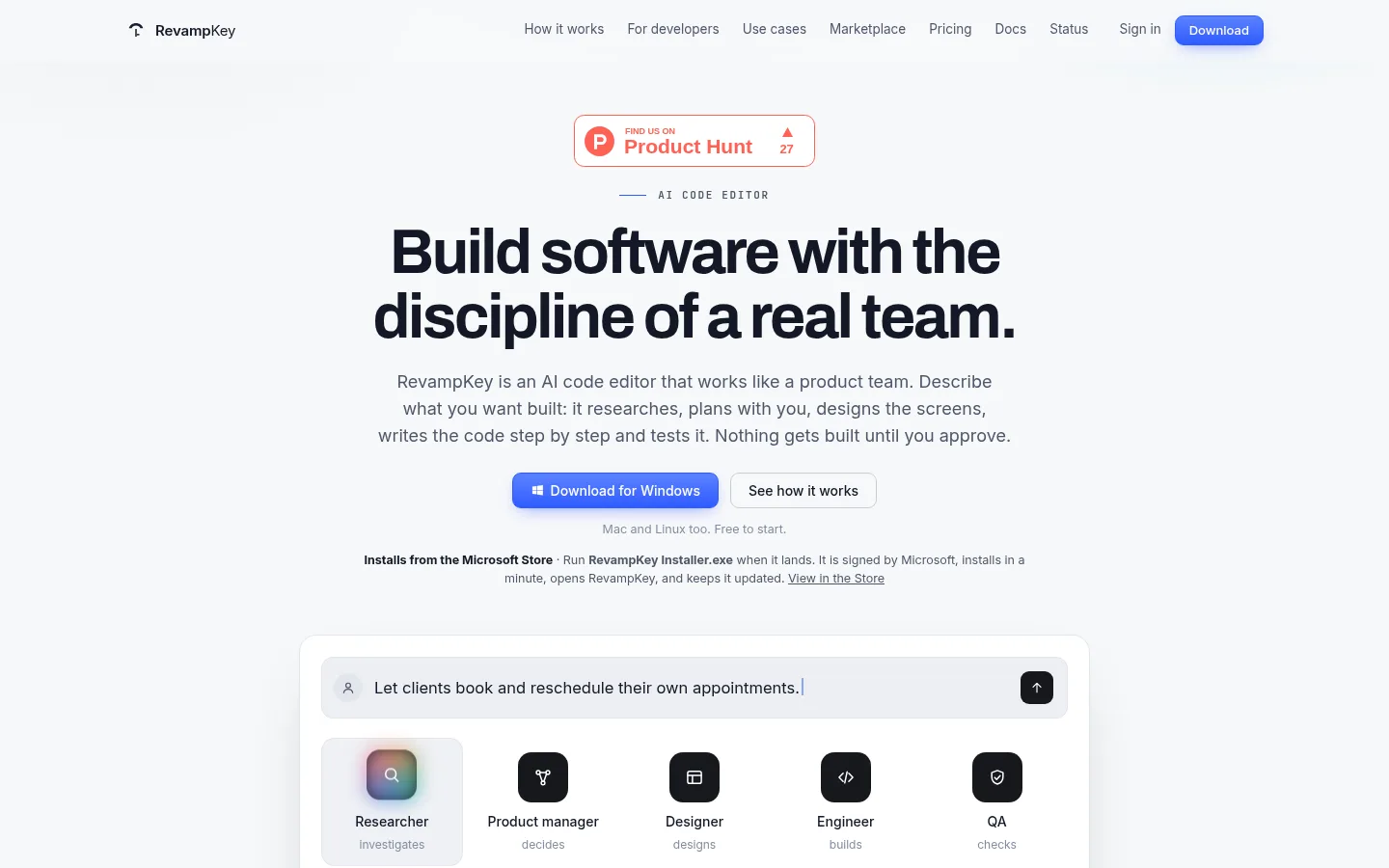
RevampKey product screenshot
Website previewFixed desktop viewport · 1440 × 900

Similar tools

Published tools that share its categories.

ColdteaControl layer for AI-written software: map every pull request, test the flows it touches with agents and watch it in production.
Coding & DevelopmentFree planChecked Aug 23
Visit
DessnDesign canvas that runs your real app from its codebase, so teams prototype and audit with production components.
Coding & DevelopmentFree planChecked Nov 5
Visit