


Ordalin
Submit a tool

Website-checked tool profile

sideOS

Voice AI agent in the MacBook notch that reads your screen, clicks and types for you, with free on-device dictation.

Sources checked

Visit website ↗
Pricing
Paid, one-time: a lifetime licence costs $89.90 for one Mac and includes all future updates, with no subscription. The AI model is billed separately by the provider whose API key you use, roughly 2–5 cents per command on the default models, or nothing with a local model. Dictation is included at no extra cost. Official source 1 ↗
Available as
macOS desktop app for Apple Silicon Macs running macOS 14 or later; it needs Accessibility, microphone and speech permissions. Official source 1 ↗ · Official source 2 ↗
Primary group
Automation & Agents

Also consider

See all 6 similar tools ↓

What it does

sideOS is a voice-controlled AI agent for Mac that lives in the MacBook notch, made by Stockimg AI, Inc. You hold Control-Option and say what you want; it reads the screen through macOS accessibility, opens apps, clicks, types and runs AppleScript, then tells you aloud what it did. It also does free on-device dictation, meeting recording with local transcription, reminders, background research tasks and MCP connections. You buy the app once and bring your own Claude, OpenAI, Gemini or Grok API key, or run a local model.

Official source 1 ↗ · Official source 2 ↗ · Official source 3 ↗

Features

  • Voice agent that operates your apps. Hold Control-Option and speak; sideOS reads the screen, opens apps, clicks, types, presses shortcuts and runs AppleScript, then reports back aloud. Official source 1 ↗
  • Reads the accessibility tree, not screenshots. It reads the screen through the macOS accessibility tree in about 50 ms and falls back to screenshots only when needed, such as for charts or video; you can also frame a screen region while you talk. Official source 1 ↗
  • Free on-device dictation. Hold Control-fn and speech is typed at the cursor in any app using macOS's own speech engines, with no API key or per-word cost; the classic engine supports 62 languages. Official source 1 ↗ · Official source 2 ↗
  • Meeting recording and summaries. It offers to record when a Zoom, Meet or Teams window opens, transcribes on-device with Whisper, separates speakers and writes a summary with action items. Official source 1 ↗
  • Background tasks. Long jobs such as research reports run in a separate loop with web search, file access, shell commands and PDF rendering; irreversible commands ask for approval first. Official source 1 ↗
  • Reminders and MCP connections. Voice reminders can run a task before they ring, and Gmail, Calendar, Notion, Slack, GitHub or any MCP server can be connected; tools that write start switched off. Official source 1 ↗
  • Bring your own model or run offline. Use Claude, OpenAI, Gemini or Grok with your own key, or a local MLX model such as Gemma, Mistral, Llama or Qwen with no internet. Official source 1 ↗

Pricing & free limits

Lifetime licence

$89.90one-time

One Mac at a time, transferable to a new Mac, every future update included; covers the agent, region select, background tasks, meetings, memory, reminders and MCP servers. Official source 1 ↗

Billing details

The AI model is not included: you pay Anthropic, OpenAI, Google or xAI directly through your own API key, which sideOS estimates at about 2–5 cents per typical command, or about a fifth of that on the light model. Official source 1 ↗

Payments go through Stripe. A refunded, reversed or disputed payment deactivates the licence. Official source 1 ↗

The licence is checked with sideOS's server on activation and keeps working offline for up to 30 days after each renewal. Official source 1 ↗

Free access & limits

Dictation runs on macOS's own speech engines and needs no API key and no extra payment. Official source 1 ↗

Best for & limitations

Replying to email, writing notes or filing documents by voice without switching apps. Official source 1 ↗

Asking about something on screen by circling it, such as a chart or an error. Official source 1 ↗

Recording calls and turning action items into reminders. Official source 1 ↗

Fast dictation into any text field on a Mac, including terminals and browsers. Official source 1 ↗
  • Mac only, Apple Silicon and macOS 14+. There is no Windows or Intel Mac version listed. Official source 1 ↗
  • You pay the model provider separately. The agent needs your own API key with its own bill unless you run a local model. Official source 1 ↗
  • No free trial listed. The site lists only the $89.90 licence; it does not mention a trial for the agent. Official source 1 ↗
  • Agent actions can be wrong. The terms warn that AI models make mistakes and ask you to check anything before it is sent, deleted or paid for. Official source 1 ↗
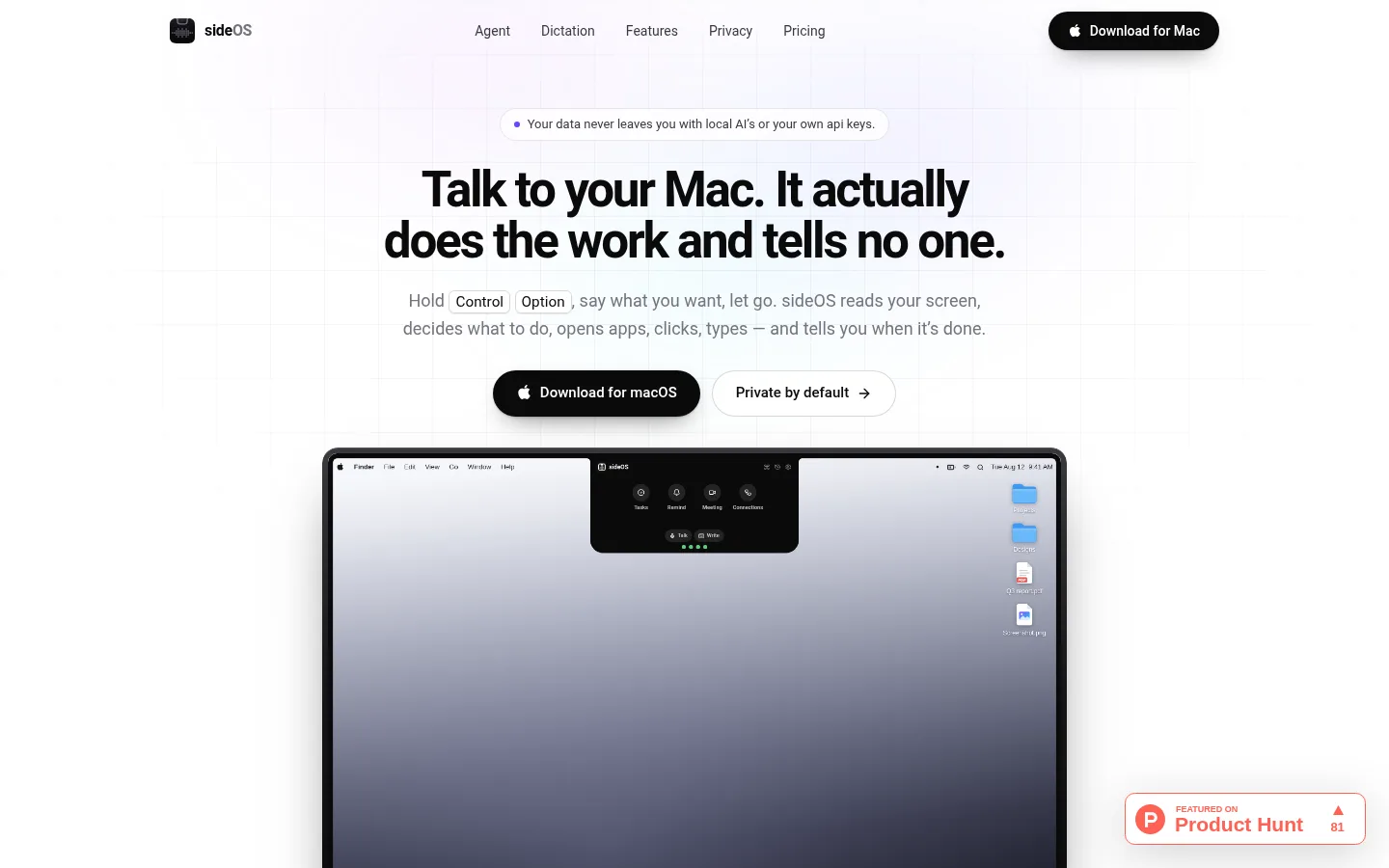
sideOS product screenshot
Website previewFixed desktop viewport · 1440 × 900

Similar tools

Published tools that share its categories.

Inbox ZeroOpen-source AI email assistant for Gmail and Outlook that labels mail, drafts replies and bulk-unsubscribes.
ProductivityFree planChecked Oct 18
Visit
KaiAI executive assistant from Morgen that sorts Gmail and Outlook, takes bot-free meeting notes, turns commitments into tasks and plans your day.
ProductivityFree trialChecked Oct 13
Visit
Microsoft CopilotMicrosoft's AI assistant built into Word, Excel, PowerPoint, Outlook and Teams, with work-grounded chat, research agents and multi-step task automation.
ProductivityFree planChecked Oct 11
Visit
Wispr FlowVoice dictation that turns natural speech into clean, formatted text in any app, plus a bot-free meeting notetaker.
Voice & SpeechFree planChecked Oct 19
Visit