



Ordalin
Submit a tool

Website-checked tool profile

Strawberry Browser

A desktop browser with AI companions that research, fill sheets, record meetings and run routines inside your logged-in tabs.

Sources checked

Visit website ↗
Pricing
Freemium with credits. Browsing is always free and the Free plan includes 500 AI credits a month. Paid Individual plans are Intern at $20/month (6,000 credits), Part-Time at $85/month (25,000) and Full-Time at $250/month (75,000), with annual billing giving 2 months free. Extra credits cost $0.01 each. Team and Enterprise plans are also offered. Official source 1 ↗
Available as
Desktop app for macOS and Windows; chats sync, encrypted, between your computers. Official source 1 ↗ · Official source 2 ↗
Primary group
Automation & Agents

Also consider

See all 6 similar tools ↓

What it does

Strawberry is a desktop web browser for macOS and Windows, made by Stockholm-based Strawberry Browser Inc., with built-in AI companions that work inside the sites and accounts you are already signed into. You can hire ready-made companions for sales, recruiting, marketing or executive support, or build your own, and have them research, fill spreadsheets, draft outreach, record meetings without a bot and run recurring routines. Strawberry 1.0 was released on 26 October 2026.

Official source 1 ↗ · Official source 2 ↗ · Official source 3 ↗ · Official source 4 ↗

Features

  • AI companions in your browser. Companions see and act in your tabs, using any website, including pages behind your logins. You can watch one work in a tab and take over or stop it at any time. Official source 1 ↗
  • Ready-made role companions. Hire official companions such as Sales Sally for qualified leads, Talent Theo for scored candidates, Executive Ellis for briefs and replies, Marketing Martin and Consulting Cora, each arriving with skills and routines for its job, or create your own. Official source 1 ↗ · Official source 2 ↗
  • Routines on a schedule or trigger. Routines run a companion daily, on an interval, once on a date, or when something happens in a connected app such as a new email or GitHub pull request, and pause for approval before sending messages or changing important records. Official source 1 ↗
  • Meeting notes without a bot. Record Google Meet, Zoom or Teams calls, or an in-person conversation from your microphone, with no bot joining. Each recording returns a transcript with speakers told apart, decisions, action items and draft follow-ups. Official source 1 ↗ · Official source 2 ↗
  • Charts, decks and visuals. Companions answer with charts and exportable tables when clearer, draft slide decks and one-pagers in your brand, and create or edit images and short video clips. Official source 1 ↗
  • App connections, memory and local files. Connect Gmail, Slack, Notion and over 100 other apps, keep memory across chats, and let a companion read and edit files in a folder you choose inside a sandbox. Chrome extensions, bookmarks and passwords import from your old browser. Official source 1 ↗ · Official source 2 ↗ · Official source 3 ↗
  • Teams and shared companions. Teams share companions, skills and context with admin controls and unified billing; every team includes 3 free seats. Official source 1 ↗

Pricing & free limits

Free

$0per month

500 AI credits a month with Efficient and Default modes; browsing is always free and no card is needed. Official source 1 ↗

Intern

$20per month (annual: 2 months free)

6,000 credits a month, plus Expert mode, model choice, priority access at peak hours and the option to use your ChatGPT plan to save credits. Official source 1 ↗

Part-Time

$85per month (annual: 2 months free)

25,000 credits a month with the same paid features as Intern. Official source 1 ↗

Full-Time

$250per month (annual: 2 months free)

75,000 credits a month with the same paid features as Intern. Official source 1 ↗

Enterprise

Customcustom terms

Pooled credits with rollover, invoicing, dedicated onboarding and custom terms. Official source 1 ↗

Billing details

Credits are only used when a companion does work such as research, drafting or extracting data; ordinary browsing is free. Plan credits refresh monthly and do not roll over, while top-ups at $0.01 per credit do. Official source 1 ↗

Free access & limits

500 credits a month on Efficient and Default modes; Expert mode, model choice and priority access need a paid plan. Official source 1 ↗

Best for & limitations

Finding potential customers on LinkedIn and adding them, with a fit rating, to a Google Sheet while you keep working. Official source 1 ↗

Running a Monday pipeline review that flags deals with no activity and drafts a check-in for each owner. Official source 1 ↗

Recording a client call and turning it into a recap, action items and a follow-up email. Official source 1 ↗
  • Routines need the app open. Scheduled routines run only while Strawberry is open on your computer; anything due while it is closed waits until you open it. Official source 1 ↗
  • Credits run out quickly on the free plan. Companion work is metered in credits; 500 a month on Free is meant for exploring, and plan credits do not roll over. Official source 1 ↗
  • Desktop only. Strawberry is a desktop browser for macOS and Windows; there is no mobile or Linux version listed. Official source 1 ↗
  • Acts inside your logged-in accounts. Companions work with your signed-in sessions and connected apps, so it is worth checking the approval points before letting routines send messages or change records. Official source 1 ↗
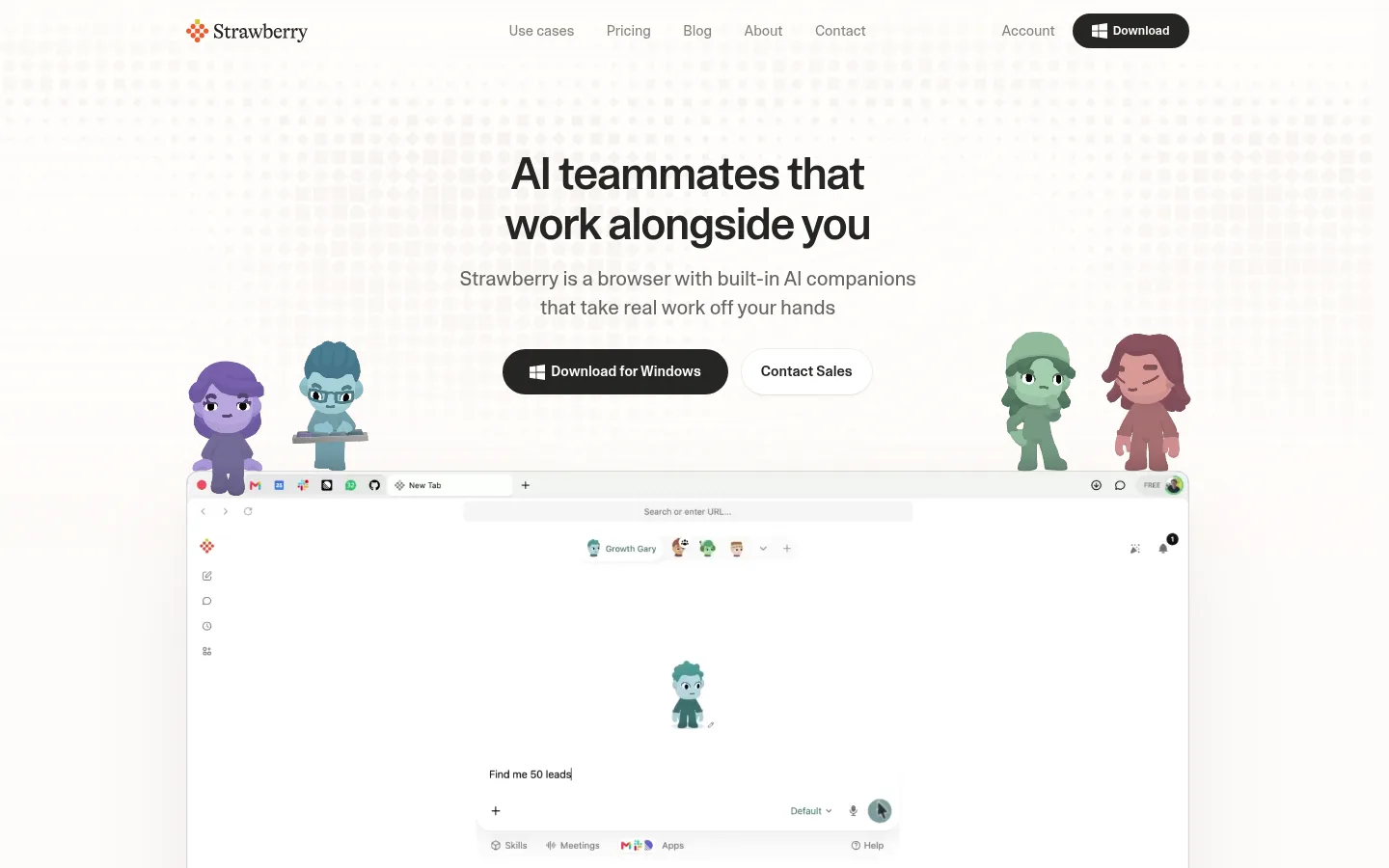
Strawberry Browser product screenshot
Website previewFixed desktop viewport · 1440 × 900

Similar tools

Published tools that share its categories.

sideOSVoice AI agent in the MacBook notch that reads your screen, clicks and types for you, with free on-device dictation.
Automation & AgentsPaidChecked Oct 25
Visit
Inbox ZeroOpen-source AI email assistant for Gmail and Outlook that labels mail, drafts replies and bulk-unsubscribes.
ProductivityFree planChecked Oct 18
Visit
KaiAI executive assistant from Morgen that sorts Gmail and Outlook, takes bot-free meeting notes, turns commitments into tasks and plans your day.
ProductivityFree trialChecked Oct 13
Visit
Microsoft CopilotMicrosoft's AI assistant built into Word, Excel, PowerPoint, Outlook and Teams, with work-grounded chat, research agents and multi-step task automation.
ProductivityFree planChecked Oct 11
Visit
Hey NoahAI chief of staff for executives that you reach by text or voice to schedule meetings, send documents and follow up.
ProductivityPricing unverifiedChecked Aug 23
Visit