



Ordalin
Submit a tool

Website-checked tool profile

Edyt

Proofread as you type and rewrite, translate or explain text in any Mac or Windows app with one shortcut.

Sources checked

Visit website ↗
Pricing
A free plan with 30 actions a week, and Pro at $5 a month billed $60 once a year for unlimited actions. Both plans include every action; no credit card is needed to start. The monthly-billed Pro price was not shown on the fetched page. Official source 1 ↗
Available as
Desktop apps for macOS and Windows with the same actions and shortcuts, Edyt Web in the browser, and a browser extension for Chrome and Edge. On Mac, Edyt needs Accessibility, Input Monitoring and Screen Recording permissions; Windows needs none. Official source 1 ↗ · Official source 2 ↗
Primary group
Writing & Language

Also consider

See all 6 similar tools ↓

What it does

Edyt is an AI writing assistant for Mac and Windows. It proofreads as you type in apps such as Mail, Slack, Notes and the browser, and a keyboard shortcut (Ctrl + Shift + Space) opens a toolbar in any app to rewrite, proofread, translate, explain or run your own prompts on selected text. A browser-based Edyt Web and a Chrome and Edge extension are also available.

Official source 1 ↗ · Official source 2 ↗ · Official source 3 ↗

Features

  • Proofread as you type. Edyt underlines anything that needs a second look in Mail, Slack, Notes, Messages and the browser; click it to see the fix. It does not use up actions. Official source 1 ↗ · Official source 2 ↗
  • Shortcut toolbar actions. Select text in any app and use the toolbar to rewrite it while keeping your words, proofread it with explanations, pick from alternative versions, explain it or translate it. Official source 1 ↗
  • Custom prompts and library. Save your own instructions as prompts, test them before saving, and pin them to the toolbar alongside a library grouped into emails and replies, summarising, tone, developer and social categories. Prompts and settings sync to your account. Official source 1 ↗ · Official source 2 ↗
  • Screen reading. Drag over text you cannot select, such as a PDF or screenshot; Edyt reads it on your device with the operating system's text recognition. Official source 1 ↗ · Official source 2 ↗
  • Text is not stored or used for training. Only the text you act on is sent, over TLS 1.2 or higher, to Edyt and its AI provider, and it is discarded after the reply. It is not used to train AI by Edyt or its provider. Official source 1 ↗

Pricing & free limits

Free

$0per month

Proofread as you type on Mac, 30 actions a week, better wording during the first week and 3 Edytor drafts. All actions included. Official source 1 ↗

Pro

$5/month ($60/year)Billed annually; monthly billing also offered

Unlimited actions, better wording as you type, 500 Edytor drafts and priority email support. Cancel anytime. Official source 1 ↗

Billing details

Annual billing saves 37% compared with monthly. Plans are changed or cancelled from Manage subscription in your workspace. Official source 1 ↗

Free access & limits

The free plan allows 30 actions a week, resetting on Monday at 00:00 UTC; proofread as you type keeps working after the limit. Each Rewrite, Proofread, Alternatives, Explain, Translate or prompt run counts as one action regardless of length. Edyt Web can be tried a few times a day without an account. Official source 1 ↗

Best for & limitations

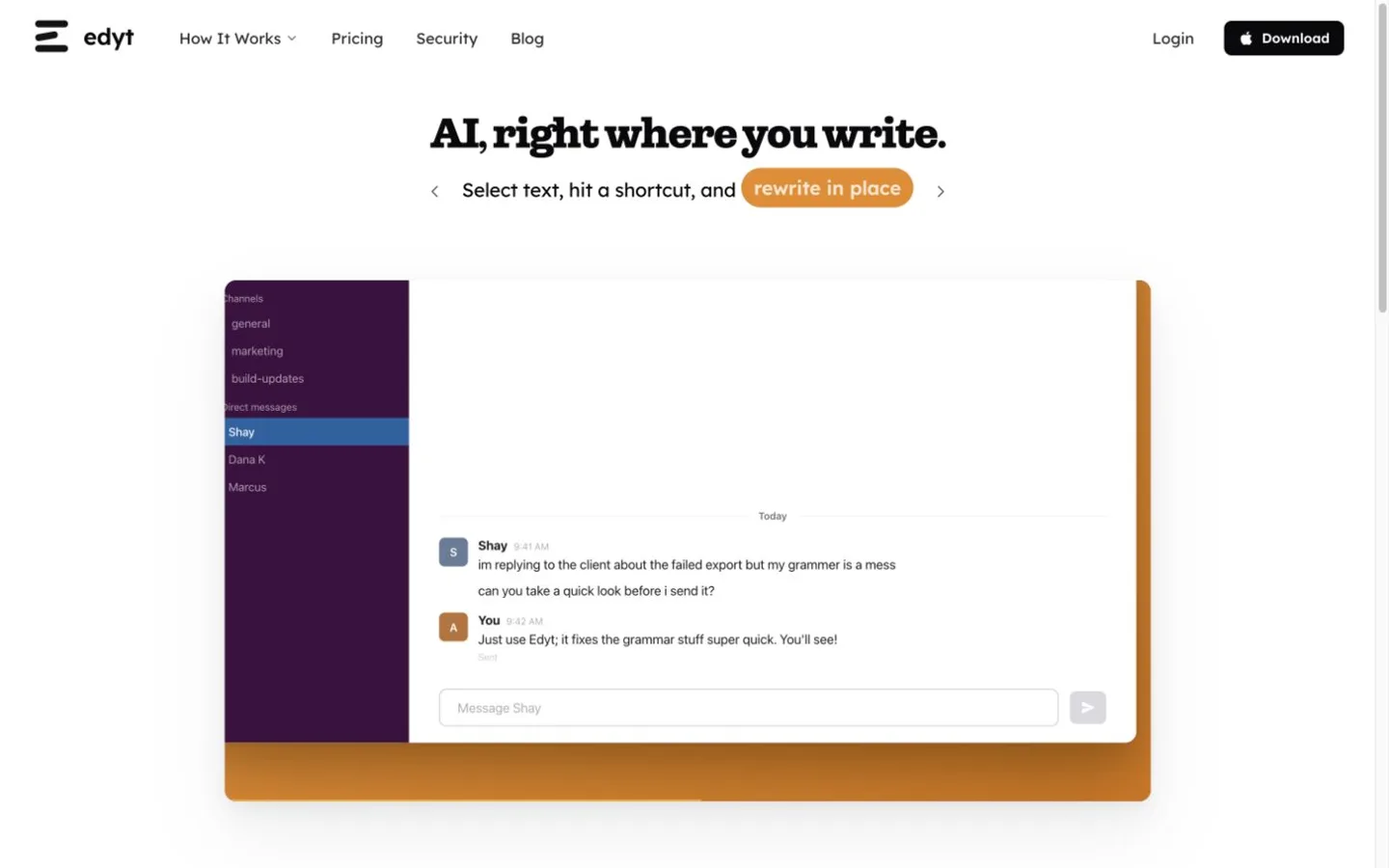
Fix spelling, grammar and punctuation in a quick Slack reply in place before sending it. Official source 1 ↗

Turn meeting or commit notes into a weekly update or customer release notes with a saved prompt. Official source 1 ↗

Read or reply to a message in another language without leaving the app. Official source 1 ↗
  • Free proofreading as you type is Mac-only. The free plan lists proofread as you type on Mac. Official source 1 ↗
  • Website session recordings can include Edytor text. Session recordings of the Edyt website can capture text in the web Edytor and prompt editor; the desktop app is never recorded. Official source 1 ↗
Edyt product screenshot
Website previewFixed desktop viewport · 1440 × 900

Similar tools

Published tools that share its categories.

GodwitA free, open-source desktop email client with an AI assistant that reads, summarizes, translates and drafts mail using your own model.
Writing & LanguageFreeChecked Nov 1
Visit
TypelessAI voice dictation that turns rambling speech into clean, formatted text in any app on desktop and mobile.
Voice & SpeechFree planChecked Oct 31
Visit
Doc2XParse PDFs and scans into Word, Markdown, LaTeX or Excel with formulas and tables intact, and translate them with your choice of LLM.
Research & DataFree planChecked Oct 17
Visit
SpeakONAI dictation for iPhone with a MagSafe button: press, speak, and polished text lands in any app.
Voice & SpeechFree planChecked Oct 10
Visit