What it does
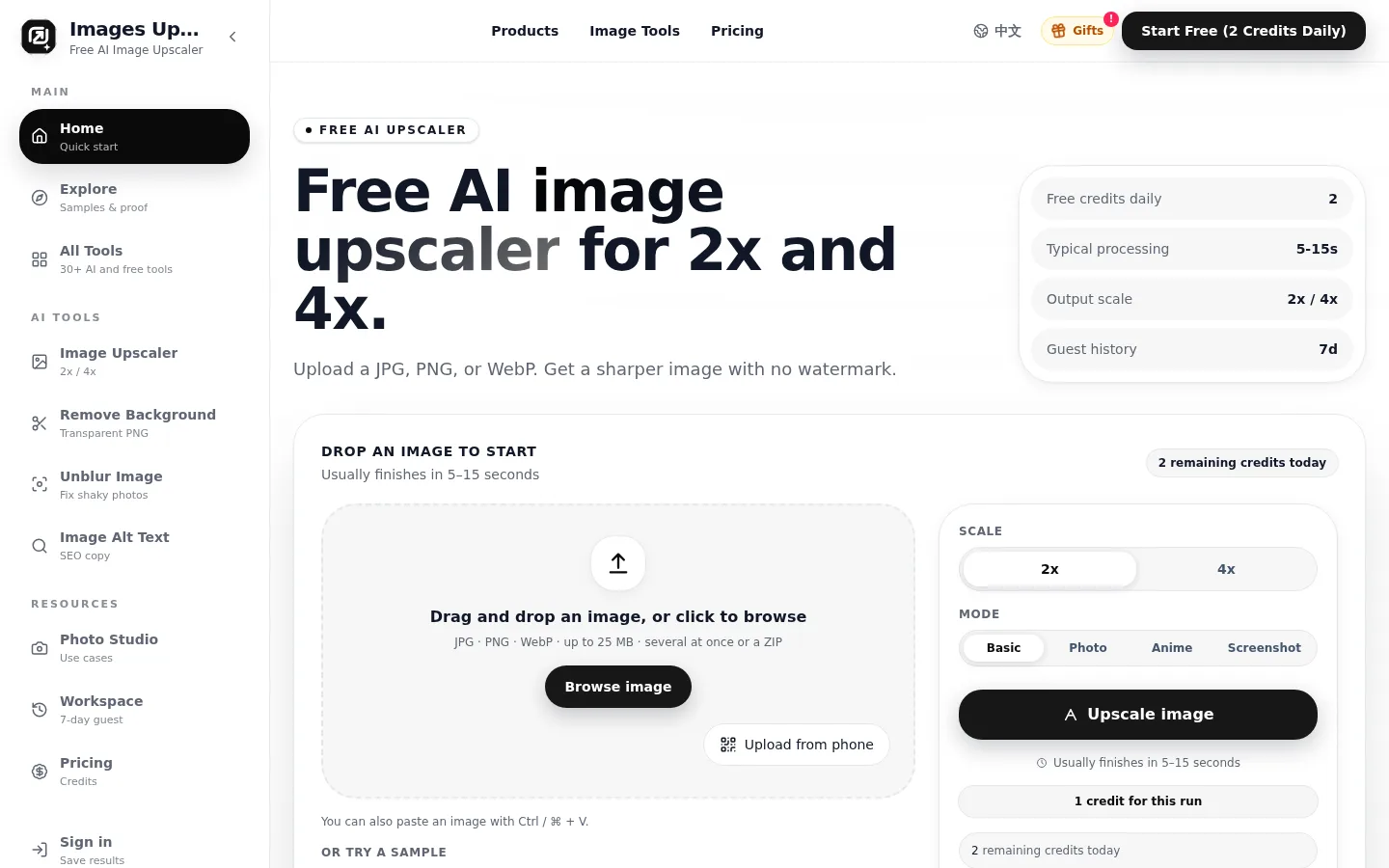
Images Upscale is a browser-based AI image upscaler. You upload a JPG, PNG or WebP (or several, or a ZIP), choose 2x or 4x and a mode for photos, anime, screenshots or general images, and download a larger, sharper file without a watermark. Upscaling runs Real-ESRGAN models on fal.ai GPUs; the same credits also pay for background removal, unblurring and AI-written alt text, image prompts and text extraction.
Official source 1 ↗ · Official source 2 ↗Features
- 2x and 4x upscaling with four modes. Choose 2x or 4x and a Basic, Photo, Anime or Screenshot mode; Basic, Photo and Screenshot use RealESRGAN_x4plus and Anime mode uses the anime-specific RealESRGAN_x4plus_anime_6B model. Official source 1 ↗ · Official source 2 ↗
- Batch uploads. Drop several files at once or a ZIP (up to 25 MB per file), and download a selection of signed-in results as one ZIP. Official source 1 ↗ · Official source 2 ↗
- Exact 4K export. The 4K page lets you preview the expected output and export exactly 3840×2160 or 2160×3840, either cropping the centre to fill the frame or adding borders to keep the whole image. Official source 1 ↗
- Background removal and unblur. Background removal (BiRefNet v2) produces transparent PNGs, and an unblur tool uses ByteDance's SeedVR2 restoration model at the original size; each costs 1 credit. Official source 1 ↗ · Official source 2 ↗
- Alt text, image to prompt and image to text. Gemini 3.1 Flash-Lite via OpenRouter writes alt text, titles, descriptions and keywords, a prompt for recreating the image, or extracts and translates the text in a picture, for 1 credit each. Official source 1 ↗ · Official source 2 ↗
- Workspace history. Guest results are kept for 7 days; signed-in results stay in your workspace until you delete them individually or in bulk. Official source 1 ↗
Pricing & free limits
2 free credits every day for guests and signed-in users, enough for two 2x upscales or one 4x upscale; every mode and tool is available and downloads have no watermark. Free credits reset at 00:00 UTC and do not roll over. Official source 1 ↗ · Official source 2 ↗
110 credits (100 + 10% bonus), about 9.1¢ per credit: 110 images at 2x or 55 at 4x. Credits never expire. Official source 1 ↗
360 credits (300 + 20% bonus), about 5.6¢ per credit: 360 images at 2x or 180 at 4x. Official source 1 ↗
1,300 credits (1,000 + 30% bonus), about 3.8¢ per credit: 1,300 images at 2x or 650 at 4x. Official source 1 ↗
Billing details
Packs are one-time payments in USD with no subscription; purchased credits never expire. A first purchase within 48 hours of signing up adds another 30% of the pack's base credits. Official source 1 ↗
Waffo or Creem acts as merchant of record, handling payment, sales tax or VAT and the invoice. Official source 1 ↗
An unused pack can be refunded within 14 days; spent credits are generally not refundable, and failed jobs return their credits automatically. Official source 1 ↗ · Official source 2 ↗
Free access & limits
2 free credits per day (two 2x upscales or one 4x upscale); unused free credits reset at 00:00 UTC and do not carry over. Official source 1 ↗ · Official source 2 ↗
Guest uploads and results are deleted after 7 days; signing in keeps results in a workspace. Official source 1 ↗
Best for & limitations
Enlarge small or compressed images such as social media downloads, old phone photos, thumbnails, screenshots and anime frames. Official source 1 ↗
Prepare product shots for e-commerce banners, ads and print, or sharpen UI screenshots for documentation and slides. Official source 1 ↗
Turn a 1080p image into an exact 3840×2160 wallpaper or video frame with the 4K export. Official source 1 ↗
- Input size ceiling. Large images are scaled down before processing (about 6 megapixels at 2x and 2.25 at 4x in Basic, Photo and Screenshot modes), so 4x output is capped by that processed size. Official source 1 ↗
- Upscaling invents detail. Results can contain mistakes or invented detail, especially for blurry or damaged images, and no scale undoes motion blur or restores detail that was never captured. Official source 1 ↗ · Official source 2 ↗
- Third-party processors. Images go to fal.ai (with Replicate as a backup) and to OpenRouter with Google Gemini for text tools. Official source 1 ↗
- Session replay analytics. Self-hosted Umami analytics records clicks, scrolling and page layout for heatmaps and session replays. Official source 1 ↗
- No face-swap use; 13+ only. The terms exclude deepfake and face-swap use, and the service requires users to be at least 13. Official source 1 ↗