What it does
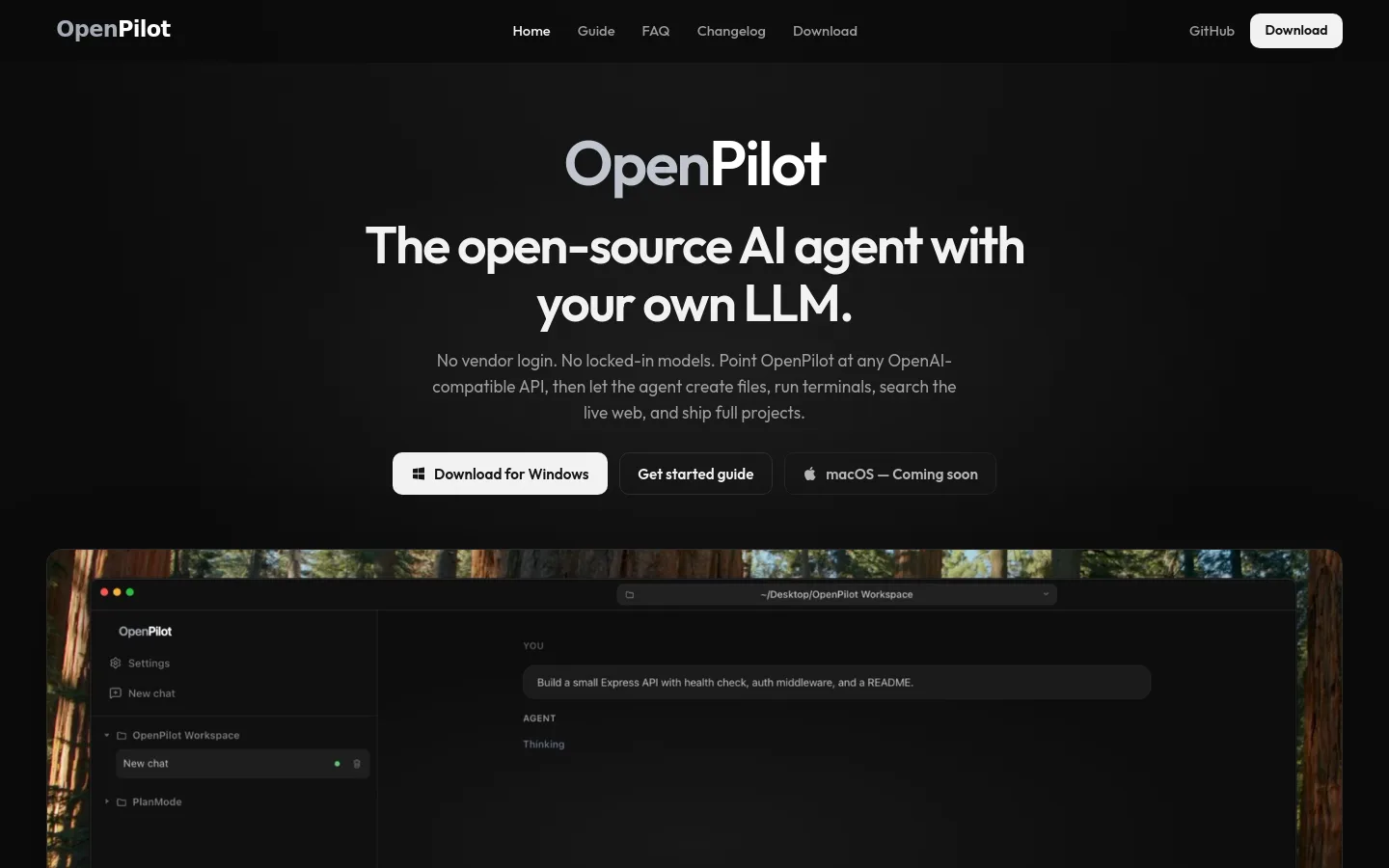
OpenPilot is an open-source (MIT) desktop AI agent that runs on your own machine and connects to any OpenAI-compatible model you choose: OpenAI, OpenRouter, a local Ollama or LM Studio server, or your own gateway. Pointed at a project folder, it can create and edit files, run terminal commands, research the live web, and use MCP servers, skills and an AGENTS.md memory file. There is no OpenPilot account; you supply the model endpoint and API key.
Official source 1 ↗ · Official source 2 ↗Features
- Bring your own model. Each model is a base URL, API key and model ID, so you can switch between OpenAI, OpenRouter, local Ollama or LM Studio servers and custom gateways without changing your workflow. Anthropic models work through OpenRouter today. Official source 1 ↗ · Official source 2 ↗
- File and project editing. Inside the workspace folder you open, the agent reads, writes, edits and searches files, so it can scaffold a whole project and then refine it through follow-up messages. Official source 1 ↗
- Real terminal commands. The shell is a built-in tool: the agent can install dependencies, start servers and run tests, with output streamed back into the chat. The guide advises reviewing tool cards before approving sensitive shell commands. Official source 1 ↗ · Official source 2 ↗
- Live web research. With a TinyFish API key configured, the agent can search and fetch web pages in real time and ground its answers in what it read, for example library docs, error messages or changelogs. Official source 1 ↗
- Skills and AGENTS.md memory. Reusable playbooks can be added as skills, and project preferences persist in an AGENTS.md file that the agent loads into context and can update when asked. Official source 1 ↗
- MCP servers. Model Context Protocol servers are added in mcp.json and toggled per chat, extending the agent with databases, browsers or internal APIs. MCP tools and resources are supported; MCP prompts are next. Official source 1 ↗ · Official source 2 ↗
- Local app with keys in secure storage. The app runs locally with no OpenPilot servers. API keys are stored in the operating system's secure storage (DPAPI on Windows, Keychain on macOS), and the source is public on GitHub for auditing. Official source 1 ↗
- Token usage tracking. The app shows token usage per session and over its lifetime, tied to your own keys. Official source 1 ↗
Pricing & free limits
The full desktop app with no OpenPilot account. Model usage is billed by whichever provider you connect with your own API key; local models add no API cost. TinyFish web research needs a separate TinyFish key. Official source 1 ↗ · Official source 2 ↗
Billing details
OpenPilot does not resell model access. Usage is charged by the model provider behind the API key you add, and the app tracks tokens so you can see what each session used. Official source 1 ↗ · Official source 2 ↗
Web research tools stay unavailable until you add a TinyFish API key; local file and terminal tasks work without it. Official source 1 ↗
Free access & limits
Free access and its limits were not established by the checked official sources.
Best for & limitations
Building a small project from a prompt: for example, ask for an Express API with a health check, auth middleware and a README, then watch the agent write files and run commands to verify the result. Official source 1 ↗
Fixing failing tests or researching a library in an existing repository, with the agent running the test suite and looking up docs on the web. Official source 1 ↗
Running a coding agent against a local model through Ollama or LM Studio when you do not want to use a hosted model vendor. Official source 1 ↗
- Windows only for now. Only Windows 10 or later (x64) builds are available; macOS is listed as coming soon and no Linux build is mentioned. Official source 1 ↗
- You supply and pay for the model. OpenPilot includes no model. You need an OpenAI-compatible endpoint and key, and results depend on the model: the FAQ notes that longer refactors usually need a larger model than small local ones. Official source 1 ↗ · Official source 2 ↗
- No native Anthropic adapter yet. Anthropic models work only via OpenRouter for now; a native adapter is on the roadmap. Official source 1 ↗
- Agent has shell access to the workspace. The agent gets filesystem and shell access inside the folder you open, so commands it runs can change your files and system; the guide recommends reviewing sensitive commands before approving them. Official source 1 ↗