



Ordalin
Submit a tool

Reviewed tool profile

Imgraft

Restyle a photo with one of 22 art styles or a short description, then compare and branch every edit step.

Sources checked

Visit website ↗
Pricing
Two free edits in total (one without an account, one more after signing up), at 1K with a watermark. Paid use runs on credits: Starter US$9.90/month (150 credits), Pro US$19.90/month (350) and Studio US$49.90/month (1,000), with yearly billing at ten months' price, or one-time packs from US$9.99 for 100 credits that stay valid for 3 years. An HD edit costs 1 credit at 1K, 2 at 2K and 3 at 4K. Official source 1 ↗
Available as
Imgraft runs in the browser; the free try works without an account. It accepts JPG, PNG and WebP uploads up to 10 MB. Official source 1 ↗
Primary group
Image & Design

Also consider

See all 6 similar tools ↓

What it does

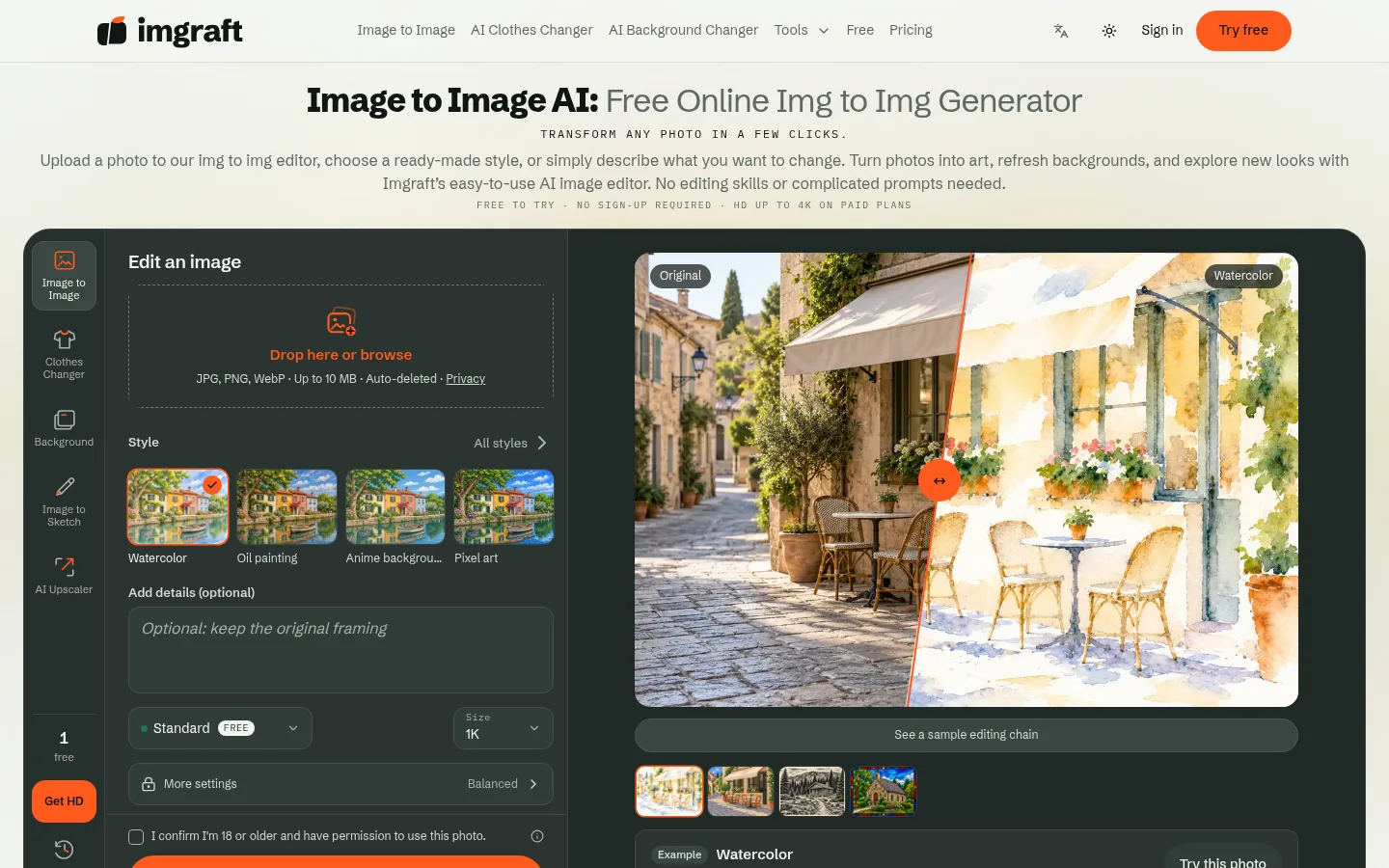
Imgraft is an independent web-based image-to-image editor run by the Imgraft team. Upload a photo, pick one of 22 ready-made art styles or describe the change you want, and it generates a new version with third-party AI models. Every edit becomes a step you can compare with a slider and branch from. It also covers background and outfit changes, upscaling, colorizing and object removal.

Official source 1 ↗ · Official source 2 ↗

Features

  • 22 art styles without a prompt. Preview 22 styles in four collections (painting, sketch and ink, illustration and print, 3D and pixel) on the same sample photo, then apply one to your own image. Adding a text description is optional. Official source 1 ↗
  • Step history you can branch from. Each change adds a step with its own source image. Compare any result with the original or an earlier step, go back and try another direction without losing the first, and regenerate a step to get more candidates. Official source 1 ↗
  • Background and clothes changer. Describe a new scene to replace the background of a portrait or product photo, or try a different outfit on an authorized adult photo using a style or garment reference. Face swaps are not allowed. Official source 1 ↗
  • Everyday photo fixes. Separate tools unblur and upscale images, colorize or restore old photos, change colors, remove text or objects, and turn an image into a prompt or description. Official source 1 ↗
  • HD output up to 4K. Paid HD generation removes the watermark and exports at 1K, 2K or 4K; free Standard results are 1K with a small watermark. Official source 1 ↗ · Official source 2 ↗

Pricing & free limits

Free

US$0one-time allowance

1 edit without signing up and 1 more after registration; Standard 1K with a watermark. Official source 1 ↗

Starter

US$9.90per month (yearly: 2 months free)

150 credits every month, no watermark, HD at 1K, 2K or 4K. Official source 1 ↗

Pro

US$19.90per month (yearly: 2 months free)

350 credits every month, no watermark, HD at 1K, 2K or 4K. Official source 1 ↗

Studio

US$49.90per month (yearly: 2 months free)

1,000 credits every month, the lowest price per credit. Official source 1 ↗

Credit packs

US$9.99–US$149.99one-time

100, 350, 900 or 2,400 credits, valid for 3 years from delivery. Official source 1 ↗

Billing details

Subscription credits expire at the end of each monthly period and do not roll over; annual plans add credits once a month. Credits closest to expiry are spent first. Official source 1 ↗

Any payment can be fully refunded within 7 days only if none of its paid credits were used. Failed generations and safety rejections return their credits. Official source 1 ↗

Free access & limits

Free use is two edits in total, not a daily allowance: Standard quality at 1K with a watermark. It may be unavailable at busy times. Official source 1 ↗ · Official source 2 ↗

Best for & limitations

Turn a holiday or family photo into a watercolor or oil-painting version while keeping its composition, then try a second style from the same step. Official source 1 ↗

Restyle a photo of your own room to preview new colors and furniture styles. Official source 1 ↗

Swap the background of a product shot for a new scene described in one sentence. Official source 1 ↗
  • Unnamed third-party models. Generation goes through the reseller APIMart to third-party model providers, and the site does not name the models on its main pages. Images are also sent to OpenAI for safety review. Official source 1 ↗
  • Files expire quickly. Results are deleted after 24 hours without an account, 7 days with a free account and 30 days on a paid plan, so download what you want to keep. Official source 1 ↗
  • Restyling can change faces. AI restyling can alter faces and small details, and the clothes changer is limited to authorized adult photos with no face swaps. Official source 1 ↗ · Official source 2 ↗
  • Operator not named. The site says only that it is run by the Imgraft team; no company name or address is given. Official source 1 ↗
Imgraft product screenshot
Website previewFixed desktop viewport · 1440 × 900

Similar tools

Published tools that share its categories.

ComfyUIA free, open-source node-based app for building AI image, video, audio and 3D workflows, with an optional hosted cloud.
Image & DesignFree planChecked Oct 31
Visit
ForgeSpriteAI sprite generator for static 2D game art, with sample-first sets, selected-area edits and free sprite sheet tools.
Image & DesignFree planChecked Oct 24
Visit
AlphaizeAI image agent that quotes the credit cost before it generates or edits, with versions, free color tools and a PSD batch editor.
Image & DesignFree planChecked Oct 24
Visit
StylMorphRedraw a photo as comic, cartoon, game-poster or coloring-page art from fixed presets, with one free image and one-time credit packs.
Image & DesignFree trialChecked Oct 16
Visit