

Ordalin
Submit a tool

Reviewed tool profile

Lispr

Push-to-talk dictation and translation that writes into your current desktop app.

Sources checked

Visit website ↗
Pricing
The Free plan costs $0 and includes 60 dictation minutes a week, translation, the personal dictionary and local history. Lispr Pro is $79 a year or $7.99 a month, with lower regional prices from $44.90 a year in selected countries; it removes the weekly cap and adds AI formatting. New installs get a 30-day Pro trial without a card. Official source 1 ↗
Available as
Desktop apps for macOS 11 Big Sur or newer (Apple Silicon and Intel) and Windows. An internet connection is required because transcription runs in the cloud. Official source 1 ↗ · Official source 2 ↗
Primary group
Voice & Speech

Also consider

See all 6 similar tools ↓

What it does

Lispr is a push-to-talk dictation app for Mac and Windows from Codebridge with built-in translation. Hold a key to dictate, or add a second key while speaking to have the sentence typed in another language. Text is inserted at the cursor in any app. Speech recognition uses Whisper in the cloud, detects about 99 spoken languages and translates into 32. No account is needed to start.

Official source 1 ↗ · Official source 2 ↗

Features

  • Push-to-talk dictation. Hold the right Option key (or another chosen trigger), speak and release; text appears at the cursor in any app with a text field. A latched hands-free mode starts with a double tap. Official source 1 ↗ · Official source 2 ↗
  • Instant translation while dictating. Hold a second slot key while speaking to have your sentence typed in a target language instead. Two slots hold your top target languages, chosen from 32. Official source 1 ↗
  • Automatic language detection. About 99 spoken languages are recognised automatically through Whisper, including switching languages mid-sentence. Official source 1 ↗
  • Custom vocabulary. Add product names, code identifiers and client names to a dictionary that both dictation and translation respect. Official source 1 ↗
  • AI formatting. Light mode adds punctuation, paragraphs and lists; Concise mode also removes filler and repetition. Access depends on plan and allowance. Official source 1 ↗
  • Clipboard-safe insertion. Lispr inserts text via the clipboard and then restores what you had copied. Consecutive dictations are joined with a period and space. Official source 1 ↗ · Official source 2 ↗

Pricing & free limits

Free

$0forever

60 dictation minutes a week (resets Monday), dictation in about 99 languages, translation into 32, personal dictionary, local history, macOS and Windows. Official source 1 ↗

Pro

$79 per year or $7.99 per monthannual or monthly; regional pricing from $44.90 a year

Unlimited dictation minutes, AI formatting (paragraphs, lists, concise mode) and all devices under one account. Official source 1 ↗

Billing details

Payments are handled by Paddle as merchant of record, with card, PayPal and other methods. You can cancel anytime, and first purchases have a 14-day money-back guarantee. Regional prices depend on the payment card's country. Official source 1 ↗

Free access & limits

The free plan allows 60 minutes of speech a week, resetting every Monday. Once it runs out, dictation waits until Monday. Official source 1 ↗

Best for & limitations

Reply to a message in a language you barely speak by dictating in your own language and having Lispr type the translation, for example English in, Spanish out in WhatsApp. Official source 1 ↗

Dictate notes and messages into everyday desktop apps instead of typing. Official source 1 ↗ · Official source 2 ↗
  • No offline mode. Transcription runs in the cloud, so Lispr does not work offline. Official source 1 ↗
  • Provider retains audio briefly. Lispr discards audio after transcription, but the transcription provider may hold it for up to 30 days for abuse review. Official source 1 ↗
  • Two-hour recording cap. A single recording automatically stops after two hours and is then transcribed. Official source 1 ↗
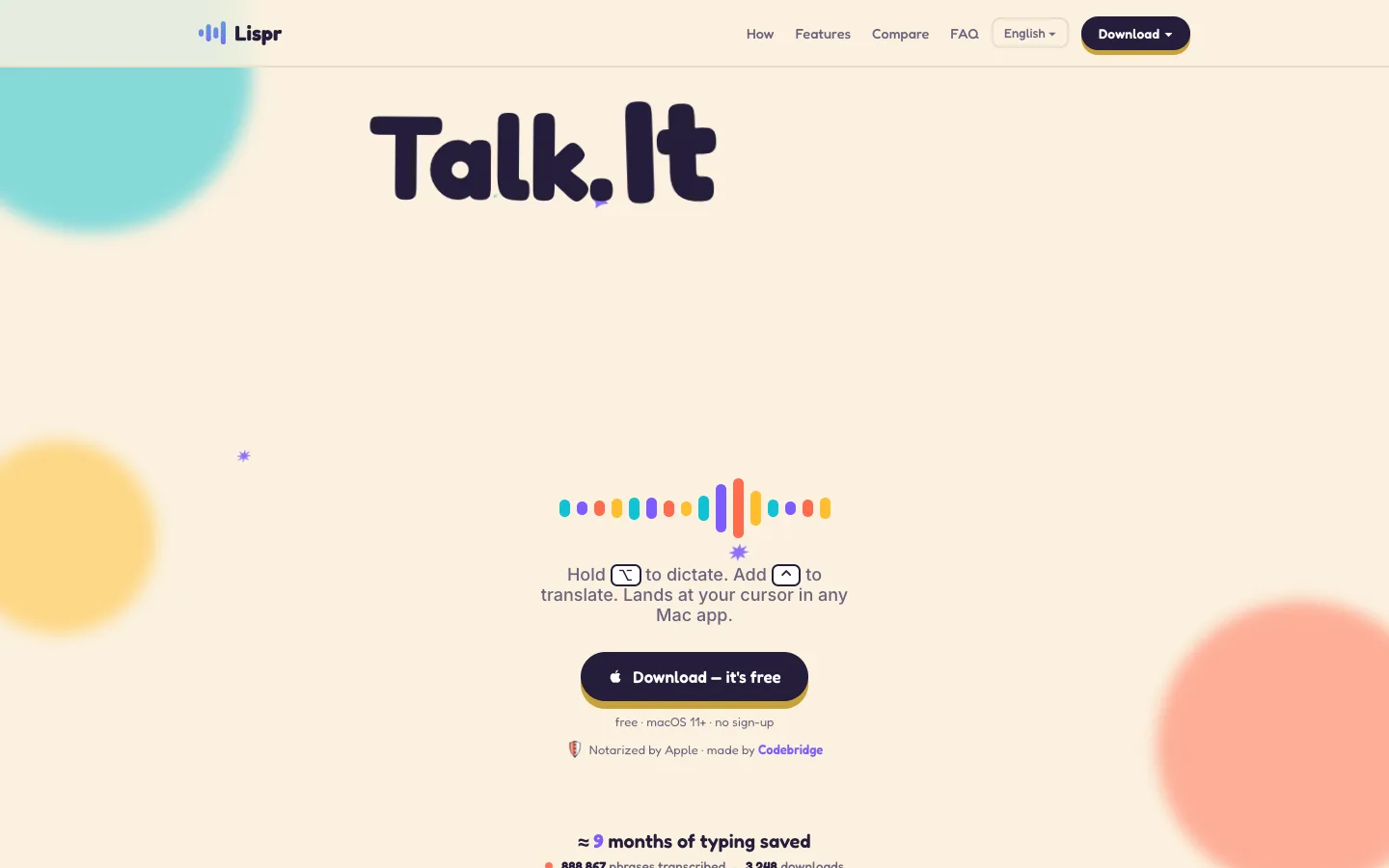
Lispr product screenshot
Website previewFixed desktop viewport · 1440 × 900

Decision notes

Context-specific guidance, not a universal ranking.

Good fit if
you want to speak in one language and write translated text into any desktop app
Why this one
Uses push-to-talk input at the active cursor and can translate spoken input before inserting text into the current application.
Consider alternatives if
Transcription requires its cloud service; audio is encrypted and discarded by default but the workflow is not local-first.

Similar tools

Published tools that share its categories.

VowiseVoice dictation and transcription app that turns spoken notes into a journal, reviews and AI memory.
Voice & SpeechFree planChecked Nov 3
Visit
TypelessAI voice dictation that turns rambling speech into clean, formatted text in any app on desktop and mobile.
Voice & SpeechFree planChecked Oct 31
Visit
CluinnAI dictation for any Mac app, plus a call assistant that answers questions mid-call and lists action items after.
Voice & SpeechPaidChecked Oct 31
Visit
SpeakONAI dictation for iPhone with a MagSafe button: press, speak, and polished text lands in any app.
Voice & SpeechFree planChecked Oct 10
Visit