What it does
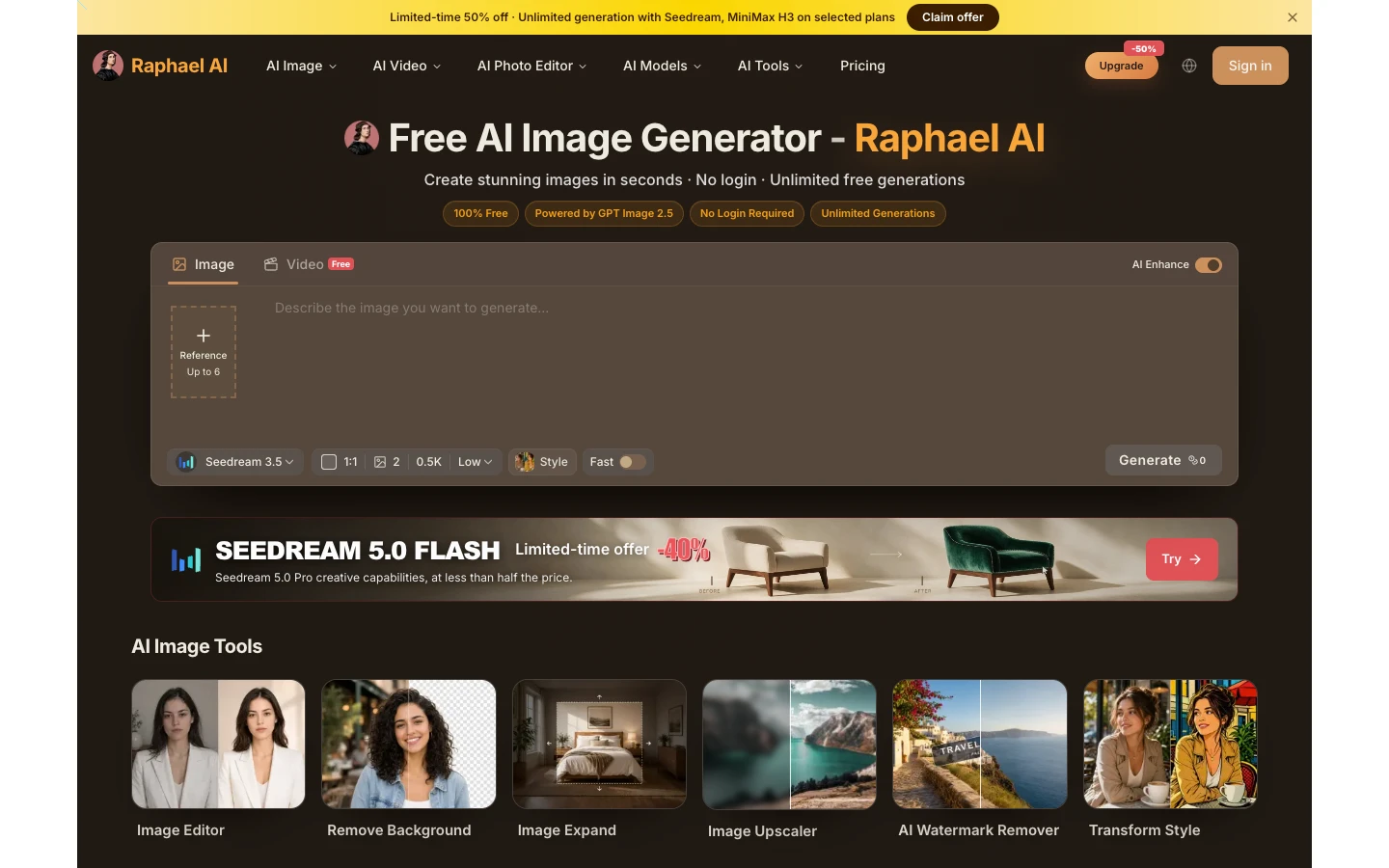
Raphael AI is a browser-based image generator that puts many third-party models in one interface, including Seedream, GPT Image, Nano Banana and MiniMax, and routes prompts between them. It also offers image tools such as an editor, background removal, image expansion and upscaling, plus text-to-video and image-to-video generation with models such as Seedance, Veo and Kling. A basic mode can be used for free; paid plans add credits for other models, priority, watermark-free output and commercial use.
Official source 1 ↗ · Official source 2 ↗Features
- Many image models in one generator. One generator offers image models from several providers, including Nano Banana (Gemini), GPT Image 2, Seedream versions and MiniMax, so you can switch models and compare results. The site says scene-aware routing picks a model for each prompt. Official source 1 ↗ · Official source 2 ↗
- Prompt and output controls. The generator takes a text prompt plus optional reference images, with a choice of aspect ratio, 1 to 4 outputs per run, resolution and quality. Limits depend on the model: the default view allows up to 6 references and 3,000 prompt characters, while GPT Image 2 allows up to 16 references, 8,000 characters and 1K, 2K or 4K output. Official source 1 ↗ · Official source 2 ↗
- Image editing tools. Separate tools cover image editing, background removal, image expansion, upscaling, watermark removal and style transfer, alongside image-to-image generation. Official source 1 ↗ · Official source 2 ↗
- Video generation. Text-to-video and image-to-video generation use video models such as Seedance, Veo 3.1, Kling and MiniMax H3, with a video upscaler and AI lip sync also listed. The site advertises MiniMax H3 Turbo video as free without sign-up. Official source 1 ↗
- Credits, queue and Fast Mode. The free basic model runs in a queue and the site says it returns an image in about 8 seconds. Free daily credits after sign-in, or paid plan credits, skip the queue and unlock higher-resolution and credit-priced models. Official source 1 ↗
- Private generations on paid plans. Paid subscribers' images are kept out of the public gallery and suggested images, and paid plans remove ads. Official source 1 ↗
Pricing & free limits
Basic mode with the zero-credit Seedream 3.5 model and no generation count limit (queued, without Fast Mode); can start without an account, and signing in adds free daily credits and higher-resolution models up to 2K. Images carry a watermark and are for personal and other non-commercial use. Official source 1 ↗ · Official source 2 ↗
2,000 credits per month (up to 2,000 fast images or 200 basic videos), unlimited Seedream 3.5, priority queue, no watermarks, batch processing with AI tools and private generations. Unlimited Seedream 3.5 Pro and MiniMax H3 models are not included. Official source 1 ↗
5,000 credits per month (up to 5,000 fast images or 500 basic videos), unlimited Seedream 3.5 and Seedream 3.5 Pro, highest priority queue, no watermarks, batch processing and private generations. Unlimited MiniMax H3 models are not included. Official source 1 ↗
10,000 credits per month (up to 10,000 fast images or 1,000 basic videos), unlimited Seedream 3.5, Seedream 3.5 Pro, MiniMax H3 Turbo and MiniMax H3, highest priority queue, no watermarks, batch processing and private generations. Official source 1 ↗
For unique use cases; pricing is arranged by email. Official source 1 ↗
Billing details
The paid prices shown are a limited-time 50% discount on annual billing. The page also has Monthly and Credit Packs options, but their prices are not shown in the fetched pricing text. Official source 1 ↗ · Official source 2 ↗
Direct plan changes are not supported. You can cancel renewal at any time and keep benefits until the end of the billing period, then choose another plan. Official source 1 ↗
Purchases are generally non-refundable; refund requests go to support by email. Official source 1 ↗
Raphael says prices will probably rise but that annual plans already bought will be honoured. Official source 1 ↗
Free access & limits
Free images include a watermark and may be used only for personal and other non-commercial purposes; commercial use requires a paid plan. Official source 1 ↗
Unlimited free generation applies to the basic mode without Fast Mode and involves waiting in a queue; other models and higher resolutions use credits. Official source 1 ↗
Results generated without signing in are not saved to history unless you sign in within 10 minutes. Official source 1 ↗
Best for & limitations
Generate posters, packaging, menus or other images that need readable text by using GPT Image 2 for long prompts. Official source 1 ↗
Produce photoreal product and e-commerce images, then use them commercially on a paid plan without a watermark. Official source 1 ↗
Try the same prompt across several image models in one place before choosing which output to keep. Official source 1 ↗
- Watermark and non-commercial use on free tier. Free outputs are watermarked and limited to non-commercial use. Official source 1 ↗ · Official source 2 ↗
- Model access depends on credits and plan. Only the basic Seedream 3.5 mode is free without limit. Other models cost credits, and unlimited use of models such as Seedream 3.5 Pro and MiniMax H3 is reserved for higher plans. Official source 1 ↗ · Official source 2 ↗
- Front end for third-party models. Raphael AI runs third-party models such as OpenAI's GPT Image 2, Google's Nano Banana, Seedream, Kling and Veo rather than its own model, so output quality and capabilities depend on those providers. Official source 1 ↗ · Official source 2 ↗
- No public API or mobile apps. There is no public API at present, and dedicated mobile apps are only planned. Official source 1 ↗ · Official source 2 ↗
- Operator not identified. The fetched pages and privacy policy name the service only as Raphael and give an email contact; no company name or address is disclosed. Official source 1 ↗
- No plan switching or refunds. Plans cannot be changed directly, and purchases are generally non-refundable. Official source 1 ↗