



Ordalin
Submit a tool

Reviewed tool profile

Superflow AI

Run reusable QA checklists against live or staging websites and pin findings to the page.

Sources checked

Visit website ↗
Pricing
Superflow is priced per team seat with a 10-day free trial. Starter is free for one seat and one project. Growth is $24 and Scale $28 per seat per month on annual billing ($29 and $34 monthly). Enterprise is custom. QA agents with always-on monitoring are an add-on at $14 per site per month on Growth and Scale. Guest users are free. Official source 1 ↗
Available as
Superflow installs on websites through plugins or integrations for Webflow, WordPress, Shopify, Framer and Google Tag Manager, or you can upload an asset directly. · Reviewers can comment on desktop or phone, and Superflow works on pages behind passwords, Okta and SSO because it runs on the site itself. Official source 1 ↗ Official source 1 ↗
Primary group
Coding & Development

Also consider

See all 6 similar tools ↓

What it does

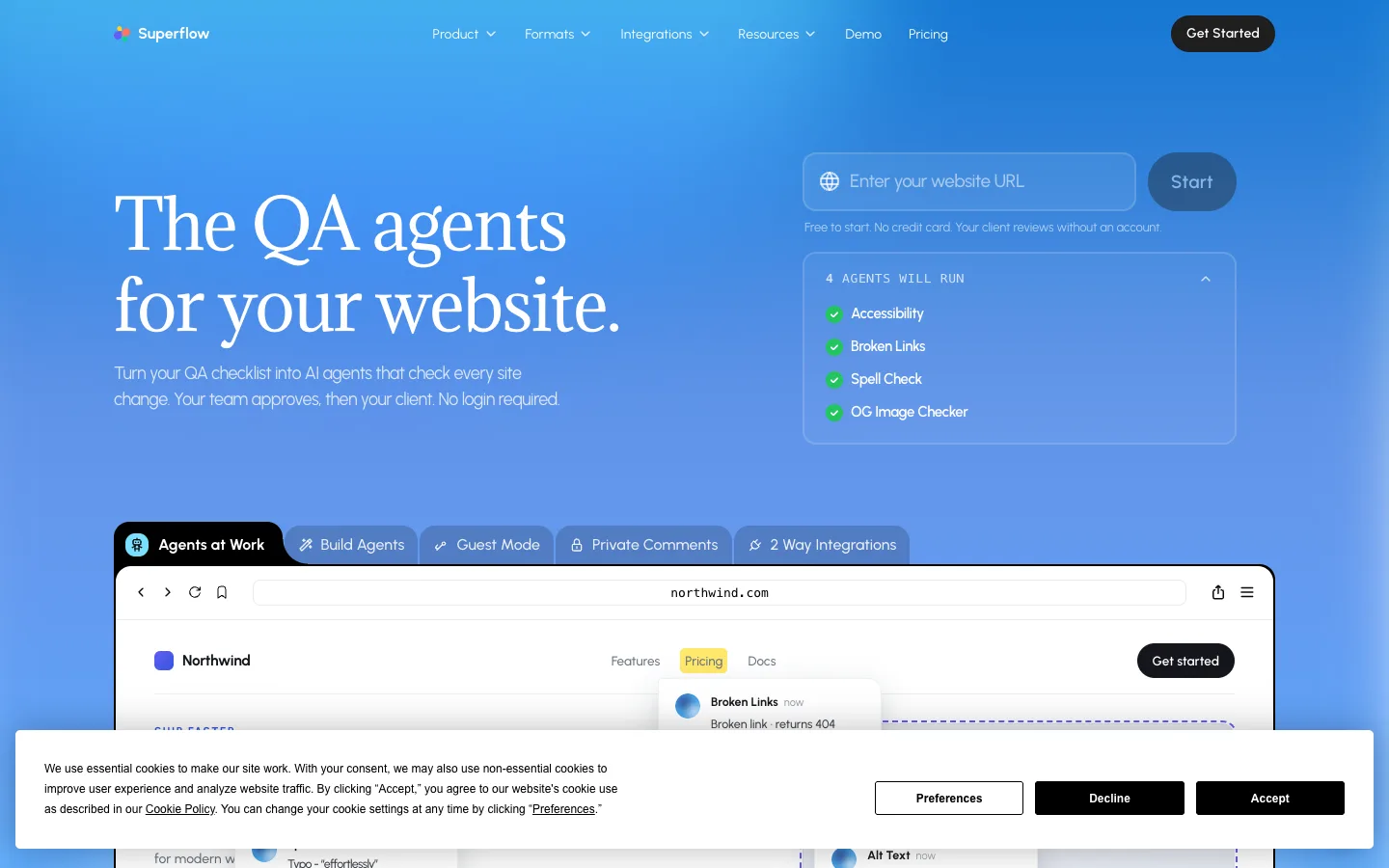
Superflow is a review and QA tool for agencies and marketing teams. It turns a QA checklist into AI agents that check live or staging websites and post their findings as comments pinned to page elements. The team and then the client review and approve from a link; clients do not need an account. It also handles review of videos, PDFs, images and Lottie files.

Official source 1 ↗ · Official source 2 ↗

Features

  • QA agents built from your checklist. You paste in a QA checklist and Superflow turns it into agents that check every asset. Agents check broken links, brand colours and fonts against the client's guide, spelling, accessibility basics and SEO, plus any rule from your own checklist. Official source 1 ↗
  • Pinned comments with screenshots. Comments attach to the element on the live site and carry a screenshot of what the reviewer saw. They stay anchored through edits and redeploys. Official source 1 ↗
  • Client approval without an account. Clients review and approve from a link with no account, login or app, including from a phone. Guests who comment without signing in are available on Scale and Enterprise. Official source 1 ↗ · Official source 2 ↗
  • Tasks, statuses and integrations. Each finding becomes a task tracked with built-in or custom statuses on a Kanban board. Approvals run through the team first, then the client, and tasks can sync to Asana, Monday or ClickUp. Official source 1 ↗
  • Site monitoring and version diffs. With the monitoring add-on, every change to a site is saved as a new version, changes are detected as they ship, versions can be compared side by side, and QA agents check each change. Official source 1 ↗
  • Memory across projects. Superflow keeps a memory from past reviews, so later projects start with what was learned about the client. Official source 1 ↗
  • Human sign-off and confidence floors. AI does the first pass, and a person or the client signs off on every asset. Low-certainty findings can be hidden with confidence floors, and any finding can be overridden. Official source 1 ↗
  • Private comments and white-label. Internal notes can be kept private from clients, and the review toolbar and admin panel can carry your own logo. Official source 1 ↗

Pricing & free limits

Starter

$0per seat / month

1 project, 1 team seat (no additional seats), unlimited guest seats, 1 GB storage. QA agents and monitoring are not available. Official source 1 ↗

Growth

$24 (annual) or $29 (monthly)per seat / month

Unlimited projects, pay per team seat, 10 GB storage, automatic website version snapshots; QA agents and always-on monitoring available as an add-on. Official source 1 ↗

Scale

$28 (annual) or $34 (monthly)per seat / month

Everything in Growth plus 30 GB storage, Asana, ClickUp and Monday integrations and private comments; QA agents and monitoring as an add-on. Official source 1 ↗

Enterprise

Customcontact sales

Everything in Scale plus SAML-based SSO, REST API, data self-hosting and 100 GB storage; custom pricing for QA agents and monitoring. Official source 1 ↗

QA agents + always-on monitoring (add-on)

$14per site / month

Automatic versioning, change detection, compare/diff and run checks for each site. Available on Growth and Scale; custom on Enterprise. Official source 1 ↗

Billing details

Seats are charged for team members only; guest users such as clients and external reviewers are free and do not count toward seats. Official source 1 ↗

Annual billing gives two months free compared with monthly billing. Volume discounts and discounts for early-stage startups are available on request. Official source 1 ↗

Free access & limits

New users get a 10-day free trial with access to all features and no credit card. After the trial, the free Starter plan is available, limited to 1 project, 1 team seat and 1 GB storage. Official source 1 ↗

Best for & limitations

A web agency can run each client site through checklist-based QA agents before launch so that designers no longer do the first QA pass by hand. Official source 1 ↗

An agency can collect client sign-off on a staging site by sending a link, with the client commenting and approving without creating an account. Official source 1 ↗

Marketing teams can review emails, PDFs, images and ads in the same tool as websites. Official source 1 ↗
  • No QA agents on Starter. QA agents and always-on monitoring are not available on the free Starter plan. Official source 1 ↗
  • Single seat on Starter. The Starter plan has one team seat and does not allow additional seats. Official source 1 ↗
Superflow AI product screenshot
Website previewFixed desktop viewport · 1440 × 900

Decision notes

Context-specific guidance, not a universal ranking.

Good fit if
you need a focused final check of live or staging pages before sign-off
Why this one
Turns a reusable review checklist into agents that pin screenshot-backed accessibility, copy, link, and metadata findings to the page.
Consider alternatives if
It is a review-and-evidence workflow, not a real-device matrix or a code-level automated test runner.

Similar tools

Published tools that share its categories.

ColdteaControl layer for AI-written software: map every pull request, test the flows it touches with agents and watch it in production.
Coding & DevelopmentFree planChecked Aug 23
Visit
FayleeA bug reporter that records the screen, console and network as one link that your team or a coding agent can fix from.
Coding & DevelopmentFree planChecked Oct 31
Visit
ARTEMISOpen-source Android automation agent from Google that runs app tests and phone tasks from plain-language instructions, with an MCP server for AI coding assistants.
Coding & DevelopmentFreeChecked Oct 18
Visit
PolylaneAI SRE that watches your cloud and telemetry, finds root causes with cited evidence, reviews PRs against production and opens fix pull requests.
Coding & DevelopmentFree planChecked Oct 15
Visit