



Ordalin
Submit a tool

Reviewed tool profile

VidBG Remover

Removes video backgrounds with AI, no green screen, and exports transparent WebM or ProRes MOV with a real alpha channel.

Sources checked

Visit website ↗
Pricing
Free to try: signing in adds free credits plus a daily check-in. Beyond that, VidBG Remover sells one-time credit packs with no subscription, from US$9.9 for 240 credits (about 120 seconds of Basic processing) to US$199.9 for 12,000 credits. Basic costs 2 credits per second of video and High Quality 3. Official source 1 ↗ · Official source 2 ↗ · Official source 3 ↗

Available as
It runs in the web browser, including modern mobile browsers such as Safari and Chrome; no app download is needed. Official source 1 ↗
Primary group
Video & Animation

Also consider

See all 6 similar tools ↓

What it does

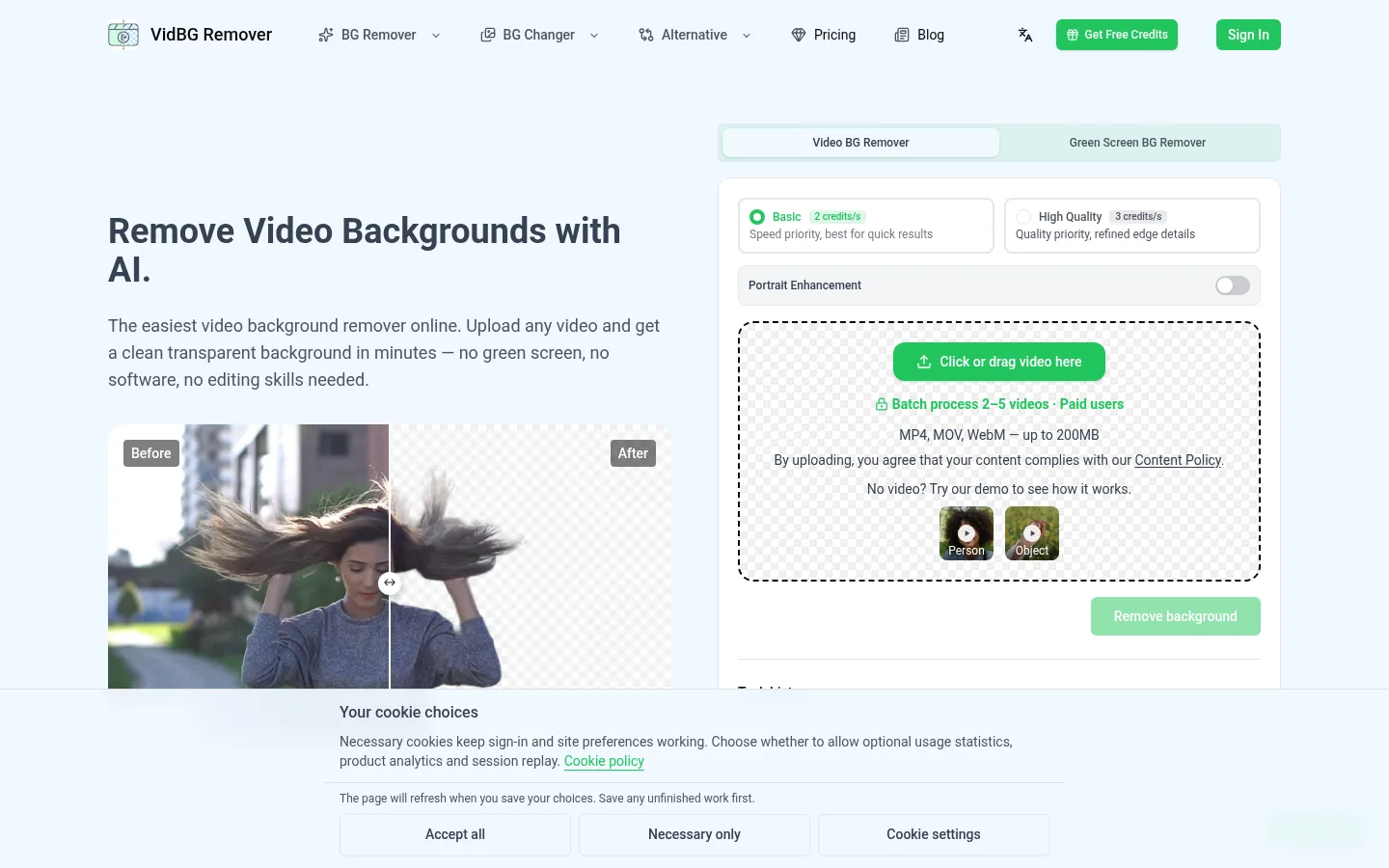
VidBG Remover is a browser-based AI tool that removes the background from a video without a green screen. You upload an MP4, MOV or WebM clip, pick Basic or High Quality processing (with optional Portrait Enhancement for hair and fingers), and download the cutout as a transparent WebM (VP9) or MOV (ProRes 4444) with a real alpha channel, ready for Premiere, DaVinci Resolve, After Effects or CapCut. A separate mode handles green-screen footage.

Official source 1 ↗

Features

  • Background removal without a green screen. The AI separates the subject from naturally lit footage such as bedrooms, offices and outdoor scenes, with no special setup. Official source 1 ↗
  • Basic and High Quality modes. Basic (2 credits per second) prioritises speed; High Quality (3 credits per second) refines edges, and Portrait Enhancement can be added for hair and fine detail. Official source 1 ↗
  • Stable edges across frames. The model looks at the whole video rather than single frames, so hair and shoulder edges stay stable instead of flickering. Official source 1 ↗
  • True transparent export. Results download as WebM (VP9) or MOV (ProRes 4444) with an alpha channel, or as a GIF, and drop into Premiere, DaVinci Resolve, After Effects or CapCut. Official source 1 ↗ · Official source 2 ↗
  • Green screen remover. Footage already shot on green has its own green screen background remover mode. Official source 1 ↗
  • Batch processing. Paid users can process 2–5 videos in one batch. Official source 1 ↗

Pricing & free limits

Starter

US$9.9one-time

240 credits, about 120 seconds of Basic processing; credits never expire and the site is ad-free. Official source 1 ↗

Billing details

Packs are one-time payments with no subscription; credits never expire and every pack has the same features and export formats. Official source 1 ↗

Credits are spent per second of video: a 15-second clip costs 30 credits at Basic and 45 at High Quality; High Quality and person enhancement use more credits. Official source 1 ↗ · Official source 2 ↗

Refunds must be requested within 3 calendar days of the charge, and are not available once more than 50% of the pack's credits are used, except where the law requires. Official source 1 ↗

Free access & limits

Signing in adds free credits plus a daily check-in, with watermark-free HD exports. Official source 1 ↗

Free tasks may queue and take longer; credit-pack buyers get priority. Free uploads and results stay available for 24 hours, paid ones for 7 days. Official source 1 ↗

Best for & limitations

A presenter recorded in a cluttered office removes the background and places themselves in front of a clean backdrop for a talking-head video. Official source 1 ↗

A brand films a model once against a plain wall, removes the background and composites the same clip into many scenes for ad tests. Official source 1 ↗

A lecturer exports a transparent MOV of their camera clip and overlays it on screen-recorded slides, splitting longer takes into pieces of up to 60 seconds. Official source 1 ↗ · Official source 2 ↗
  • Short clips only. Uploads are limited to MP4, MOV or WebM up to 200 MB, and signed-in users can process up to 60 seconds per video. Official source 1 ↗
  • No transparent MP4. MP4 cannot carry transparency, so cutouts are exported as WebM, MOV or GIF instead. Official source 1 ↗ · Official source 2 ↗
  • ProRes playback on Windows. Some Windows players lack a ProRes decoder, so the exported MOV may need VLC or an editor to open. Official source 1 ↗
  • Cloud processing and expiry. Videos are stored on the service's servers for processing; free files expire after 24 hours and paid ones after 7 days. The site says it never trains models on your content. Official source 1 ↗ · Official source 2 ↗
  • Source quality matters. The tool cannot restore detail the source lacks; missing hair stays missing. Official source 1 ↗
  • Background only for now. Object removal is not available yet; it is on the roadmap. Official source 1 ↗
  • Operator not named. The privacy policy names the company only as "VidBG Remover" with no legal entity or address. Official source 1 ↗
VidBG Remover product screenshot
Website previewFixed desktop viewport · 1440 × 900

Similar tools

Published tools that share its categories.

FilmeraBrowser AI filmmaking workspace: plan shots on a canvas, generate with many video models, and cut them on a timeline.
Video & AnimationFree planChecked Nov 15
Visit
BeebleAI VFX platform whose SwitchX 3.0 video-to-video model relights and rebuilds the world around your footage while keeping the performance.
Video & AnimationFree planChecked Nov 13
Visit
Melius DittoMelius Ditto swaps people, props, backgrounds or style in any video while keeping the original motion, with up to 30 swaps per generation.
Video & AnimationPaidChecked Nov 12
Visit