



Ordalin
Submit a tool

Website-checked tool profile

W-Agent

AI tool for removing watermarks, subtitles, logos, and overlays from video and images.

Sources checked

Visit website ↗
Pricing
Free to use, with no fees or subscriptions required. Each video upload is limited to 2 minutes, 2560×2560 resolution, 60 fps and 500 MB. Official source 1 ↗
Available as
Runs in the browser with nothing to install; the help centre recommends the latest Chrome, Edge, Safari or Firefox. Official source 1 ↗ · Official source 2 ↗
Primary group
Video & Animation

Also consider

See all 6 similar tools ↓

What it does

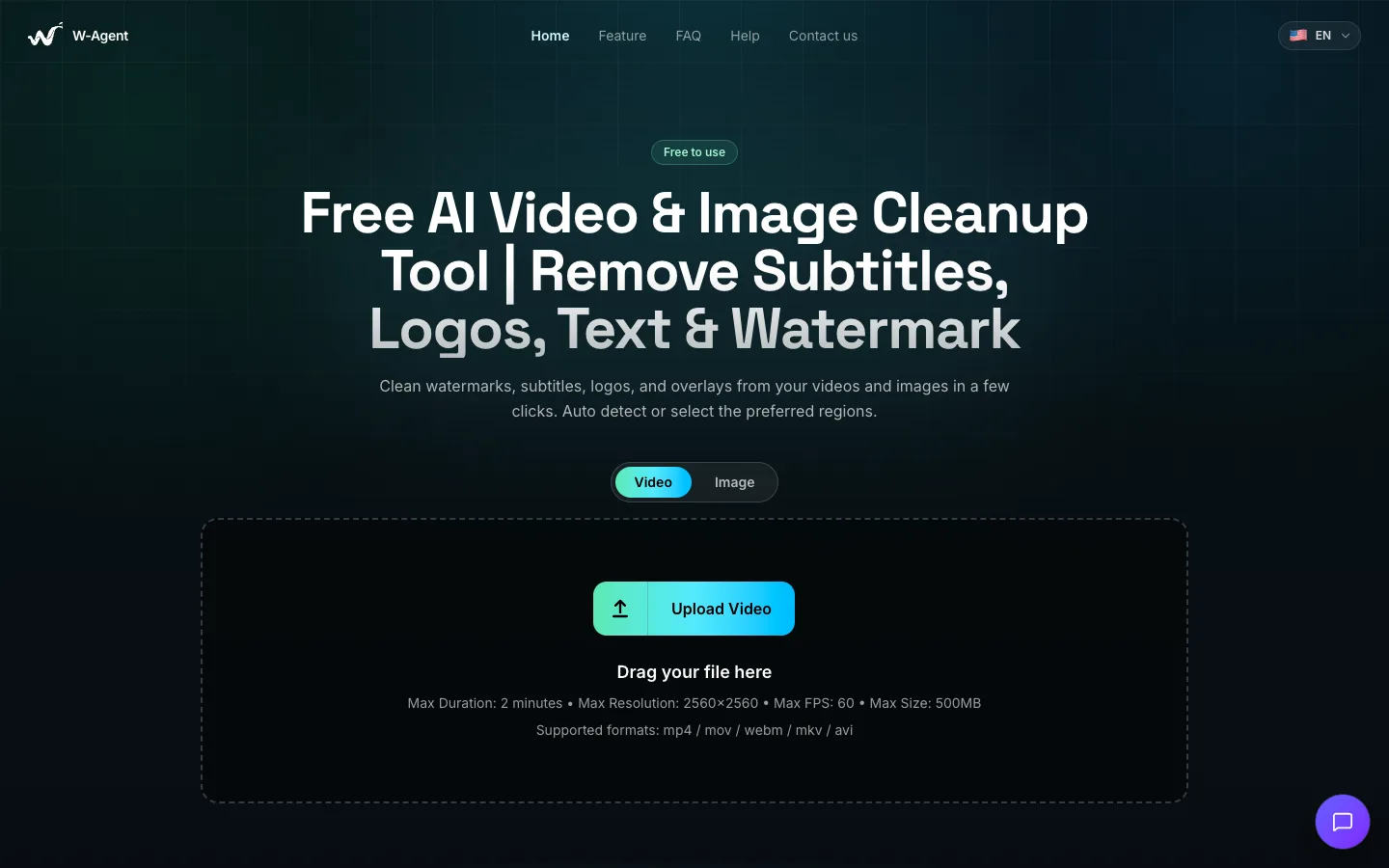
W-Agent is a free browser-based AI cleanup tool that removes watermarks, subtitles, logos and text overlays from videos and images. You upload a file, mark the region with Box or Brush masks or let Auto mode find it, and the AI repaints the covered area from the surrounding picture and neighbouring frames before you download the result.

Official source 1 ↗ · Official source 2 ↗

Features

  • Box, Brush and Auto modes. Box suits fixed targets such as corner logos and static subtitles, Brush covers irregular shapes, and Auto scans the whole clip for tiled, moving or repeated watermarks and scrolling text. Official source 1 ↗
  • AI inpainting. The covered area is regenerated from surrounding texture, colour and neighbouring frames instead of being blurred or cropped; unselected regions are not changed. Official source 1 ↗
  • Time-ranged masks. Each Box or Brush mask has its own timeline track, so a watermark that appears in only part of a video can be processed for just that range. Official source 1 ↗
  • Video and image support. Handles MP4, MOV, WEBM, MKV and AVI video plus JPG, JPEG, PNG and WebP images. Official source 1 ↗
  • Automatic file deletion. Uploaded files are deleted automatically once processing completes. Official source 1 ↗

Pricing & free limits

Free

$0Free, no subscription

Video uploads up to 2 minutes, 2560×2560, 60 fps and 500 MB; video and image cleanup. Official source 1 ↗

Billing details

Billing details were not established by the checked official sources.

Free access & limits

Each video can be at most 2 minutes long, 2560×2560 pixels, 60 fps and 500 MB. Official source 1 ↗

Best for & limitations

Remove a fixed corner logo or timestamp from your own footage with a tight Box selection. Official source 1 ↗

Clear burned-in bottom captions from a clip before reusing it. Official source 1 ↗
  • Reconstruction, not recovery. The AI predicts plausible content rather than restoring the hidden original, so faces, crowds and dense textures can come back slightly different. Official source 1 ↗
  • No batch processing yet. Batch processing, higher-resolution or frame-rate export and team collaboration are listed as planned. Official source 1 ↗
  • No rights granted. Removing a watermark does not grant any rights to third-party content; users must own or have permission for the footage. Official source 1 ↗ · Official source 2 ↗
W-Agent product screenshot
Website previewFixed desktop viewport · 1440 × 900

Similar tools

Published tools that share its categories.

PacttoLive creative review rooms with AI assisted feedback, editing, transcription and translation.
ProductivityFree planChecked Sep 23
Visit
VirseCreate and edit commercial visual work on a canvas with multimodal AI models and aesthetic memory.
Image & DesignFree planChecked Aug 27
Visit
ImgraftRestyle a photo with one of 22 art styles or a short description, then compare and branch every edit step.
Image & DesignFree trialChecked Nov 18
Visit