Ordalin
Submit a tool

Reviewed tool profile

Riverside

Browser-based studio that records podcasts and video in separate local tracks, with a text-based editor and AI cleanup, clips and show notes.

Sources checked

Visit website ↗
Pricing
A Free plan is available with watermarked 720p recordings and 2 one-off hours of multi-track recording. Paid plans are Pro ($29 a month, or $24 a month billed annually), Grow ($39, or $34 annually) and Webinar ($99, or $79 annually), each with a 14-day free trial. Business pricing is custom through sales. Official source 1 ↗
Available as
Recording and editing run in the web browser; guests join from a link without an account or installation. · Mobile apps for iOS, Android and iPad support recording, uploading, review and a mobile-optimized editor, and there is also a macOS desktop app. Official source 1 ↗ Official source 1 ↗ · Official source 2 ↗
Primary group
Music & Audio

What it does

Riverside is a browser-based studio for recording, editing, repurposing, streaming and publishing podcasts and video. Each participant is recorded locally in up to 4K video with separate audio tracks, and AI tools handle cleanup, clips, transcripts, show notes and promotional assets.

Official source 1 ↗

Features

  • Local multi-track recording. Each participant is recorded on their own device and uploaded in the background, in up to 4K video and 48kHz WAV audio. Up to 10 participants get separate tracks, and screen shares are recorded on their own track. Official source 1 ↗
  • Text-based editor. The built-in editor generates a transcript so you can cut or move video by editing text, alongside a timeline editor. Edits are non-destructive. Official source 1 ↗
  • AI audio and cleanup. Magic Audio removes background noise and polishes sound; AI tools remove silences and filler words with adjustable sensitivity, and Find Fluff flags sections worth cutting. Official source 1 ↗
  • VideoDub, eye contact and smart layouts. Correcting the transcript can regenerate the audio in the speaker's voice with lip sync. AI can also adjust gaze toward the camera and switch layouts to follow the active speaker. Official source 1 ↗
  • AI translation and B-roll. AI Translation dubs video into more than 30 languages in the speaker's voice with synced lips, and AI B-roll generates footage from a script, scene or prompt. Both draw on AI credits. Official source 1 ↗ · Official source 2 ↗
  • Magic Clips and AI Co-Creator. Magic Clips finds the best moments and turns them into edited social clips. The AI Co-Creator is a chat-based agent that edits content and drafts clips, social posts, thumbnails and blog posts in your show's tone of voice. Official source 1 ↗
  • Transcripts, show notes and captions. Riverside automatically generates transcriptions, titles, descriptions, chapters and takeaways, and adds customizable animated captions in one click. Official source 1 ↗
  • Podcast hosting and publishing. Built-in hosting lists shows on Spotify, Apple, YouTube and other apps, with analytics on episode and audience performance. Official source 1 ↗
  • Live streaming and webinars. Stream in up to 1080p to YouTube, Facebook, LinkedIn, Twitch or any RTMP destination at once while recording locally. The Webinar plan adds registration, email reminders, Q&A, polls and HubSpot sync. Official source 1 ↗ · Official source 2 ↗
  • Riverside MCP. On Grow and higher plans, the Riverside MCP connects AI assistants such as Claude, ChatGPT and Cursor to search transcripts, edit, cut clips and publish to social media. Official source 1 ↗

Pricing & free limits

Free

$0free

2 hours (one-off) of separate-track recording, unlimited single-track recording and editing, the editing suite and Magic Clips, at up to 720p video and 44.1 kHz audio with a Riverside watermark. Official source 1 ↗

Pro

$29 (or $24 billed annually)per month; $288 per year

Up to 4K video and 48kHz audio without watermark, unlimited text-based editing and transcriptions, the AI editing agent, AI B-roll and eye contact, Magic Clips and show notes, podcast hosting, 1 studio and 15 hours of separate-track downloads a month. Starts with 2000 AI credits. Official source 1 ↗

Grow

$39 (or $34 billed annually)per month; $408 per year

Everything in Pro plus social scheduling, newsletter, creator website, hosting for 2 shows, video hosting, AI thumbnails, Riverside MCP, 1080p multistreaming to unlimited destinations, 2 studios and 20 hours of separate-track downloads. Official source 1 ↗

Webinar

$99 (or $79 billed annually)per month

Everything in Grow plus webinars with up to 100 registrants, recurring and pre-recorded sessions, registration forms, email reminders, Q&A, polls, webinar analytics, HubSpot sync, 3 studios and 25 hours of separate-track downloads. Official source 1 ↗

Business

Custom quotecontact sales

Everything in Webinar plus unlimited studios and separate-track downloads, up to 10,000 webinar registrants, async recording, producer mode, collaborative editing, API access, SSO, SOC2 and ISO27001 compliance and a dedicated CSM. Starts with 12000 AI credits. Official source 1 ↗

Billing details

Annual billing saves up to 20% compared with monthly billing. Pro, Grow and Webinar start with a 14-day free trial. Official source 1 ↗

AI credits power AI Translation, AI B-Roll and Animated Clips; more can be bought once used. Magic Clips, Magic Audio and the AI Co-Creator do not use credits. Official source 1 ↗

On Pro, Grow and Webinar an extra editor seat is available as an add-on; collaborative editing and custom roles are built into Business only. Official source 1 ↗

Free access & limits

The Free plan needs no credit card and includes 2 one-off hours of separate-track recording, unlimited single-track recording and editing, video up to 720p, 44.1 kHz audio and a Riverside watermark. Official source 1 ↗ · Official source 2 ↗

Best for & limitations

Recording a remote interview podcast with guests on separate local tracks, then editing it from the transcript and publishing to Spotify, Apple and YouTube. Official source 1 ↗

Turning one episode or webinar into social clips, summaries and promotional posts. Official source 1 ↗

Running a branded webinar or live show with registration, audience call-ins and Q&A, recorded locally for later editing. Official source 1 ↗ · Official source 2 ↗

Collecting async interviews, testimonials or customer stories that guests record on their own schedule (Business). Official source 1 ↗
  • Free output is watermarked and capped at 720p. Free recordings carry a Riverside watermark and are limited to 720p video; separate-track recording is a one-off 2 hours. Official source 1 ↗
  • Monthly separate-track download caps. Pro, Grow and Webinar cap separate-track downloads at 15, 20 and 25 hours a month; after the cap, new separate tracks cannot be downloaded until the next cycle or an upgrade. Official source 1 ↗
  • Up to 10 recorded participants. A session records up to 10 participants (9 guests plus the host) on separate tracks; additional viewers can watch but are not recorded. Official source 1 ↗
  • Key features gated to higher plans. Webinar registration, Q&A, polls and HubSpot sync need the Webinar plan, and XML timeline export to Premiere or Final Cut is Business-only. Official source 1 ↗ · Official source 2 ↗
  • Some AI features not yet released. Real-time AI assistance during recording and Smooth Cuts are listed as coming soon. Official source 1 ↗
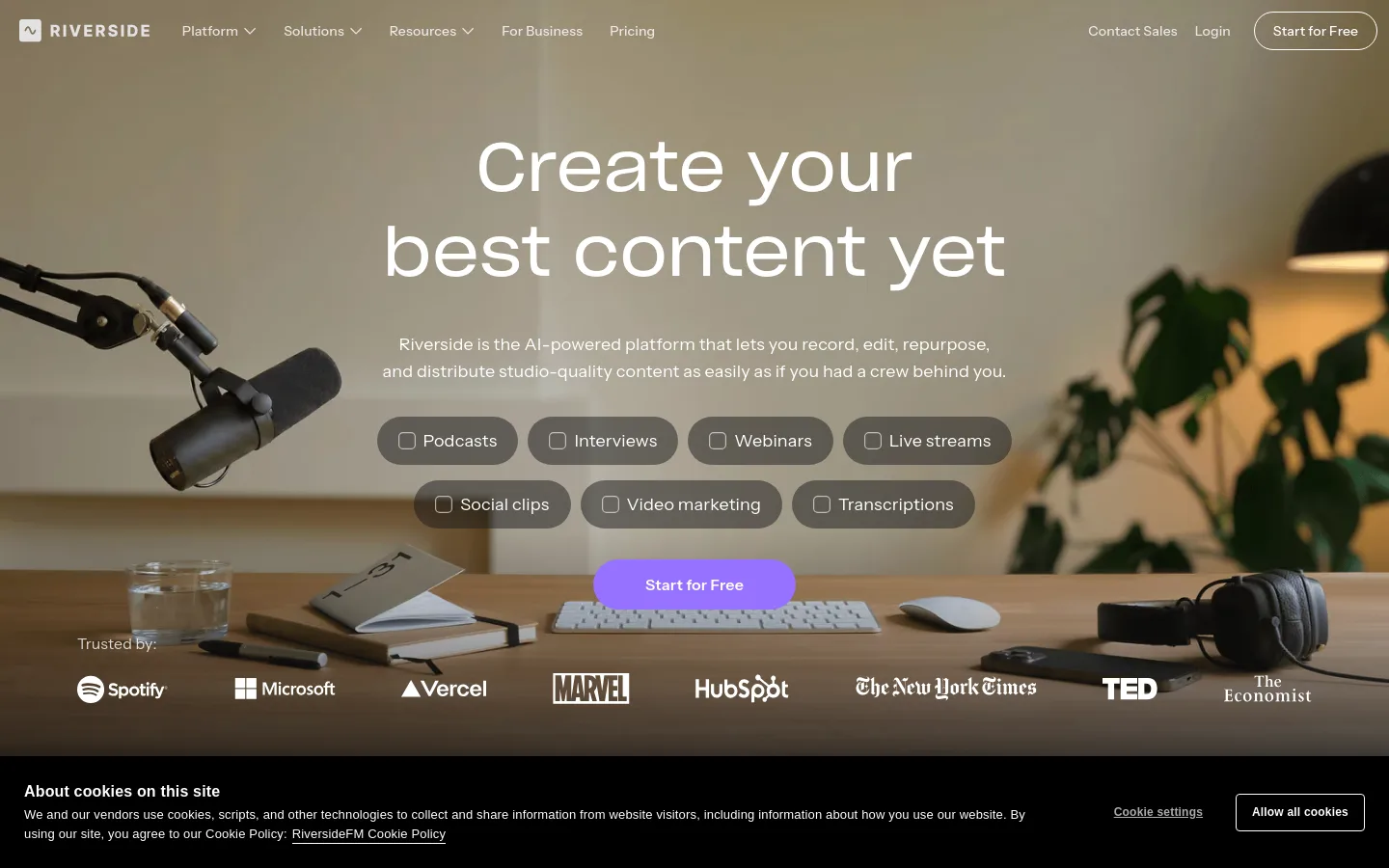
Riverside product screenshot
Website previewFixed desktop viewport · 1440 × 900

Similar tools

Published tools that share its categories.

CastmagicAI content platform that turns podcast episodes and other recordings into transcripts, show notes, clips, newsletters and social posts.
Music & AudioPaidChecked Oct 6
Visit
Cleanvoice AIAI podcast editor that removes filler words, silences, mouth sounds and background noise from audio and video, with timeline export and an API.
Music & AudioFree trialChecked Oct 6
Visit
CliptoLocal-first AI memory for transcribing and searching videos, audio, meetings and documents.
ProductivityFree trialChecked Sep 23
Visit