



Ordalin
Submit a tool

Website-checked tool profile

Video to Text

AI transcription for video and audio with speaker labels, timestamps, and text exports.

Sources checked

Visit website ↗
Pricing
Pay-as-you-go credit packs with no subscription: $9.9 for 200 credits, $19.9 for 600 credits or $99 for 6,000 credits. New users get 30 free credits. Files cost 1 credit per minute; social-media links cost 5 credits per video regardless of length. Official source 1 ↗
Available as
Runs in the browser as a web app. Official source 1 ↗
Primary group
Voice & Speech

Also consider

See all 6 similar tools ↓

What it does

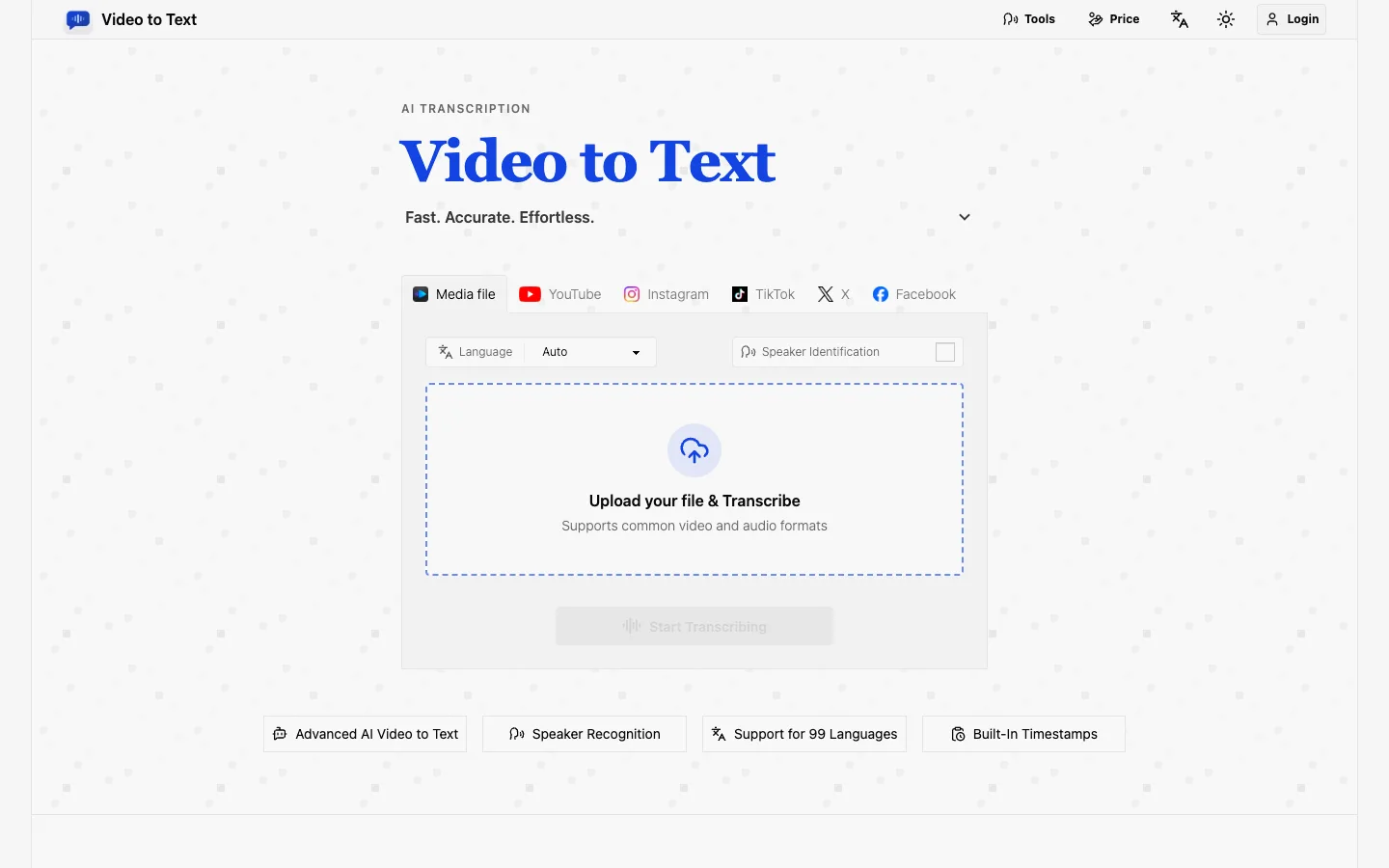
Video to Text (video2text.net) is a web-based AI transcription tool that converts uploaded video and audio files, or public YouTube, TikTok, Instagram, Facebook and X videos, into text. Transcripts include speaker labels and timestamps, support 99 languages with automatic detection, and export as TXT, SRT, VTT or CSV.

Official source 1 ↗

Features

  • File and link transcription. Upload MP4, MOV, MKV, WEBM, M4V, MP3, WAV, M4A, FLAC, OGG, AAC or OPUS files, or paste a public social-media video link. Official source 1 ↗
  • 99 languages and mixed-language audio. Transcribes in 99 languages with automatic language detection and handles bilingual or multilingual conversations in one file. Official source 1 ↗
  • Speaker diarization. Labels different speakers so interviews, meetings and discussions show who said what. Official source 1 ↗
  • Timestamps and subtitle exports. Timestamped transcripts export as TXT, CSV, or SRT and VTT subtitle files. Official source 1 ↗
  • Charged only on completion. Credits are deducted only after a transcription completes; failed uploads or transcriptions are not charged. Official source 1 ↗

Pricing & free limits

Free credits

$0one-time, on sign-up

30 free credits for new users (about 30 minutes of uploaded media). Official source 1 ↗

Billing details

Credits are bought as packs with no subscription. Uploaded files use 1 credit per minute; social-media links use 5 credits per video with no length limit. Official source 1 ↗

Free access & limits

New users receive 30 free credits after sign-up; an account is required before transcribing. Official source 1 ↗ · Official source 2 ↗

Best for & limitations

Create subtitles for YouTube videos, courses and social clips from timestamped transcripts. Official source 1 ↗

Turn meetings, webinars, interviews and lectures into searchable notes or study material. Official source 1 ↗
  • File size and length caps. Each file can be up to 5 GB and 10 hours long. Official source 1 ↗
  • Uploads are temporary. Uploaded files are stored only temporarily, so transcripts must be exported to be kept. Official source 1 ↗
  • Public links only. Social-media transcription works with public videos. Official source 1 ↗
Video to Text product screenshot
Website previewFixed desktop viewport · 1440 × 900

Similar tools

Published tools that share its categories.

RiversideBrowser-based studio that records podcasts and video in separate local tracks, with a text-based editor and AI cleanup, clips and show notes.
Music & AudioFree planChecked Oct 6
Visit
CliptoLocal-first AI memory for transcribing and searching videos, audio, meetings and documents.
ProductivityFree trialChecked Sep 23
Visit